Free Easter Celebration RSVP Website invitation, replies and guest list in one link
From egg hunts to Easter brunch, create joyful spring celebrations. RSVPlinks helps you coordinate family gatherings, church events, and festive activities for a hoppy Easter.
- No credit card
- Guests reply without an app
- Ready in minutes
1,400+ events hosted and 19,000+ RSVPs collected on RSVPlinks.
Quick answer
How to invite guests to a Easter celebration
Send Easter invitations three to four weeks ahead; the date moves between late March and late April, so state it clearly. Include the brunch or dinner time, the address, the egg hunt start time, and church service times if guests are coming from worship. Ask for replies a week before so you can count children for the hunt and seats for the meal, and let guests reply from one link.
- Send invitations
- Three to four weeks before; Easter's date changes every year.
- Ask for replies by
- One week before, so you can fill enough eggs for every child.
- Follow up
- A reminder a few days ahead with the hunt time, weather plan and address.
Easter Celebration invitation designs
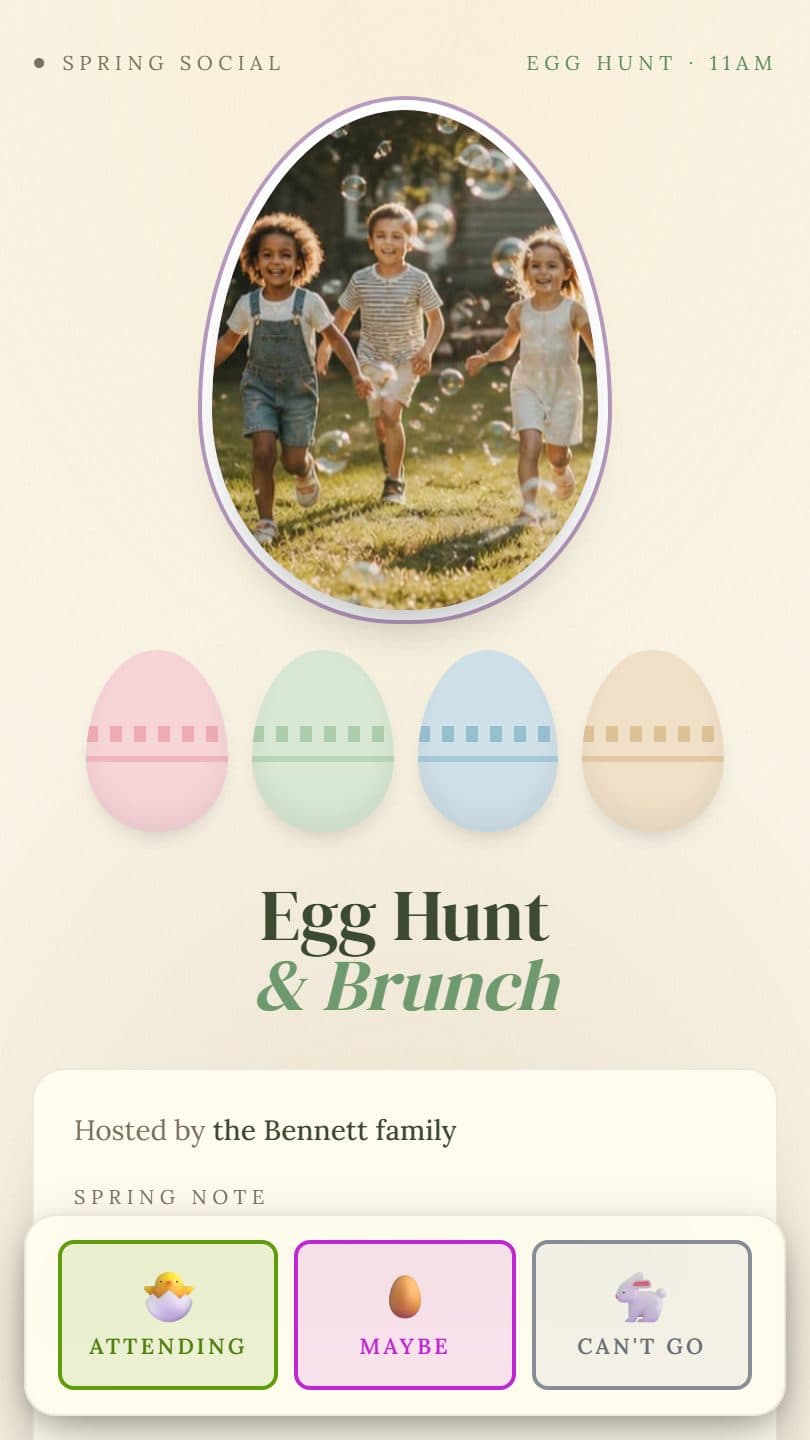
Start from one and change anything: words, photos, colors, page effects and the opening animation. Every design is free.


Easter Celebration invitation wording
Copy one into your invitation and fill in the [brackets]. The words on your page stay editable after you share it.
Join us for Easter brunch on [Date] at [Time] at [Address]. The egg hunt starts at [Hunt time] in the backyard, so bring a basket for each child. Please RSVP by [RSVP date] and tell us how many little ones are coming. Happy Easter, [Name]
He is risen. Please join [Name] for Easter dinner following the morning service on [Date], at [Time], [Address]. We would be glad to have you at our table. Kindly reply by [RSVP date].
Some bunny wants you at our Easter egg hunt! [Date], [Time], [Address]. Baskets, brunch and a golden egg prize for one lucky kid. Hop over to the link and RSVP by [RSVP date].
What to ask on a Easter celebration RSVP form
Every Easter celebration page comes with its own RSVP form: no form builder, no spreadsheet. Guests tap your link, answer, and the reply lands on your guest list.
- How many adults and children are coming?
- How old are the children joining the egg hunt?Paid
- Which brunch dish would you like to bring?Paid
- Any allergies we should know about, including chocolate or nuts?Paid
- Anything we should know, like arriving after church?
Untagged fields are free, and a free event can ask 1 question of your own. More questions and guest limits need a paid event, from $8 once with no subscription. What to ask on an RSVP form
Yes, No and Maybe
Guests can reply Maybe and change their own answer later. Your counts update straight away.
Groups and plus-ones
One guest replies for the whole party, with an adults-and-children split when you need it.
Only what you need
Name and headcount, plus an optional email, phone number or mailing address. Turn any field off.
Closes when you say
Close the form with one tap on any plan. Paid events can close on a date or at a guest limit, with a waitlist.
What a Easter celebration page does for you
Easter is a celebration of renewal, hope, and new beginnings—a time when families gather for brunch, children hunt for colorful eggs, and communities come together in fellowship. Whether your Easter celebration is centered on religious traditions, springtime festivities, or both, the joy is in bringing loved ones together to celebrate. RSVPlinks makes Easter event planning a breeze. Create cheerful invitations that capture the spirit of spring, share egg hunt details and activities for the kids, and manage RSVPs for Easter brunch or dinner. Ask about dietary preferences, let guests sign up for what to bring to the potluck, and keep track of how many little ones will be hunting for eggs so you hide the right amount. Our platform helps you create an Easter celebration that's as joyful to plan as it is to experience.
- Count adults and children for the egg hunt
- Let guests sign up for brunch dishesPaid
- Post egg hunt and church service times
- Add the brunch to guests' calendars
- Email a reminder before Easter morningPaid
Everything without a tag is free. Paid features need a paid event, from $8 once per event; add-ons are bought per event on top. See pricing
From design to replies in three steps
- 1
Pick a design
Start from a Easter celebration design above, or any of the 320 templates. Add your title, date, place and details.
- 2
Share one link
Text it, email it, post it, or print the QR code. Guests open your page in their browser: no app, no account.
- 3
Watch replies arrive
Every RSVP lands on your live guest list with headcounts and notes, and you get an email for each one. Export it any time.
Everything else for your Easter celebration
Beyond the invitation: cards to mail or share, and free tools for the planning.
Easter Celebration RSVP questions
Should an Easter invitation ask the ages of the children?
Yes, if there is an egg hunt. Ages let you split the hunt into zones, such as toddlers on open grass and older kids searching harder spots, and count eggs so every child finds a fair share. A simple line like 'Tell us the ages of the kids hunting' is enough, and it also helps you plan seating and food for the little ones.
Should you bring something to Easter brunch?
It is polite to offer. Ask the host what would help: a side dish, a dessert, flowers for the table, or a small treat for the children's baskets. If the host says nothing is needed, a spring plant or a box of chocolates is a common thank-you. Hosts who want a shared table should say so on the invitation.
How do I create a Easter celebration invitation on RSVPlinks?
Create your Easter celebration invitation in 4 steps: 1) Pick a design. 2) Add your title, date, and details. 3) Set your RSVP options. 4) Share the link or QR code and track RSVPs in real time.
Is RSVPlinks free for Easter celebration invitations?
Yes. The free tier covers 20 RSVPs per event across up to 5 active events, with RSVP tracking, QR codes, and guest management. No credit card required. Bigger events upgrade once per event — there is no subscription.
Is there a free Easter celebration RSVP form?
Yes. Every Easter celebration page on RSVPlinks includes a free built-in RSVP form — no separate form builder or spreadsheet. On the free plan it collects names, headcount (with an adults/kids split), email, phone or mailing address, and supports Yes/No/Maybe replies, group RSVPs, 1 question of your own and a reply-by date that closes the form. Paid events, from $8, add more questions and guest limits that close the form when the event is full.
What features does RSVPlinks offer for Easter celebration events?
Free on every Easter celebration page: Count adults and children for the egg hunt; Post egg hunt and church service times; Add the brunch to guests' calendars. On a paid event, from $8: Let guests sign up for brunch dishes; Email a reminder before Easter morning. Every page also has real-time RSVP tracking, QR code sharing and 320 ready-made templates.
Do guests need an app or an account to RSVP?
No. Guests tap your link and reply in their browser. Every event page also has one-tap Add to Calendar and opens the venue in Google Maps or Apple Maps.
Easter Celebration planning guides
- How to Host Easter Brunch: Menu and TimelineA three-week Easter brunch plan with a menu and quantities for 18 guests, invitation wording, egg hunt ideas and an hour-by-hour Easter morning schedule.
- How to Plan an Easter Egg Hunt for KidsAn Easter egg hunt plan with egg counts by age zone, filler ideas, yard prep, a rain plan, a morning schedule and invitation wording.
- Church Easter Event Planning and RSVPsHow churches collect Easter RSVPs and turn them into chairs, volunteers, egg counts and brunch plates, with a 2027 timeline.
Make your Easter celebration page now
Free for up to 20 RSVPs. Need more? Upgrade one event from $8, with no subscription.
RSVP guides
- How to create an RSVP link (free, in about 3 minutes)
- What is an RSVP link?
- How to set up a free RSVP website
- Free online RSVP form: what to ask guests and how to set it up
- How to make a free RSVP QR code
- How to add an RSVP link to a Canva invitation
- How to add an RSVP link to your wedding website
- How to share an RSVP link on Facebook and Instagram
- How to share an RSVP link on social media, or print it as a QR sign
- How to put an RSVP link in an email invitation
- How to track RSVPs (without a spreadsheet)
- How to Make a Guest List (and Keep It Up to Date)
- How to RSVP without joining, signing up or downloading an app
- Free event registration form: how to set up an event registration page
- How to Host a Holiday Party: Timeline, Work Christmas Party Ideas and RSVPs
- How Teachers Collect Parent Availability: Conference Sign-Ups, Polls and RSVPs
- Save the date postcards: when to mail them and what they cost