Free Halloween Party RSVP Website invitation, replies and guest list in one link
Create frighteningly fun Halloween gatherings with ease. RSVPlinks helps you organize costumes, candy, and creepy details for a Halloween party that's to die for.
- No credit card
- Guests reply without an app
- Ready in minutes
1,400+ events hosted and 19,000+ RSVPs collected on RSVPlinks.
Quick answer
How to invite guests to a Halloween party
Send Halloween party invitations three to four weeks ahead, by early October, because the weekends around October 31 fill quickly. State the costume expectation (required, encouraged, or a theme), the date, time and address, whether it is adults-only or family-friendly, and any costume contest. Ask for replies about a week before so you can plan food and candy, and let guests reply from one link.
- Send invitations
- Three to four weeks before, by early October for the weekend before Halloween.
- Ask for replies by
- One week before, so you can buy food, drinks and candy.
- Follow up
- A reminder two days out with the costume theme and parking.
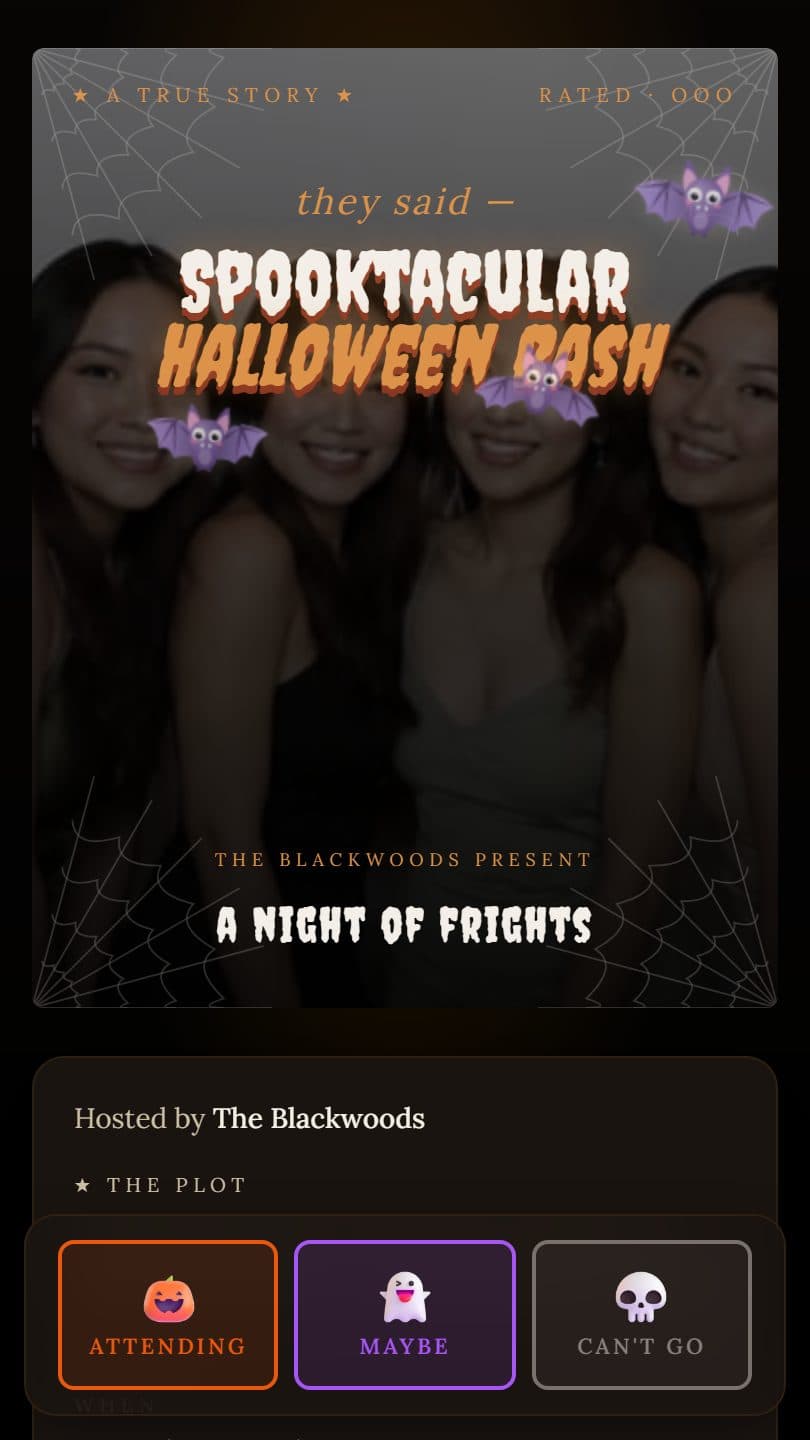
Halloween Party invitation designs
Start from one and change anything: words, photos, colors, page effects and the opening animation. Every design is free.


Halloween Party invitation wording
Copy one into your invitation and fill in the [brackets]. The words on your page stay editable after you share it.
Something wicked this way comes. Our Halloween party is [Date] at [Time], [Address]. Costumes required, with prizes for the scariest and the funniest. Enter if you dare, and RSVP by [RSVP date]!
Little ghouls and goblins welcome! Join us for a family Halloween party on [Date] from [Time] at [Address], with a costume parade, games and trick-or-treating after. Please RSVP by [RSVP date] with how many kids are coming. [Name]
Halloween party at [Name]'s, [Date], [Time]. This year's theme is [Theme], so start planning your costume. Can you make it? RSVP at the link by [RSVP date].
What to ask on a Halloween party RSVP form
Every Halloween party page comes with its own RSVP form: no form builder, no spreadsheet. Guests tap your link, answer, and the reply lands on your guest list.
- How many adults and kids are coming?
- What will you be dressing up as?Paid
- Any food or candy allergies, like nuts?Paid
- Do you want to enter the costume contest?Paid
Untagged fields are free, and a free event can ask 1 question of your own. More questions and guest limits need a paid event, from $8 once with no subscription. What to ask on an RSVP form
Yes, No and Maybe
Guests can reply Maybe and change their own answer later. Your counts update straight away.
Groups and plus-ones
One guest replies for the whole party, with an adults-and-children split when you need it.
Only what you need
Name and headcount, plus an optional email, phone number or mailing address. Turn any field off.
Closes when you say
Close the form with one tap on any plan. Paid events can close on a date or at a guest limit, with a waitlist.
What a Halloween party page does for you
Halloween is a night of magic, mystery, and mischief—when creativity runs wild and everyone gets to be someone (or something) else for a night. Whether you're throwing a kid-friendly costume party, an adults-only haunted soirée, or a neighborhood trick-or-treat gathering, the goal is the same: maximum fun with minimum fright (unless that's your theme). RSVPlinks brings spooky sophistication to your Halloween planning. Create hauntingly beautiful invitations that set the tone for your event—from cute and whimsical to genuinely eerie. Share your costume theme and trick-or-treat plans, and track RSVPs so you know exactly how much candy to stock. Ask about allergies for treats and share meeting spots for neighborhood events. Let us handle the organizational nightmares so you can focus on the fun kind.
- Ask about treat allergies before the partyPaid
- Pick a haunted layout with spooky effects
- Count kids and adults to stock enough candy
- Post the costume theme and trick-or-treat route
- Close replies a few days before Halloween
Everything without a tag is free. Paid features need a paid event, from $8 once per event; add-ons are bought per event on top. See pricing
From design to replies in three steps
- 1
Pick a design
Start from a Halloween party design above, or any of the 320 templates. Add your title, date, place and details.
- 2
Share one link
Text it, email it, post it, or print the QR code. Guests open your page in their browser: no app, no account.
- 3
Watch replies arrive
Every RSVP lands on your live guest list with headcounts and notes, and you get an email for each one. Export it any time.
Everything else for your Halloween party
Beyond the invitation: cards to mail or share, and free tools for the planning.
Halloween Party RSVP questions
Should a Halloween party invitation say costumes are required?
Say exactly what you expect. 'Costumes required' or 'costumes encouraged' removes the worry about being the only one in jeans. If there is a theme, name it and give an example or two. If there is a contest, list the categories so people know to put in effort. For a mixed crowd, add that a simple costume or something orange and black is fine.
Is it OK to have an adults-only Halloween party?
Yes. Make it clear on the invitation with a line such as 'This is an adults-only party' and address it to the adults by name. Hosting on a night other than October 31 helps parents who take their kids trick-or-treating. If you also expect to hand out candy at the door, plan for someone to answer it.
How do I create a Halloween party invitation on RSVPlinks?
Create your Halloween party invitation in 4 steps: 1) Pick a design. 2) Add your title, date, and details. 3) Set your RSVP options. 4) Share the link or QR code and track RSVPs in real time.
Is RSVPlinks free for Halloween party invitations?
Yes. The free tier covers 20 RSVPs per event across up to 5 active events, with RSVP tracking, QR codes, and guest management. No credit card required. Bigger events upgrade once per event — there is no subscription.
Is there a free Halloween party RSVP form?
Yes. Every Halloween party page on RSVPlinks includes a free built-in RSVP form — no separate form builder or spreadsheet. On the free plan it collects names, headcount (with an adults/kids split), email, phone or mailing address, and supports Yes/No/Maybe replies, group RSVPs, 1 question of your own and a reply-by date that closes the form. Paid events, from $8, add more questions and guest limits that close the form when the event is full.
What features does RSVPlinks offer for Halloween party events?
Free on every Halloween party page: Pick a haunted layout with spooky effects; Count kids and adults to stock enough candy; Post the costume theme and trick-or-treat route; Close replies a few days before Halloween. On a paid event, from $8: Ask about treat allergies before the party. Every page also has real-time RSVP tracking, QR code sharing and 320 ready-made templates.
Do guests need an app or an account to RSVP?
No. Guests tap your link and reply in their browser. Every event page also has one-tap Add to Calendar and opens the venue in Google Maps or Apple Maps.
Halloween Party planning guides
- Halloween Potluck Sign-Up Sheet (Free Template)A free Halloween potluck sign-up sheet with slot counts, themed dish ideas by category, and a sign-up timeline for an Oct 24 or Oct 31 party.
- Plan a Pumpkin Patch Field Trip Without ChaosStop dreading the pumpkin patch field trip chaos. Here's a step-by-step guide to organizing parent volunteers without the last-minute scramble.
- Halloween Party Invitation Wording: 40 ExamplesCopy-ready Halloween party invitations for 2027: short texts for friends, neighborhood letters, adults-only and kids' wording, rhymes and reminders.
- How to Plan a Halloween Party for AdultsA six-week plan for an adult Halloween party on October 30, 2027: themes, costume rules, food for 30, games, RSVPs and invitation text.
- How to Collect RSVPs for a Halloween Kids' Party Online (Without Losing Track of Anyone)Drowning in Halloween party texts and unanswered RSVPs? Here's exactly how to collect kids' party RSVPs online and never lose track of a guest again.
Make your Halloween party page now
Free for up to 20 RSVPs. Need more? Upgrade one event from $8, with no subscription.
RSVP guides
- How to create an RSVP link (free, in about 3 minutes)
- What is an RSVP link?
- How to set up a free RSVP website
- Free online RSVP form: what to ask guests and how to set it up
- How to make a free RSVP QR code
- How to add an RSVP link to a Canva invitation
- How to add an RSVP link to your wedding website
- How to share an RSVP link on Facebook and Instagram
- How to share an RSVP link on social media, or print it as a QR sign
- How to put an RSVP link in an email invitation
- How to track RSVPs (without a spreadsheet)
- How to Make a Guest List (and Keep It Up to Date)
- How to RSVP without joining, signing up or downloading an app
- Free event registration form: how to set up an event registration page
- How to Host a Holiday Party: Timeline, Work Christmas Party Ideas and RSVPs
- How Teachers Collect Parent Availability: Conference Sign-Ups, Polls and RSVPs
- Save the date postcards: when to mail them and what they cost