Free Meet Up RSVP Website invitation, replies and guest list in one link
Whether it's a tech talk, book club, fitness group, or casual hangout, RSVPlinks helps organizers create meetups that people actually show up to—with easy RSVPs and clear communication.
- No credit card
- Guests reply without an app
- Ready in minutes
1,300+ events hosted and 18,000+ RSVPs collected on RSVPlinks.
Quick answer
How to invite guests to a meet up
Post meetup invitations two to three weeks ahead, and announce each session of a recurring meetup at least a week before. State the topic or activity, who it's for, the date, start time, the exact location with entrance or room details, and the attendance cap. Ask for replies one to two days before so you can plan space and refreshments, and have everyone RSVP from one link.
- Send invitations
- Announce two to three weeks out; a week ahead is enough for a recurring meetup.
- Ask for replies by
- Replies due one to two days before, so you can confirm room size and refreshments.
- Follow up
- Send a day-of message with directions to the room and the organizer's phone number.
Meet Up invitation designs
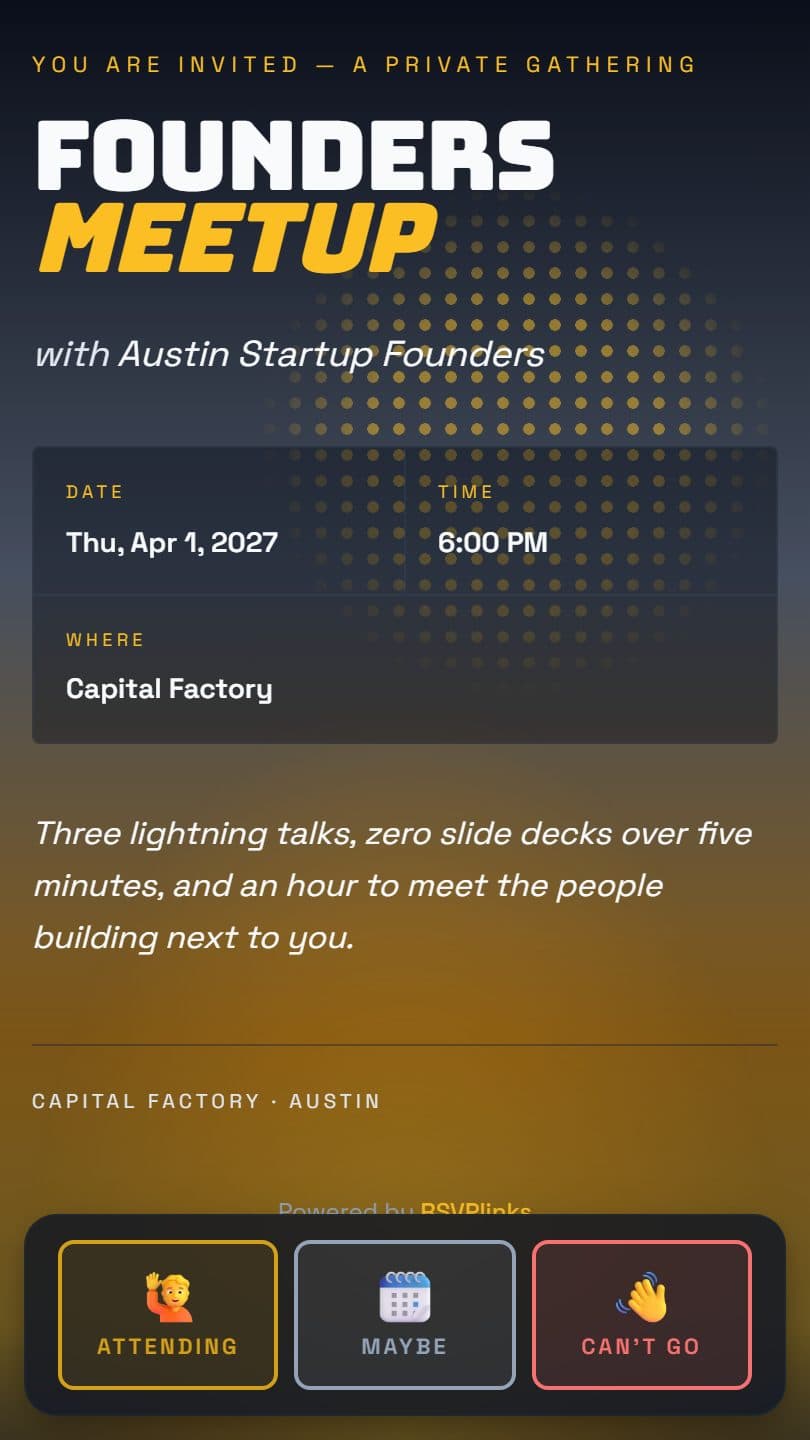
Start from one and change anything: words, photos, colors, page effects and the opening animation. Every design is free.


Meet Up invitation wording
Copy one into your invitation and fill in the [brackets]. The words on your page stay editable after you share it.
Join [Group name] for [Topic] on [Date] at [Time] at [Venue], [Address]. [Name] will open with a short talk, followed by open discussion and networking. All experience levels are welcome. Space is limited to [Number]. Please RSVP by [RSVP date].
Our next [Group name] meetup is on [Date] at [Time] at [Venue]. New faces are always welcome; we'll start with quick introductions and then [Activity]. Look for our sign at the front desk. Please RSVP by [RSVP date] so we can plan seating.
[Group name] meetup: [Topic]. [Date], [Time], [Venue], [Address]. Free and open to all, with [Number] spots and refreshments provided. RSVP at the link by [RSVP date] to save yours.
What to ask on a meet up RSVP form
Every meet up page comes with its own RSVP form: no form builder, no spreadsheet. Guests tap your link, answer, and the reply lands on your guest list.
- Is this your first time at one of our meetups?Paid
- What do you do, and where do you work?Paid
- What topic would you like us to cover next?Paid
- Are you bringing a friend? How many in total?
- What email should we send event updates to?
Untagged fields are free. Your own questions, a reply-by date and guest limits need a paid event, from $7 once with no subscription. What to ask on an RSVP form
Yes, No and Maybe
Guests can reply Maybe and change their own answer later. Your counts update straight away.
Groups and plus-ones
One guest replies for the whole party, with an adults-and-children split when you need it.
Only what you need
Name and headcount, plus an optional email, phone number or mailing address. Turn any field off.
Closes when you say
Close the form with one tap on any plan. Paid events can close on a date or at a guest limit, with a waitlist.
What a meet up page does for you
Meetups are the backbone of community building—bringing together people who share common interests, whether it's technology, fitness, art, entrepreneurship, or just a love of good conversation. But the biggest challenge every meetup organizer faces isn't finding interested people—it's converting interest into attendance. Vague event details, complicated sign-up processes, and no-show culture can turn a promising gathering into a ghost town. RSVPlinks solves the meetup attendance problem. Create clean, informative event pages that give potential attendees everything they need: what the meetup is about, where it's happening, and what to expect. Share your link across social media, messaging apps, and community boards. Track RSVPs so you can plan appropriately for space and refreshments, and build a reputation for well-organized meetups that people don't want to miss. Whether you're running a running club or a monthly tech talk, RSVPlinks is your attendance engine.
- Share one link and QR code on social media
- Cap attendance at what the venue holdsPaid
- Post the location and what to expect
- Email reminders to confirmed attendeesPaid
- Show a public list of who's coming
Everything without a tag is free. Paid features need a paid event, from $7 once per event; add-ons are bought per event on top. See pricing
From design to replies in three steps
- 1
Pick a design
Start from a meet up design above, or any of the 111 templates. Add your title, date, place and details.
- 2
Share one link
Text it, email it, post it, or print the QR code. Guests open your page in their browser: no app, no account.
- 3
Watch replies arrive
Every RSVP lands on your live guest list with headcounts and notes, and you get an email for each one. Export it any time.
Everything else for your meet up
Beyond the invitation: cards to mail or share, and free tools for the planning.
Meet Up RSVP questions
How do you reduce no-shows at a free meetup?
Ask people to RSVP rather than just mark interest, and send a reminder the day before with the exact location. Expect some registered people not to come, so set your cap a little above the room size and keep a waitlist. Ask attendees to update their reply if plans change, and start on time so people learn the schedule is real.
How often should a meetup group meet?
Monthly is the most common rhythm: frequent enough to build familiarity, rare enough that people can commit. Activity groups such as running or coding clubs often meet weekly. Pick a fixed pattern, like the second Tuesday, and keep the same time and place when you can, since regular attendees plan around it. Announce any change at least a week ahead.
How do I create a meet up invitation on RSVPlinks?
Create your meet up invitation in 4 steps: 1) Pick a design. 2) Add your title, date, and details. 3) Set your RSVP options. 4) Share the link or QR code and track RSVPs in real time.
Is RSVPlinks free for meet up invitations?
Yes. The free tier covers 20 RSVPs per event across up to 5 active events, with RSVP tracking, QR codes, and guest management. No credit card required. Bigger events upgrade once per event — there is no subscription.
Is there a free meet up RSVP form?
Yes. Every meet up page on RSVPlinks includes a free built-in RSVP form — no separate form builder or spreadsheet. On the free plan it collects names, headcount (with an adults/kids split), email, phone or mailing address, and supports Yes/No/Maybe replies and group RSVPs. Paid events, from $7, add your own questions, a reply-by date and guest limits that close the form automatically.
What features does RSVPlinks offer for meet up events?
Free on every meet up page: Share one link and QR code on social media; Post the location and what to expect; Show a public list of who's coming. On a paid event, from $7: Cap attendance at what the venue holds; Email reminders to confirmed attendees. Every page also has real-time RSVP tracking, QR code sharing and 111 ready-made templates.
Do guests need an app or an account to RSVP?
No. Guests tap your link and reply in their browser. Every event page also has one-tap Add to Calendar and opens the venue in Google Maps or Apple Maps.
Make your meet up page now
Free for up to 20 RSVPs. Need more? Upgrade one event from $7, with no subscription.
RSVP guides
- How to create an RSVP link (free, in about 3 minutes)
- What is an RSVP link?
- How to set up a free RSVP website
- Free online RSVP form: what to ask guests and how to set it up
- How to make a free RSVP QR code
- How to add an RSVP link to a Canva invitation
- How to add an RSVP link to your wedding website
- How to share an RSVP link on Facebook and Instagram
- How to put an RSVP link in an email invitation
- How to track RSVPs (without a spreadsheet)
- How to Make a Guest List (and Keep It Up to Date)
- How to RSVP without joining, signing up or downloading an app
- Free event registration form: how to set up an event registration page
- How to Host a Holiday Party: Timeline, Work Christmas Party Ideas and RSVPs
- How Teachers Collect Parent Availability: Conference Sign-Ups, Polls and RSVPs
- Save the date postcards: when to mail them and what they cost