Free Memorial Day Party RSVP Website invitation, replies and guest list in one link
Memorial Day marks the unofficial start of summer and a day to honor those who served. RSVPlinks helps you plan a respectful and festive gathering that brings people together.
- No credit card
- Guests reply without an app
- Ready in minutes
1,300+ events hosted and 18,000+ RSVPs collected on RSVPlinks.
Quick answer
How to invite guests to a Memorial Day party
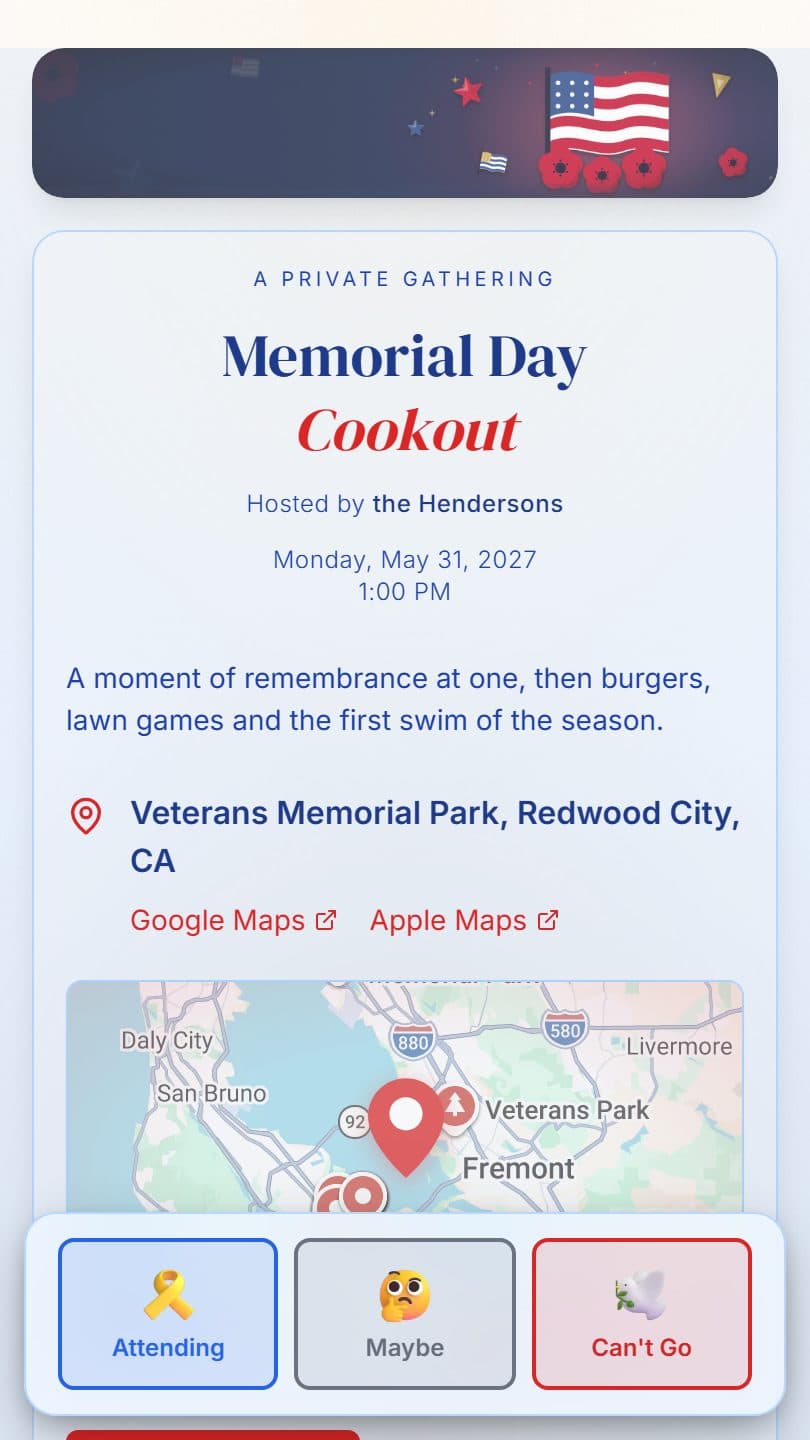
Send Memorial Day party invitations two to three weeks ahead, since many people plan travel for the long weekend. Give the date, time and address, whether it's a cookout or potluck, and what to bring, such as a side dish or lawn chair. If you'll pause for the 3 p.m. Moment of Remembrance, say so. Ask for replies a week before, with everyone replying from one link.
- Send invitations
- Invite two to three weeks ahead; long-weekend plans fill up early.
- Ask for replies by
- Replies due about one week before, so you can buy food for the grill.
- Follow up
- Two days before, send the weather plan, parking and the time of the remembrance pause.
Memorial Day Party invitation designs
Start from one and change anything: words, photos, colors, page effects and the opening animation. Every design is free.


Memorial Day Party invitation wording
Copy one into your invitation and fill in the [brackets]. The words on your page stay editable after you share it.
Please join us for a Memorial Day cookout on [Date] at [Time] at [Address]. We'll fire up the grill, welcome the start of summer, and pause at 3 p.m. to remember those who gave their lives in service. Please RSVP by [RSVP date].
Memorial Day cookout at our place, [Date], starting at [Time]. Burgers and hot dogs are on us; bring a side or a drink if you like. Can you come? RSVP at the link by [RSVP date].
In honor of those who served and gave their lives, you are invited to a Memorial Day gathering on [Date] at [Time] at [Address]. A short remembrance will be followed by lunch. Veterans and their families are especially welcome. Please reply by [RSVP date].
What to ask on a Memorial Day party RSVP form
Every Memorial Day party page comes with its own RSVP form: no form builder, no spreadsheet. Guests tap your link, answer, and the reply lands on your guest list.
- How many adults and children are coming?
- What side dish or dessert will you bring?Paid
- Is there someone you'd like us to remember by name?Paid
- Is anyone in your party a veteran we'd like to recognize?Paid
- Any food allergies we should plan around?Paid
Untagged fields are free. Your own questions, a reply-by date and guest limits need a paid event, from $7 once with no subscription. What to ask on an RSVP form
Yes, No and Maybe
Guests can reply Maybe and change their own answer later. Your counts update straight away.
Groups and plus-ones
One guest replies for the whole party, with an adults-and-children split when you need it.
Only what you need
Name and headcount, plus an optional email, phone number or mailing address. Turn any field off.
Closes when you say
Close the form with one tap on any plan. Paid events can close on a date or at a guest limit, with a waitlist.
What a Memorial Day party page does for you
Memorial Day is both a day of remembrance and a celebration of the freedoms we enjoy. It's the unofficial kickoff to summer—a time for backyard BBQs, pool openings, parades, and gathering with family and friends. RSVPlinks helps you organize a Memorial Day celebration that strikes the right balance of respect and festivity. Create patriotic invitations in red, white, and blue. Track RSVPs for your cookout or picnic, coordinate potluck contributions, and share event details. Whether it's a family gathering, a neighborhood celebration, or a community event, our platform makes the planning simple and meaningful.
- Red, white and blue palettes and page effects
- Potluck dish and drink sign-ups for the cookoutPaid
- Post parade times, parking and what to bring
- One-tap calendar and map links
- Cap the guest list for your backyardPaid
Everything without a tag is free. Paid features need a paid event, from $7 once per event; add-ons are bought per event on top. See pricing
From design to replies in three steps
- 1
Pick a design
Start from a Memorial Day party design above, or any of the 111 templates. Add your title, date, place and details.
- 2
Share one link
Text it, email it, post it, or print the QR code. Guests open your page in their browser: no app, no account.
- 3
Watch replies arrive
Every RSVP lands on your live guest list with headcounts and notes, and you get an email for each one. Export it any time.
Everything else for your Memorial Day party
Beyond the invitation: cards to mail or share, and free tools for the planning.
Postcards, printed and mailed for you
All postcard templates


Memorial Day Party RSVP questions
Is it appropriate to have a party on Memorial Day?
Yes. Cookouts and family gatherings are a long American tradition on the holiday. What sets a Memorial Day party apart is keeping the meaning in view: fly the flag at half-staff until noon, pause at 3 p.m. local time for the National Moment of Remembrance, or say a few words before the meal. In formal remarks, skip wishing guests a 'happy' Memorial Day.
What is the difference between Memorial Day and Veterans Day?
Memorial Day, the last Monday in May, honors service members who died in military service. Veterans Day, on November 11, honors everyone who has served, living or dead. The distinction matters for your wording: a Memorial Day gathering remembers the fallen, so 'thank you for your service' fits Veterans Day better. Recognizing veterans who attend is still welcome.
How do I create a Memorial Day party invitation on RSVPlinks?
Create your Memorial Day party invitation in 4 steps: 1) Pick a design. 2) Add your title, date, and details. 3) Set your RSVP options. 4) Share the link or QR code and track RSVPs in real time.
Is RSVPlinks free for Memorial Day party invitations?
Yes. The free tier covers 20 RSVPs per event across up to 5 active events, with RSVP tracking, QR codes, and guest management. No credit card required. Bigger events upgrade once per event — there is no subscription.
Is there a free Memorial Day party RSVP form?
Yes. Every Memorial Day party page on RSVPlinks includes a free built-in RSVP form — no separate form builder or spreadsheet. On the free plan it collects names, headcount (with an adults/kids split), email, phone or mailing address, and supports Yes/No/Maybe replies and group RSVPs. Paid events, from $7, add your own questions, a reply-by date and guest limits that close the form automatically.
What features does RSVPlinks offer for Memorial Day party events?
Free on every Memorial Day party page: Red, white and blue palettes and page effects; Post parade times, parking and what to bring; One-tap calendar and map links. On a paid event, from $7: Potluck dish and drink sign-ups for the cookout; Cap the guest list for your backyard. Every page also has real-time RSVP tracking, QR code sharing and 111 ready-made templates.
Do guests need an app or an account to RSVP?
No. Guests tap your link and reply in their browser. Every event page also has one-tap Add to Calendar and opens the venue in Google Maps or Apple Maps.
Make your Memorial Day party page now
Free for up to 20 RSVPs. Need more? Upgrade one event from $7, with no subscription.
RSVP guides
- How to create an RSVP link (free, in about 3 minutes)
- What is an RSVP link?
- How to set up a free RSVP website
- Free online RSVP form: what to ask guests and how to set it up
- How to make a free RSVP QR code
- How to add an RSVP link to a Canva invitation
- How to add an RSVP link to your wedding website
- How to share an RSVP link on Facebook and Instagram
- How to put an RSVP link in an email invitation
- How to track RSVPs (without a spreadsheet)
- How to Make a Guest List (and Keep It Up to Date)
- How to RSVP without joining, signing up or downloading an app
- Free event registration form: how to set up an event registration page
- How to Host a Holiday Party: Timeline, Work Christmas Party Ideas and RSVPs
- How Teachers Collect Parent Availability: Conference Sign-Ups, Polls and RSVPs
- Save the date postcards: when to mail them and what they cost