Design your page
Color themes and fonts
A color theme sets the page background, text, accent and reply-button colors together. Fonts are chosen separately: one for the title, one for everything else.
Open your dashboard
Updated
Pick a color theme
Open the Theme picker above the page, or Theme on the side rail.
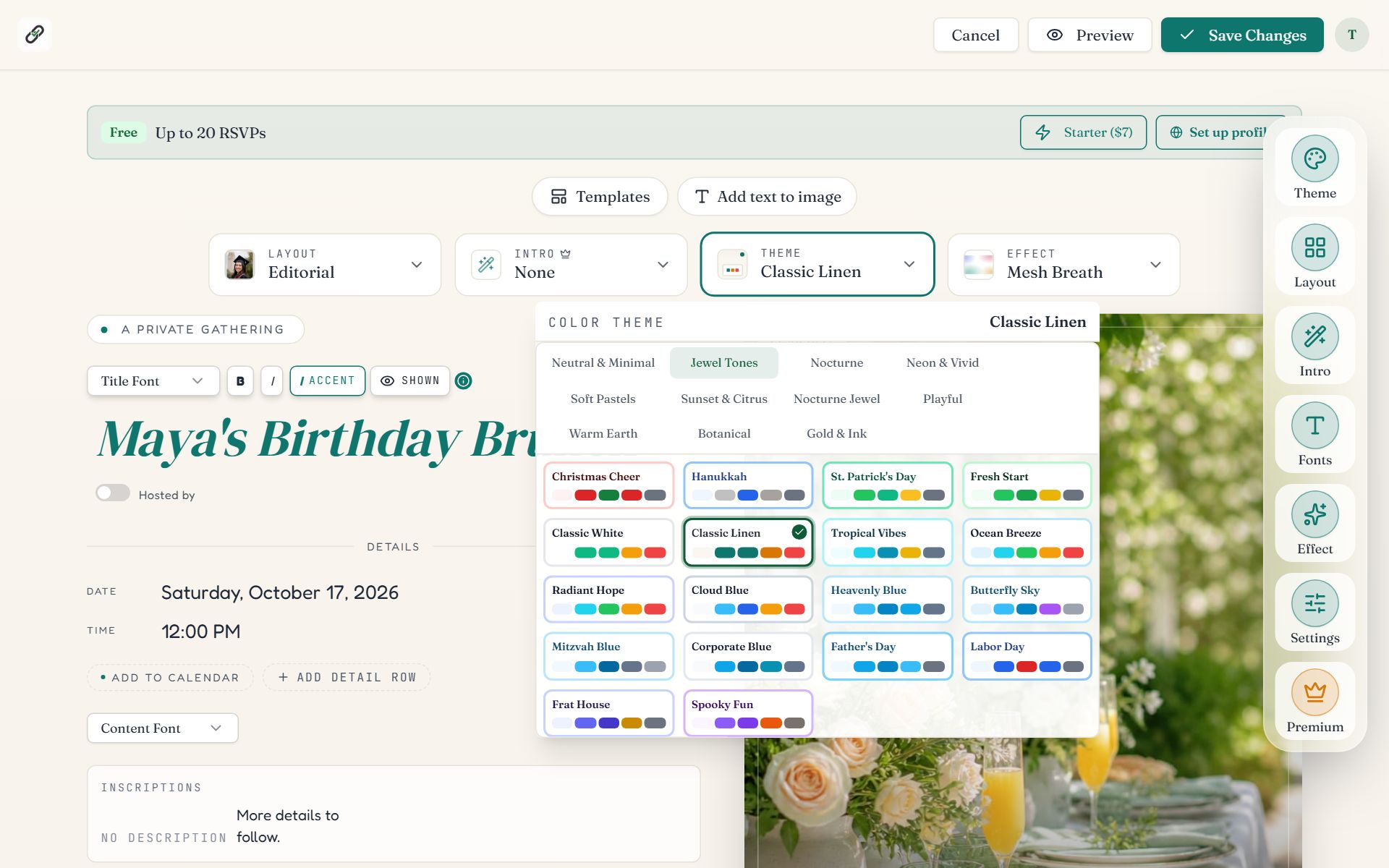
Swipe sideways to see the whole screen, or tap it to enlarge.
- 1The Theme picker shows the current theme's name.
- 2Mood groups and swatches. Pick a group across the top, then click a theme. The page recolors at once.
The 220 themes are sorted into eleven mood groups: Neutral & Minimal, Soft Pastels, Warm Earth, Jewel Tones, Sunset & Citrus, Botanical, Nocturne, Nocturne Jewel, Gold & Ink, Neon & Vivid and Playful. Dark themes are under the two Nocturne groups.
- Each swatch previews the theme's background and its main colors.
- Text and buttons are adjusted automatically so they stay readable on every theme.
- The holiday layouts paint their own themed page. On those, the theme colors the reply buttons.
- Your emails to guests take their accent color from the same theme.
Choose fonts
Press Fonts on the side rail. You can also use the Title Font and Content Font menus on the page itself.
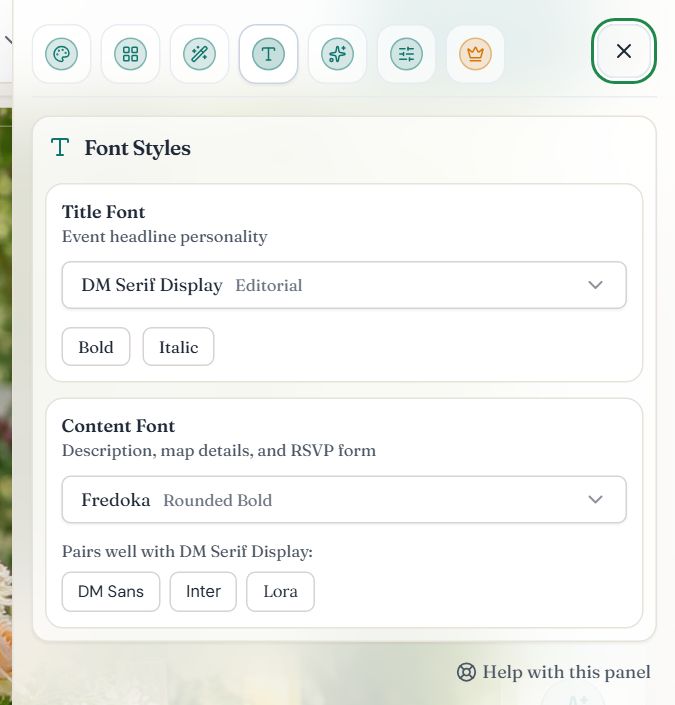
- 1Title Font. 41 choices, from formal scripts to bold display faces. Bold and Italic are below it.
- 2Content Font. 42 choices for the description, details and RSVP form.
- 3Pairs well with suggests three content fonts that suit your title font.
Style the title
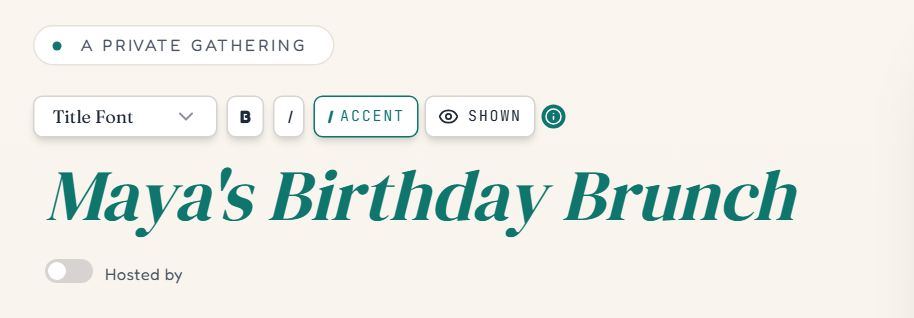
- 1Title Font changes the typeface.
- 2B makes the title bold. I, beside it, makes it italic.
- 3Accent sets the last line of the title in italic, in the theme's accent color. Press Enter inside the title to start a new line.
- 4Shown hides the title on the page. Press it again to bring the title back.
Common questions
- Can I use my own colors?
- Themes are chosen from the 220 built-in palettes rather than typed in as color codes. That keeps every text and button readable. Most wedding and brand colors have a close match; try the Jewel Tones, Botanical and Gold & Ink groups.
- Are color themes and fonts free?
- Yes. Every color theme and every font is free on all events.
- Why does my title font not apply to the small labels?
- Small labels follow the content font on purpose. Script title fonts are hard to read as tiny capital letters, so labels use the content font instead.
- Is there a dark mode for the event page?
- Pick a dark color theme, such as one from the Nocturne groups. The page then looks the same for every guest, whatever their device setting.
Still stuck?
Check the FAQ for quick answers, or send us a message and a person will reply.