Paid events and add-ons
Postcards: mail printed cards to your guests
Postcards are real printed cards, mailed to each guest for you. Design the card, add addresses, pick a mail date and pay per card. Postage is included.
Updated
Where to start
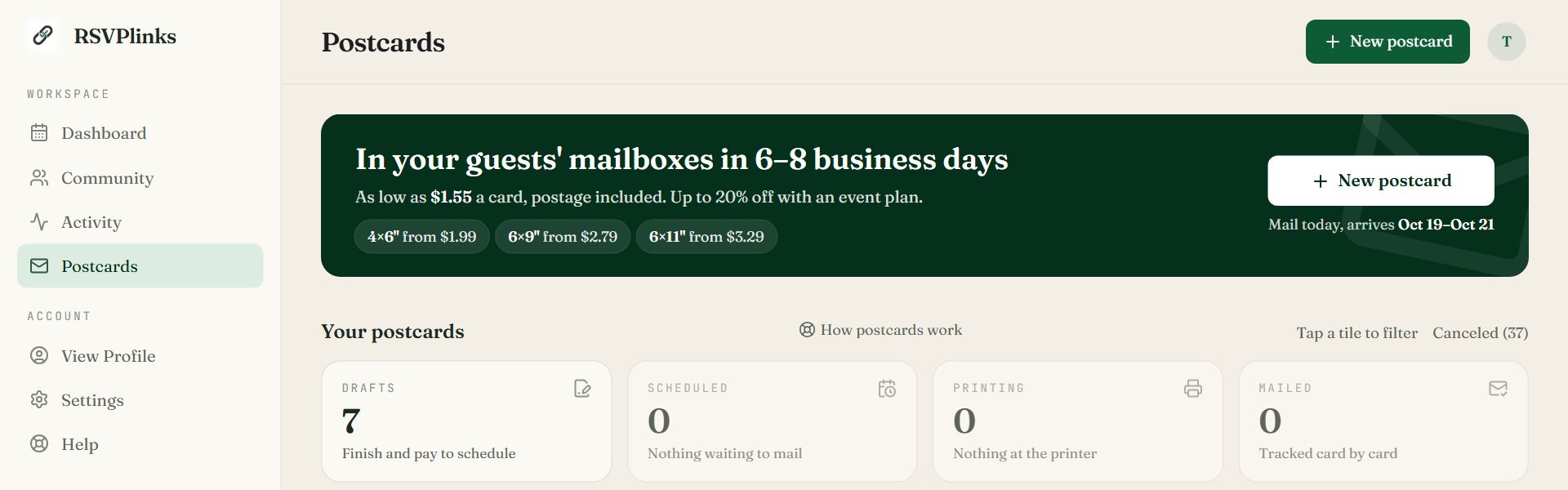
Swipe sideways to see the whole screen, or tap it to enlarge.
- 1New postcard starts a card.
- 2The status tiles. Drafts, Scheduled, Printing and Mailed. Tap one to filter your orders.
- From the dashboard: Postcards in the navigation pane, then New postcard.
- From an event: the event's Postcards tab. The card takes that event's photo, colors and guest list.
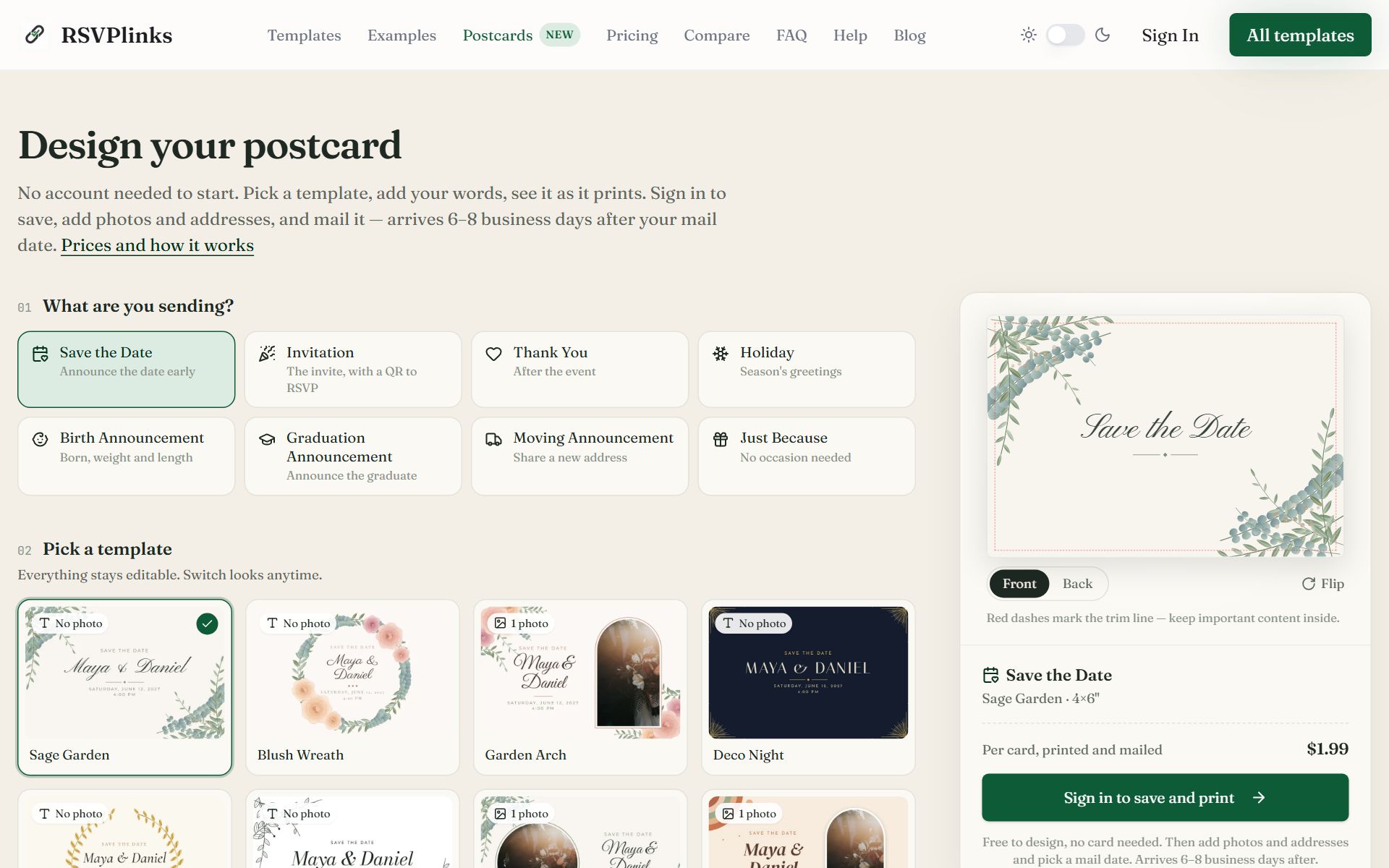
- Without an account: rsvplinks.com/postcards/design lets you pick a template and write the card first. Sign in when you want to save and mail it.
Swipe sideways to see the whole screen, or tap it to enlarge.
Designing a card before signing in. The preview is the card as it will print.
Kinds of card
Save the Date, Invitation, Change the Date, See You Soon, Thank You, Holiday, Birth Announcement, Graduation Announcement, Moving Announcement and Just Because. Change the Date and See You Soon belong to an event, so start those from the event's Postcards tab.
Cards come in three sizes: 4×6, 6×9 and 6×11 inches. The 4×6 size can also be mailed to most other countries.
The four steps
- 1
Design
Pick a template, then click any photo or line of text on the card to change it. Switch front and back, layout, colors and fonts. The back can carry a QR code that opens your RSVP page.
- 2
Recipients
Add the people to mail to. Each card is addressed and posted to one guest. Uncheck anyone to leave them out of this mailing.
- 3
Preview
See the finished card full size with a real name and address, and scan the QR code to test it. You can get a free PDF proof here too.
- 4
Checkout
Pick a mail date and pay. Anything that would stop a card printing, such as a missing address or an empty photo spot, is listed here with a link to fix it.
Collect addresses
- Ask on the RSVP form. Switch on Collect mailing address in RSVP Settings. Guests are told only the host sees it.
- Address on a guest's row in the Guest List stores one by hand.
- Import a spreadsheet into your address book, or type addresses in.
- Send an address request link and guests fill in their own.
Addresses are visible only to you and co-hosts with edit access. They never appear on the public guest list.
What postcards cost
- 4×6 cards start at $1.99 each and drop to $1.59 at 75 or more. Larger sizes cost more. Printing and postage are included.
- Cards for a paid event get up to 20% off, on that event's first 2 card orders.
- Credits work too: 1 credit mails 3 4×6 cards.
- Print at home is free with any paid event: download print-ready sheets and print them yourself or at a copy shop.
Track your cards
The order page tracks each card: printing, in the mail, in transit, delivered or returned. You get one email when the cards go to print, one when the first reaches the post office and one when the last is delivered, plus a note for any card that comes back.
Common questions
- How long do postcards take to arrive?
- Usually 6–8 business days after your mail date, printing included. They are sent USPS First Class.
- Do I need an event to send postcards?
- No. Invitations, thank-you cards, holiday cards and announcements work on their own. Linking a card to an event adds its photo, colors and guest list, and paid events get a discount.
- Can a postcard link to my RSVP page?
- Yes. Add a QR code to the back. Guests scan it with their phone camera and reply online.
- Can I see a proof before paying?
- Yes. The Preview step shows the card full size with a real recipient's name and address, and you can request a free PDF proof. Nothing is mailed until you pay and the mail date arrives.
- Who can see my guests' mailing addresses?
- Only you and co-hosts with edit access. Addresses never appear on the event page.
Still stuck?
Check the FAQ for quick answers, or send us a message and a person will reply.