Design your page
Templates and page layouts
A layout is the structure of the page: a ticket, an envelope, a poster. A template is a complete look built on a layout, with colors, fonts, an effect and an intro already chosen.
Updated
Template or layout: which to change
| You want to | Use |
|---|---|
| Change everything about the look in one click | Templates |
| Keep your colors and fonts but change the page structure | The Layout picker |
| Keep the structure and change only colors or type | Theme and Fonts. More |
There are 65 templates on 43 layouts. All of them are free.
Apply a template
In the editor, press Templates above the page.
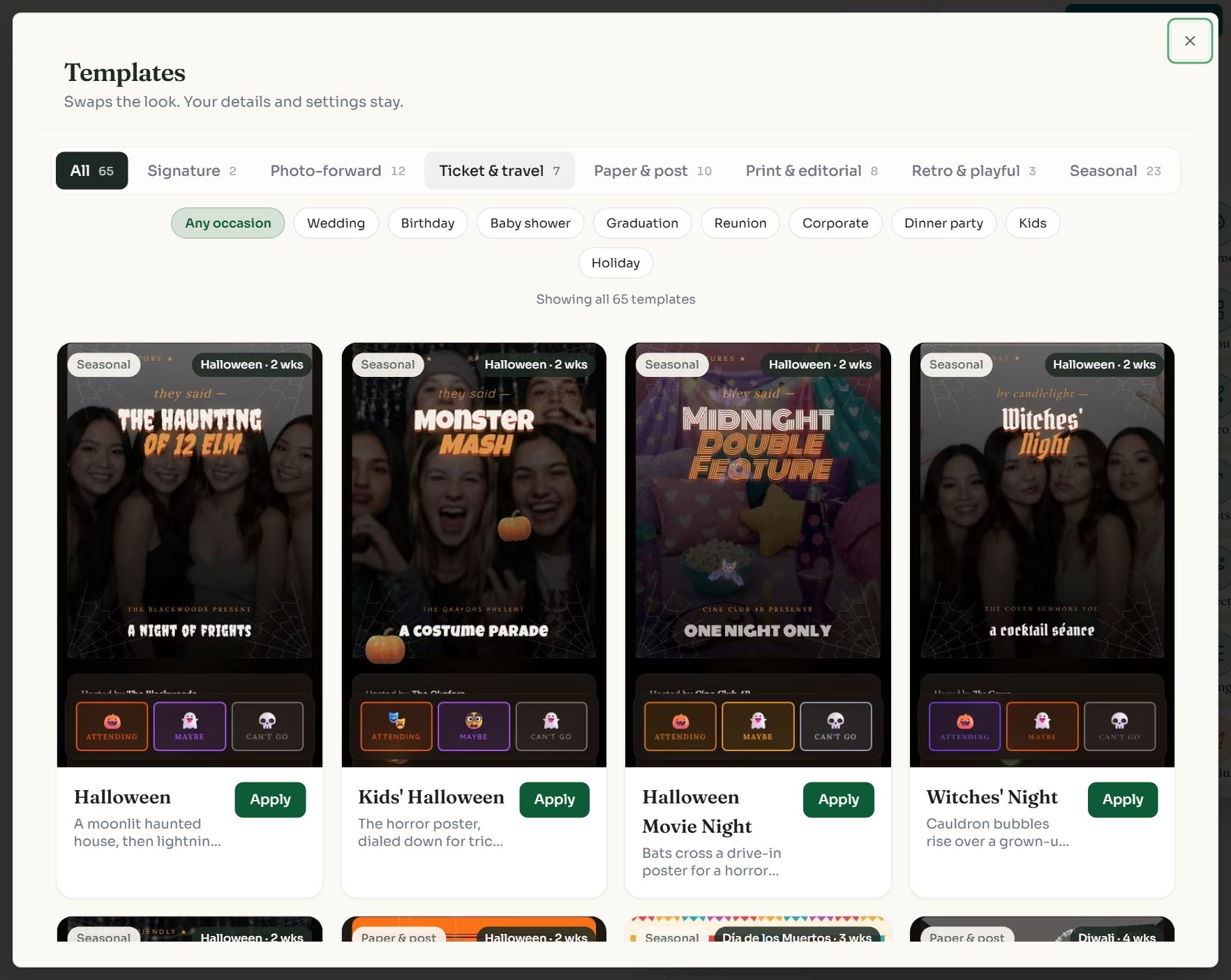
Swipe sideways to see the whole screen, or tap it to enlarge.
- 1Style tabs narrow the list: Signature, Photo-forward, Ticket & travel, Paper & post, Print & editorial, Retro & playful, Seasonal.
- 2Occasion chips filter by event: wedding, birthday, baby shower, graduation and more.
- 3Apply puts that look on your page.
Applying a template changes the layout, color theme, fonts, page effect, intro and reply-button emoji. It leaves your title, date, location, description, RSVP settings and guest replies alone. A message at the bottom of the screen offers Undo.
Change only the layout
Open the Layout picker above the page, or Layout on the side rail.
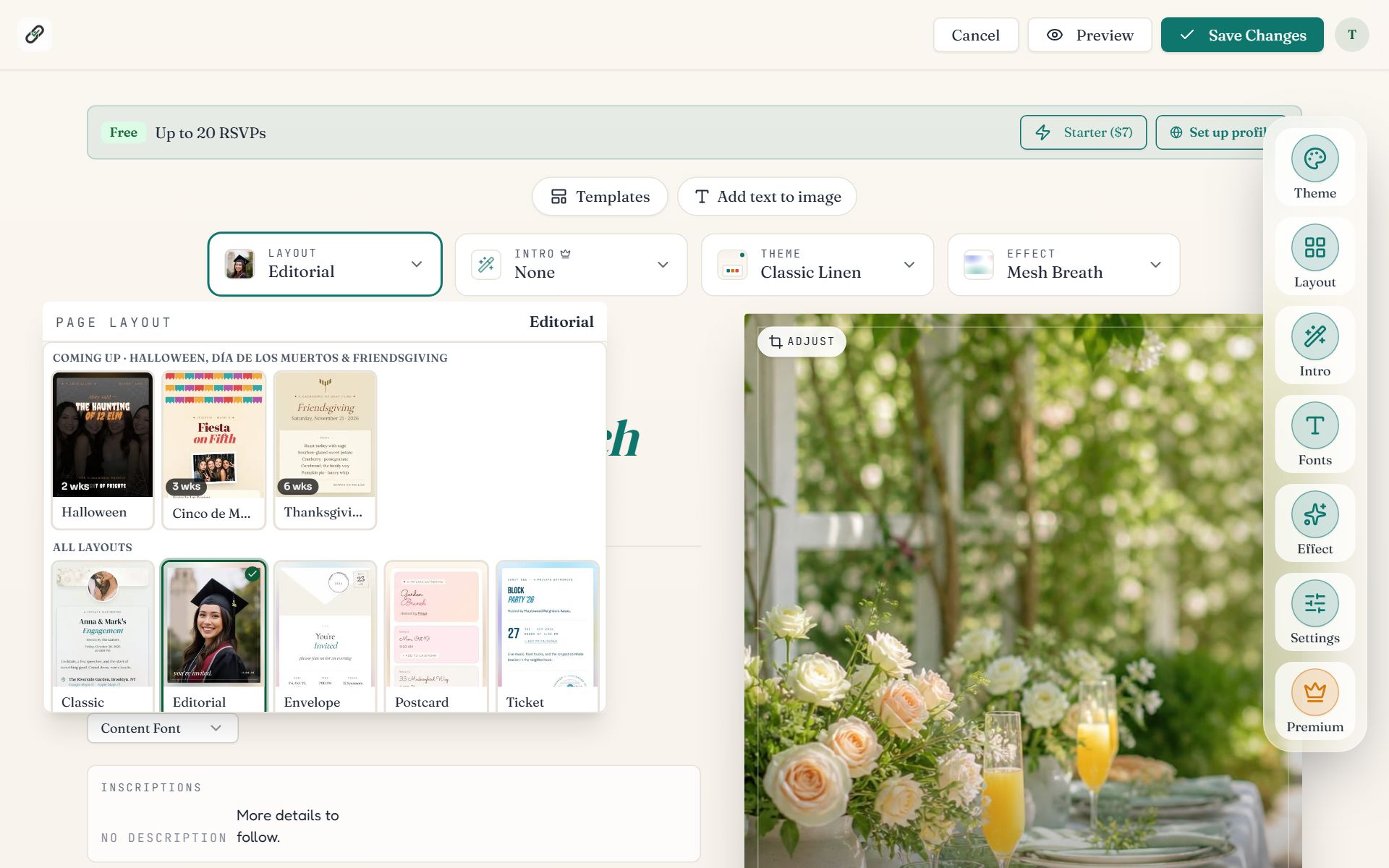
Swipe sideways to see the whole screen, or tap it to enlarge.
- 1The Layout picker shows the current layout's name.
- 2The list. Holidays in the next few weeks appear first under Coming up, then every layout. Click one to apply it.
Picking a layout also applies its matching colors, effect and intro, so the page looks finished straight away. Change any of them afterwards.
The kinds of layout
| Family | Layouts | Good for |
|---|---|---|
| Signature | Classic | Any event. The simplest page to fill in. |
| Photo-forward | Editorial, Polaroid, Magazine Cover, Photo Mosaic, Filmstrip, Gallery Wall, Photobooth Strip, Photo Calendar, Lookbook, Story Card, Diptych Spread | Events with a photo, or several, to show. |
| Ticket & travel | Ticket, Boarding pass, Passport, Departures, Map & Compass | Trips, send-offs, concerts and destination weddings. |
| Paper & post | Envelope, Postcard, Postcard Stack, Postage Stamp, Index Card, The Matchbook | Weddings, showers and dinners. |
| Print & editorial | Poster, Menu, Itinerary, The Exhibit, The Crossword | Dinners with courses, weekends with a schedule, launches and openings. |
| Retro & playful | Neon Arcade, Cassette, Vinyl Sleeve | Game nights and music parties. |
| Seasonal | Twelve holiday layouts, from New Year's Eve to Christmas | Holiday parties. Each paints its own themed page. |
- Photo layouts have several photo spots. Click an empty spot to upload, and use Adjust to frame each picture.
- Artifact layouts (ticket, boarding pass, passport) fill in details such as a gate or seat code from your venue, and you can reword them.
- Editorial has a Simple RSVP option: a compact reply bar that opens the form in a sheet.
Browse templates before you start
The public template gallery shows every template with a live preview. Use template opens the editor with that look and a sample title and date.
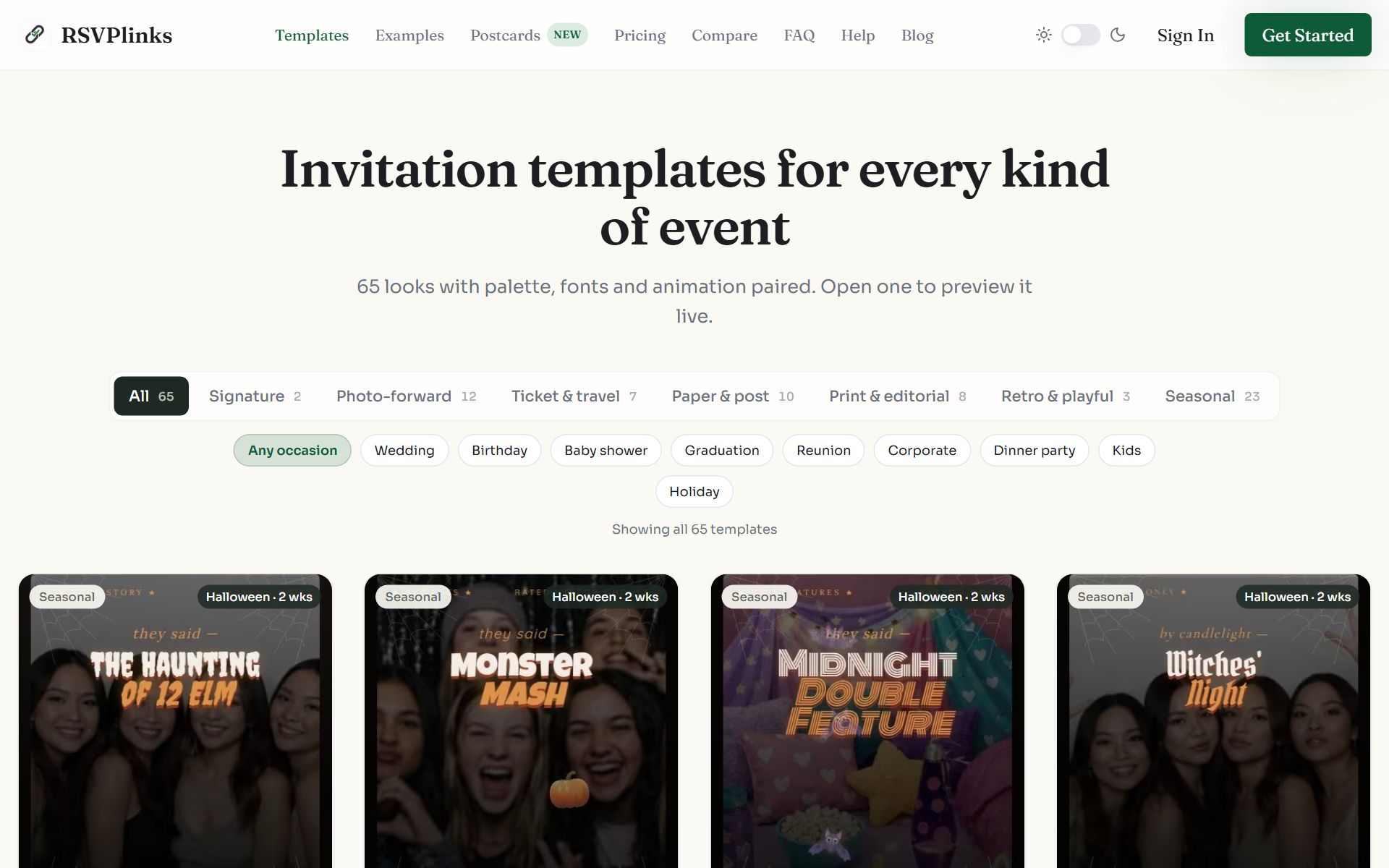
Swipe sideways to see the whole screen, or tap it to enlarge.
Templates for a holiday that is a few weeks away move to the top with a countdown.
Common questions
- Are all templates free?
- Yes. All 65 templates and 43 layouts are free. The one paid part of a template is its intro reveal: on a free event you can preview the intro, and it is saved once the event is on a paid plan.
- Will I lose my text if I change template?
- No. Your title, date, time, location, description, RSVP settings and guest replies stay. Only the look changes, and you can undo the switch.
- Can I change the layout after guests have replied?
- Yes. Replies are not tied to the layout. Guests who open the link again see the new design.
- Why does the page change color when I pick a layout?
- Each layout comes with a matching color theme, effect and intro, applied when you pick it. Open Theme, Effect or Intro to choose something else.
Still stuck?
Check the FAQ for quick answers, or send us a message and a person will reply.