RSVPs and sharing
Custom questions and sign-up lists
Custom questions add your own questions to the RSVP form. A sign-up list lets guests claim something to bring or do. Both are part of paid events.
Updated
Add a custom question
Open the event dashboard and choose the Custom Questions tab. (In the editor, the same list is under Premium on the side rail.)
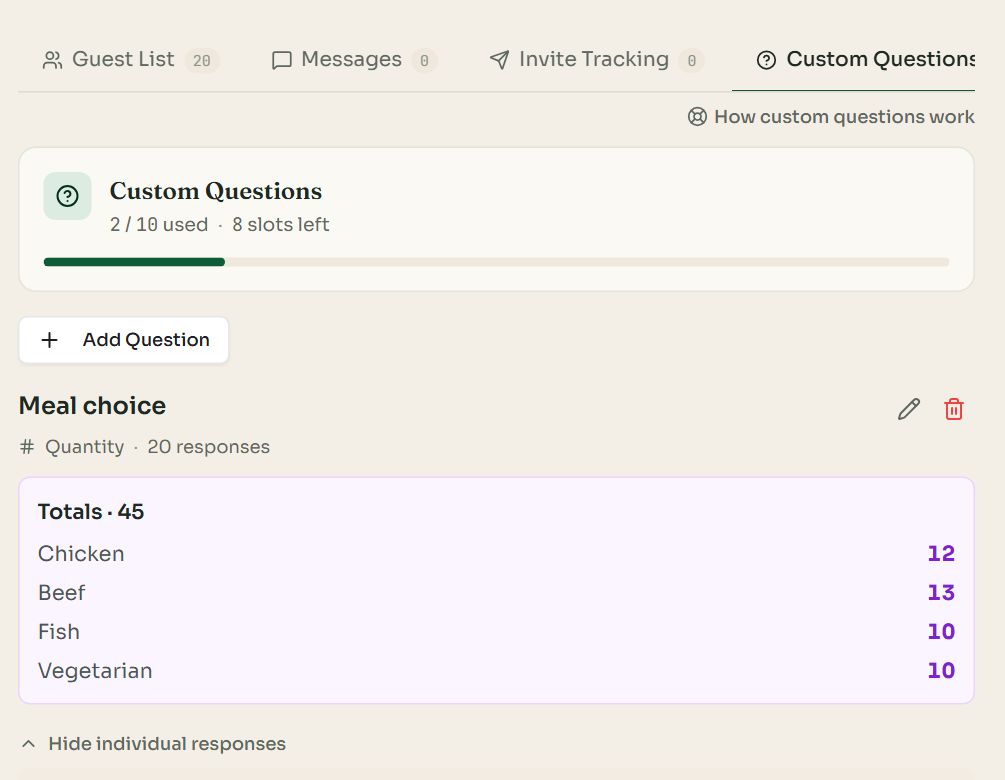
- 1Add Question. An event can have up to 10 questions.
- 2Totals. Choice and quantity questions add up the answers for you.
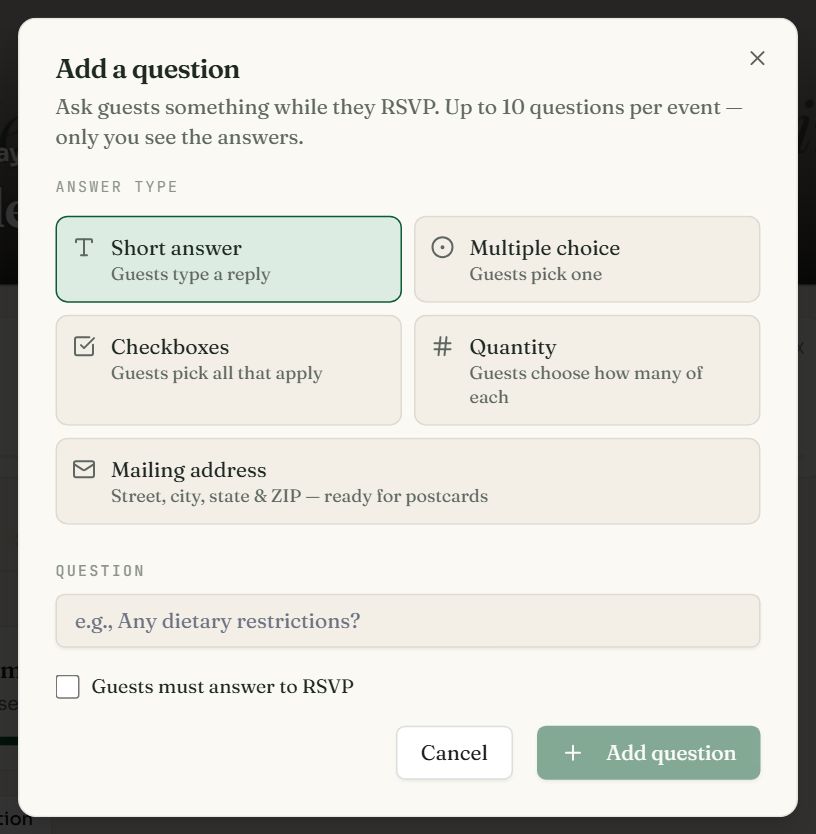
- 1
Pick an answer type
See the table below for what each one is for.
- 2
Type the question
For example “Any dietary restrictions?”. Add the choices if the type has them.
- 3
Decide if it is required
Tick Guests must answer to RSVP to make it mandatory, then press Add question.
| Answer type | Guests | Use it for |
|---|---|---|
| Short answer | Type a reply | Dietary needs, song requests, a message for the couple. |
| Multiple choice | Pick one | Shuttle or driving, T-shirt size, which session. |
| Checkboxes | Pick all that apply | Which days they will attend, activities they want. |
| Quantity | Choose how many of each | Meal choices for a whole party: 2 chicken, 1 fish. Can be capped at the party size. |
| Mailing address | Enter street, city, state and ZIP | Collecting addresses for invitations or thank-you postcards. |
Read the answers
- Each question on the Custom Questions tab lists every guest's answer, with totals on top for choice and quantity questions.
- Answers are private. Only you and your co-hosts see them.
- Export CSV on the Guest List tab includes a column per question, ready for a caterer or venue.
- With Table Management, you can show chosen answers beside each guest and print meal totals per table.
- Use the pencil to edit a question and the bin to delete it.
Set up a sign-up list
A sign-up list is for potlucks, volunteers and anything else guests share out. Open the Sign-Up List tab on the event dashboard.
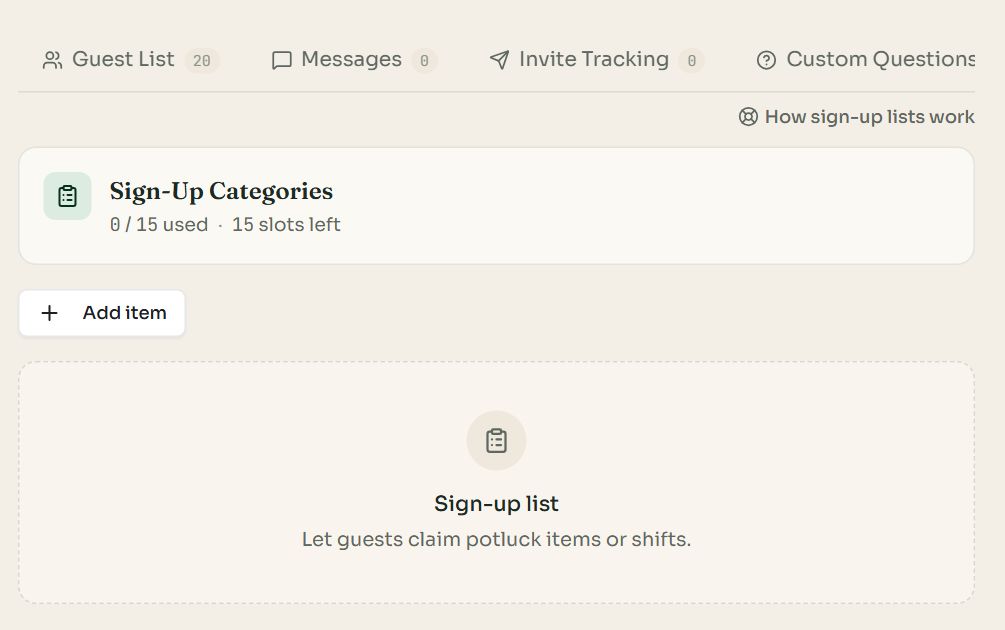
- 1
Press Add item
Name the item or category: Appetizers, Drinks, Dessert, Setup crew. An event can have up to 15.
- 2
Set the quantity needed
Enter how many people should sign up for it. Leave 0 for no limit. A full item can no longer be picked.
- 3
Guests choose when they RSVP
The form shows the list with the places left on each item. The tab then shows who signed up for what.
Common questions
- How do I collect meal choices with RSVPs?
- Add a Quantity question such as “Meal choice” with one line per dish. Each guest enters how many of each their party wants, and the Custom Questions tab totals them for the caterer.
- How many custom questions can I add?
- Up to 10 questions per event, each with up to 20 choices.
- Can guests see each other's answers?
- No. Answers to custom questions are visible only to the host and co-hosts. The one exception is seating: you can choose to show selected answers on the seating page.
- Are custom questions free?
- Custom questions and the sign-up list are included in every paid plan, from $7 per event. The standard form fields (name, email, phone, guest count, notes) are free.
Still stuck?
Check the FAQ for quick answers, or send us a message and a person will reply.