Paid events and add-ons
Marketing Email: invite a contact list
Marketing Email sends your invitation to a list of people who have not replied yet, such as a club, a customer list or a class, and shows who opened it and who came back with an RSVP.
Updated
Which email tool to use
Buy a pack
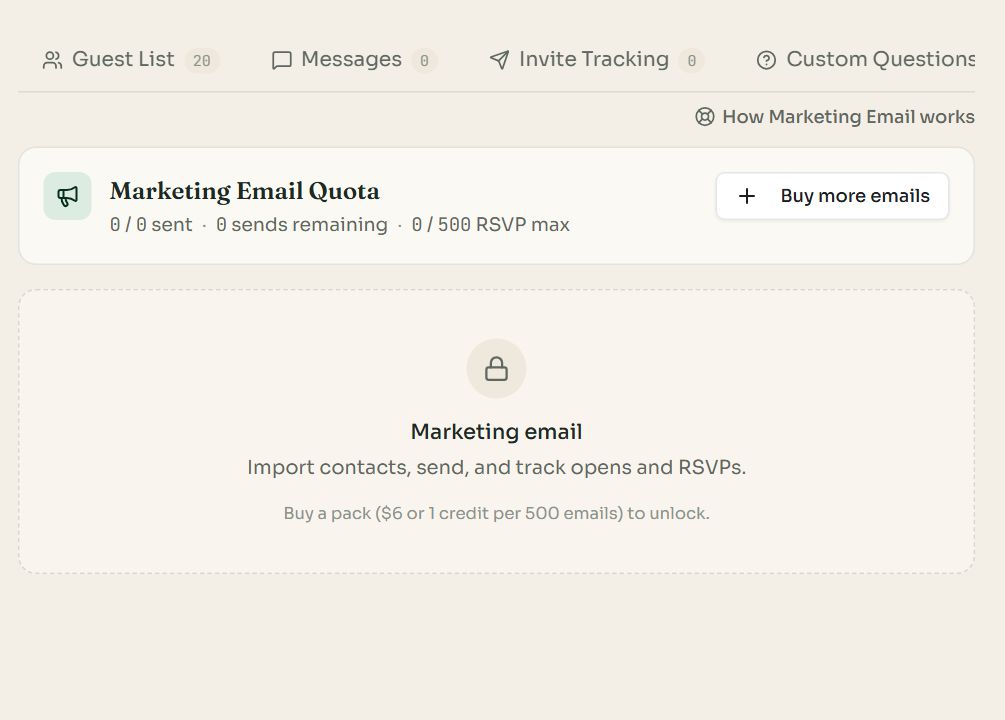
The tab before a pack is bought. The quota card counts sends used and remaining.
Open the event's Marketing Emails tab and press Buy more emails. Each pack adds 500 sends for $6 or 1 credit. An event can hold up to 5,000 sends, and it must be on a paid plan.
Send your invitation
- 1
Add recipients
Add Recipient adds one person. Import takes a pasted list or a CSV file of names and email addresses.
- 2
Compose the email
Press Compose template. Write a subject and a message. Type [NAME], [HOST] or [EVENT] where those should be filled in. Your banner, the date and an RSVP button are added automatically.
- 3
Review and send
Review & Send shows the count and the email once more before it goes. Replies go to you and your co-hosts.
- Each recipient shows a status: sent, opened, and whether they have RSVPed.
- The quota card also shows your plan's RSVP limit. If you expect more replies than that, upgrade the plan so they are all visible.
- Every email includes an unsubscribe link. Someone who unsubscribes, or whose address bounces, is not emailed again.
Common questions
- How many emails can I send?
- Each pack is 500 emails, and an event can hold up to 5,000. Packs cost $6 or 1 credit each.
- Can I see who opened the invitation?
- Yes. Each recipient shows whether the email was sent and opened, and whether they have RSVPed.
- Do unused emails carry over to another event?
- No. A pack belongs to the event it was bought for.
- Whose address do replies go to?
- Replies go to you, the host, and to your co-hosts.
Still stuck?
Check the FAQ for quick answers, or send us a message and a person will reply.