Design your page
Page effects and intro reveals
A page effect is a gentle animation behind your page, such as falling petals. An intro reveal is a short opening scene, such as an envelope opening, that plays once before the page appears.
Browse templates
Updated
Add a page effect
Open the Effect picker above the page, or Effect on the side rail.
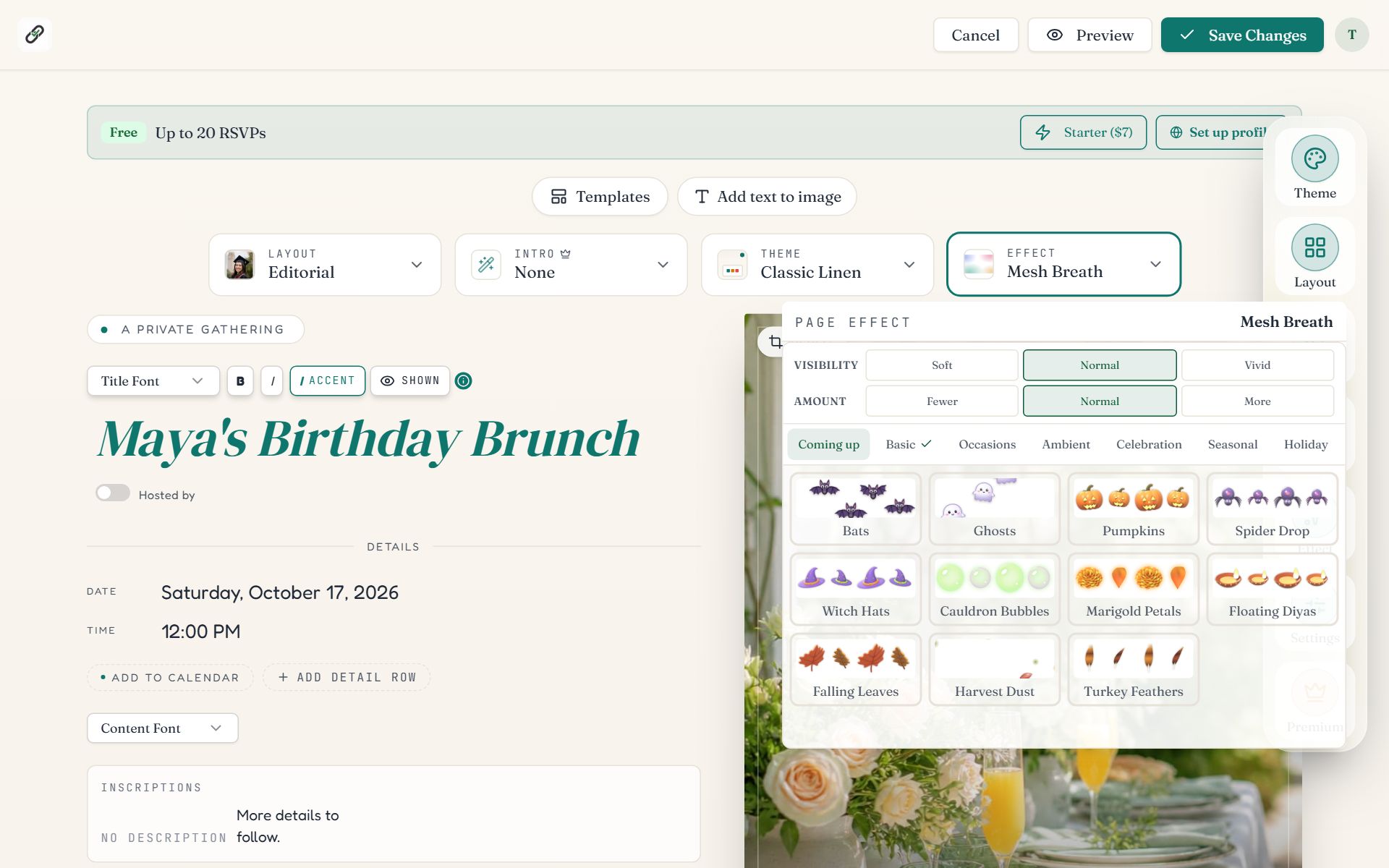
Swipe sideways to see the whole screen, or tap it to enlarge.
- 1The Effect picker shows the current effect's name.
- 2The panel. Category tabs across the top, effect tiles below. Click a tile to see it on your page.
- Categories: Basic (soft washes and textures), Occasions, Ambient, Celebration, Seasonal and Holiday. Holidays that are near appear under Coming up.
- Visibility (Soft, Normal, Vivid) sets how strongly the effect shows.
- Amount (Fewer, Normal, More) sets how many pieces are on screen.
- Choose None to turn the effect off.
Add an intro reveal
Open the Intro picker above the page, or Intro on the side rail.
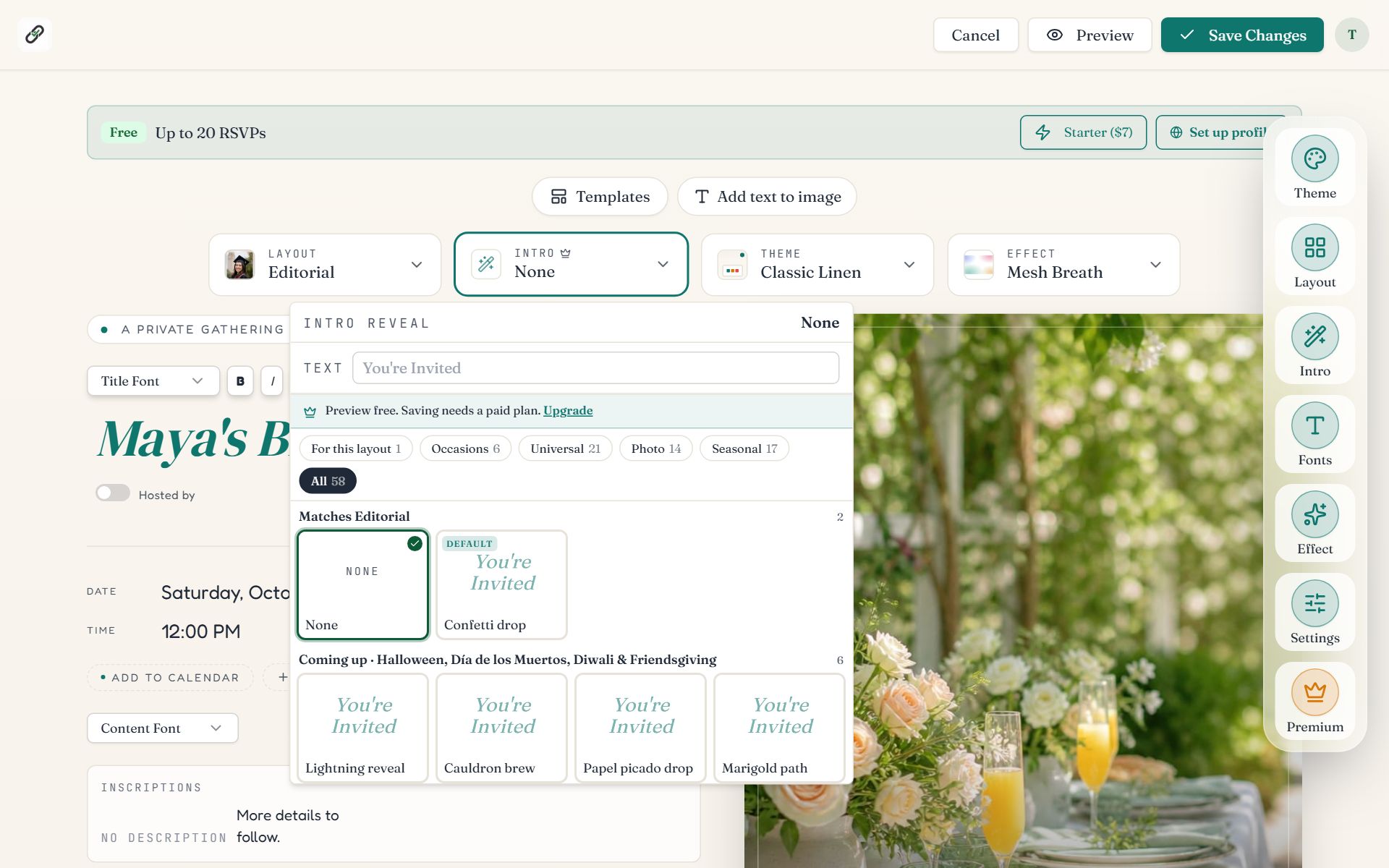
Swipe sideways to see the whole screen, or tap it to enlarge.
- 1The Intro picker. The small crown marks it as a paid feature.
- 2The panel. Text sets the words the intro shows (“You're Invited” unless you change it). The chips filter by kind; the tiles play each reveal.
| Filter | What it shows |
|---|---|
| For this layout | The reveal designed to match your current layout. |
| Occasions | Birthday, wedding and baby reveals such as a party popper or chapel doors. |
| Universal | Reveals that suit any page: confetti drop, curtain, envelope. |
| Photo | Reveals that use your cover photo, such as a developing Polaroid. |
| Seasonal | Holiday reveals. The ones for a coming holiday are listed first. |
What guests see
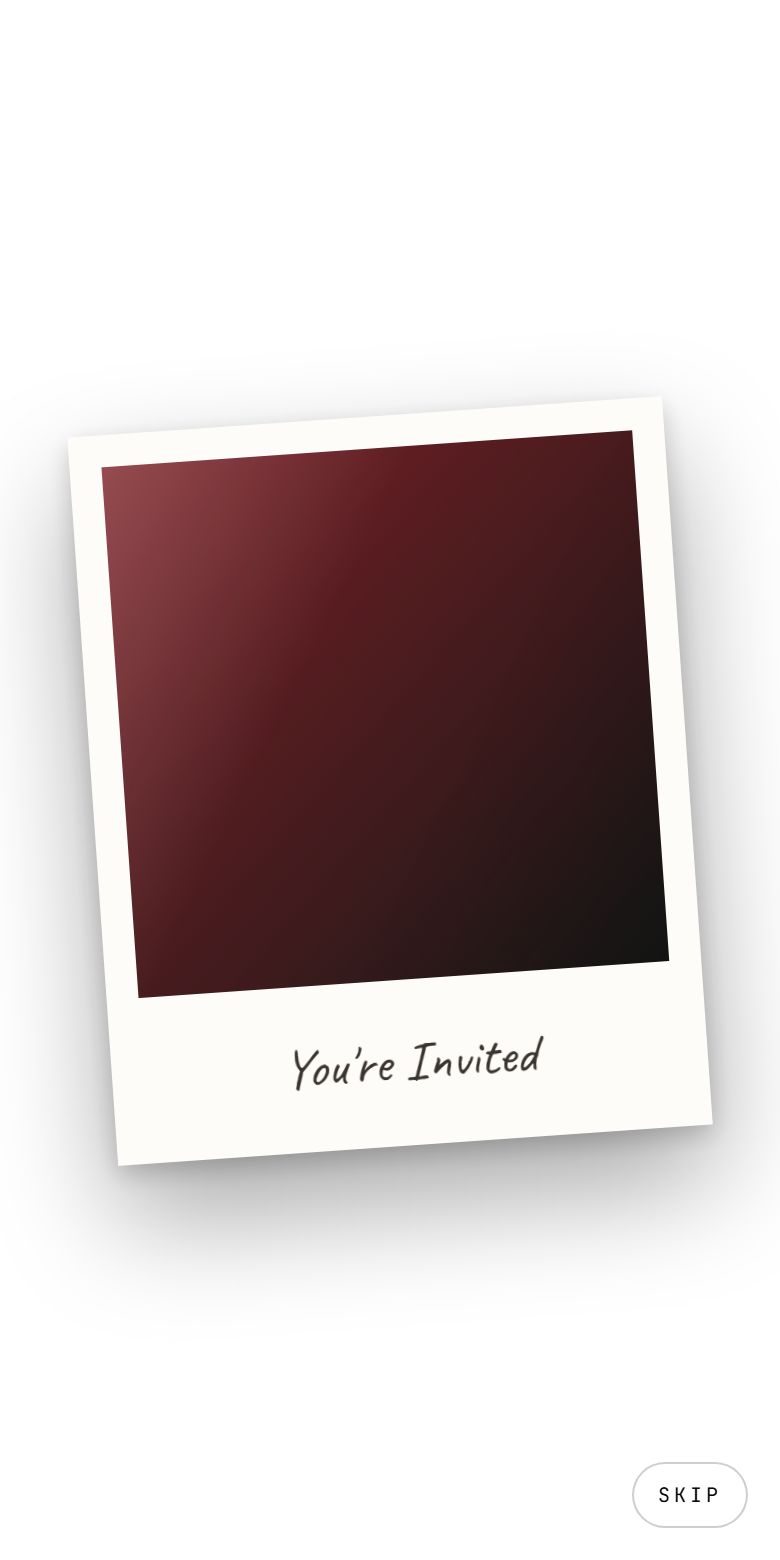
A photo reveal playing on a phone.
- The intro plays the first time a guest opens the link, then the page appears.
- Skip in the corner ends it early.
- A small Replay button on the page plays it again.
- Guests who have asked their device to reduce motion get a simple fade instead.
Common questions
- Are page effects free?
- Yes. All 122 page effects are free on every event. Intro reveals are part of paid events.
- Do effects slow the page down?
- Effects load after the page, so the invitation and the RSVP form appear first. On a slow phone, choose Soft visibility and Fewer for the lightest version.
- Why can I not see the effect on my own phone?
- Check whether Reduce Motion is switched on in your phone's accessibility settings. Effects are hidden for anyone who has asked for less motion.
- Can I change the words in the intro?
- Yes. Open the Intro picker and type in the Text box. The default is “You're Invited”.
Still stuck?
Check the FAQ for quick answers, or send us a message and a person will reply.