Paid events and add-ons
Put your event on your own domain
Guests can open your page at an address like elenaandjames.com instead of rsvplinks.com/your-link. Your rsvplinks.com link keeps working either way.
Updated
Two ways to get one
Open the event dashboard and press Use Custom Domain in the Share card. Pick one:
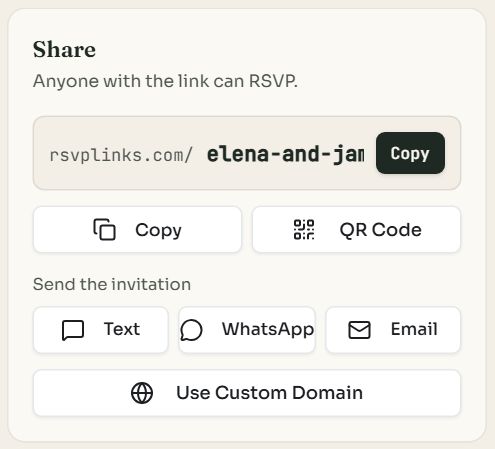
- 1Use Custom Domain opens the domain dialog.
| Your own domain | Buy a domain | |
|---|---|---|
| For | A domain you already have at Namecheap, GoDaddy, Cloudflare, Squarespace, Porkbun or elsewhere | A new domain, registered in your name |
| Cost | The Custom Domain add-on: $6 or 1 credit, once. You keep paying your registrar. | From $20 a year, shown with the renewal price before you pay |
| Plan | A paid event | Any event, free included |
| Setup | Add a few DNS records we give you to copy | None: it points at your page by itself |
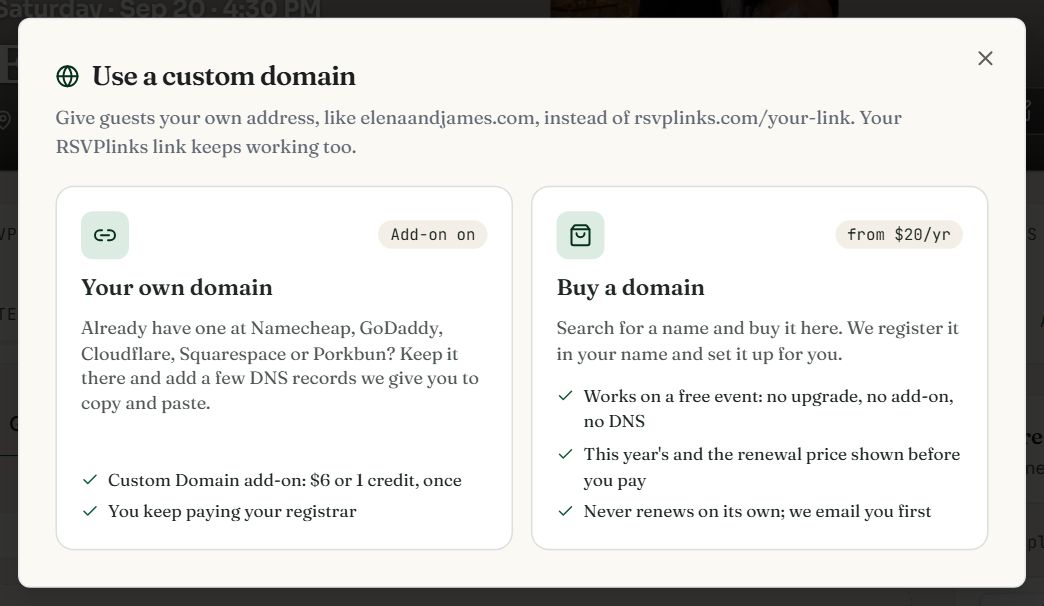
- 1Your own domain: connect one you already have.
- 2Buy a domain: search for a name and buy it here.
Connect a domain you own
- 1
Add the add-on
Pick Your own domain. If the event doesn't have Custom Domain yet, buy it there by card or with a credit. On a free event, upgrade and turn it on in the same checkout.
- 2
Type the domain and press Connect
For example elenaandjames.com, or a subdomain such as wedding.yourname.com.
- 3
Add the DNS records
The dialog lists each record with its Type, Name and Value. Tap a box to copy it, or press Copy all records, and paste it into the box of the same name at your registrar. Leave TTL on its default.
- 4
Wait for the check
We check for you and set up the secure (https) certificate. Most domains go live in a few minutes; some take up to 48 hours. Press Check now (or Check status in the card under Share) to look again.
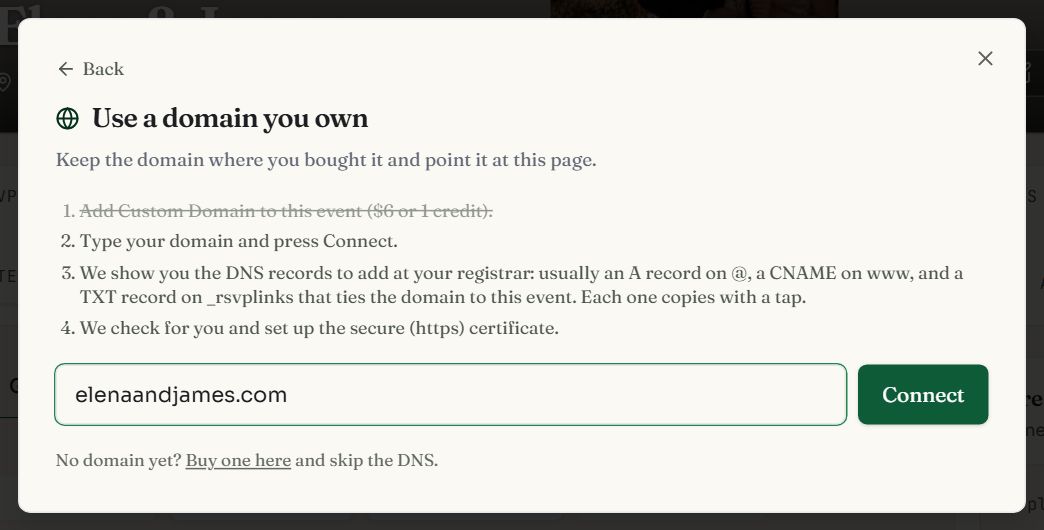
- 1Type your domain.
- 2Connect shows the DNS records to add.
The DNS records
| Type | Name | Value | Why |
|---|---|---|---|
| A | @ (blank on some registrars) | 76.76.21.21, or the value shown | Points the domain at your page |
| CNAME | www | As shown in the dialog | Sends www.yourdomain to the same page |
| TXT | _rsvplinks | As shown in the dialog | Ties the domain to this event, so no one else's event can claim it |
- A subdomain (wedding.yourname.com) needs one CNAME on its own name (wedding) plus the _rsvplinks TXT record.
- Delete any other A or AAAA records on @ and www, and turn off parking or forwarding.
- If the dialog shows another TXT record, add that too.
- Always copy the values from the dialog: they are read for your domain, and can differ from the usual ones above.
Where your registrar keeps DNS
| Registrar | Where to go | Name box / Value box |
|---|---|---|
| Namecheap | Domain List → Manage → Advanced DNS → Add New Record | Host / Value |
| GoDaddy | Domain Portfolio → your domain → DNS → Add New Record. Edit the Parked A record on @ instead of adding a second one. | Name / Value |
| Cloudflare | Your domain → DNS → Records → Add record | Name / IPv4 address, Target or Content |
| Squarespace | Domains → your domain → DNS → DNS Settings. Delete the Squarespace Defaults first. | Host / Data |
| Porkbun | Domain Management → Details → DNS Records. Leave Host blank for @, and delete the parking records. | Host / Answer |
Buy a domain
- 1
Search for a name
Pick Buy a domain and type the name you want without the ending. We check .com, .net, .org, .us, .me, .day, .love, .party, .wedding, .co.
- 2
Pick one and pay
Each result shows the first-year price and the renewal price, from $20 a year. Press Buy and pay by card; checkout asks for the address and phone number the domain is registered under. Only the event's owner can buy.
- 3
Done
We register the domain in your name and point it at your page, usually within a minute or two, and email you when it is live. If it can't be registered, your payment is refunded.
Credits don't pay for domains. Names priced as premium, and endings that renew above $45 a year, aren't offered.
Renewing, moving or removing a domain
- A bought domain never renews on its own. We email you about a month before it expires and again in its last week, each time with a link to renew. In its last two months the card under Share also shows Renew for a year, with the price.
- If it lapses, it stops pointing at your page, and your page keeps working at its rsvplinks.com link. You may still be able to renew it for a short while from the dashboard.
- The domain is yours. Press Move it to another registrar in the card under Share to get its transfer code.
- A domain you connected can be taken off the event with Remove in that card. A bought domain stays registered to you until it expires.
Once it is live
- The Share card's copy button, QR code and sends use your domain instead of the rsvplinks.com link.
- Search engines are pointed at your domain as the page's main address.
- If the records are removed later, guests are still served at the rsvplinks.com link.
Common questions
- Does a custom domain work on a free event?
- A domain bought here does, with no upgrade or add-on. Connecting a domain you already own needs a paid event and the Custom Domain add-on ($6 or 1 credit).
- Will my domain renew automatically?
- No. Nothing renews by itself. We email you about a month before it expires and again in the last week, with a link to renew.
- How long does it take to connect?
- Usually a few minutes after you save the records, sometimes up to 48 hours. We keep checking and set up the https certificate for you.
- Does my rsvplinks.com link stop working?
- No. It keeps opening the same page, so links and QR codes you already shared still work.
Still stuck?
Check the FAQ for quick answers, or send us a message and a person will reply.