Paid events and add-ons
Party Games: Secret Santa, White Elephant, bingo and more
Party Games runs games from your guest list: draws, picks, votes, predictions, teams, bingo and squares. One add-on unlocks every game on the event, and a free event can buy it too.
Updated
The games
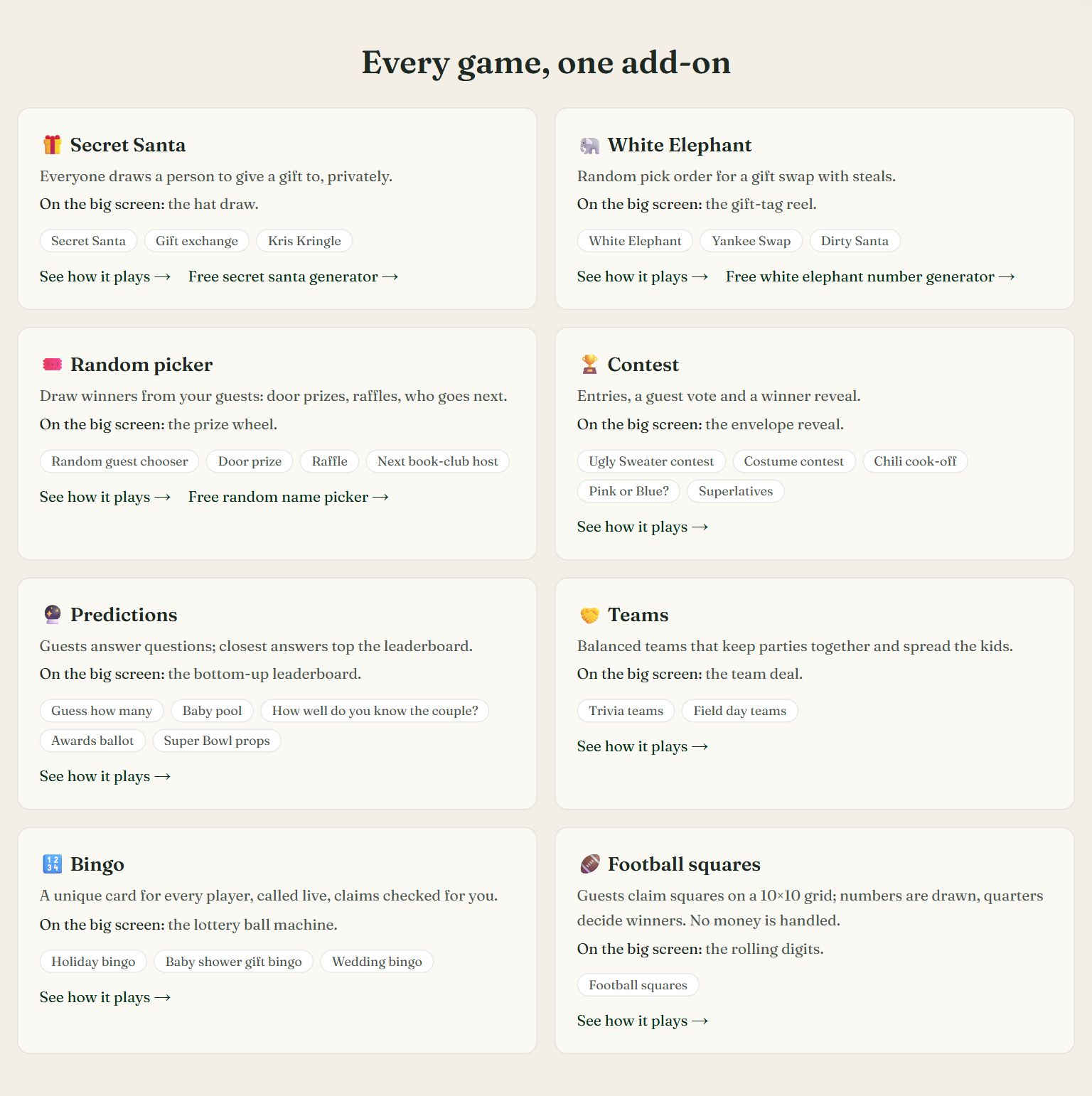
| Game | What it does |
|---|---|
| Secret Santa and gift exchange | Private matches by email, wishlists with links, a budget and date, exclusions, keeping a party's members from drawing each other, and an optional single loop. |
| White Elephant, Yankee Swap, Dirty Santa | Random turn numbers, with the steal-limit rules you choose. |
| Random picker, door prize, raffle | Draws winners from your players, or only from checked-in guests. Every reroll is logged. |
| Contests | Ugly sweater, costume, chili cook-off (entries come from your Sign-Up List), Pink or Blue, superlatives. Guests vote on the page and you reveal the winners. |
| Predictions | Baby pool, couple quiz, awards ballot, Super Bowl props, guess how many, with a leaderboard. |
| Teams | Balanced teams, parties kept together, or kids spread across teams. |
| Bingo | A unique card for each player, live calls, and claims that are checked. |
| Football squares | A 10 by 10 grid, numbers drawn, and a winner for each quarter. RSVPlinks handles no money. |
Swipe sideways to see the whole screen, or tap it to enlarge.
Every game the add-on unlocks, with the kinds each one covers. The three with a link also have a free version.
Games are for fun. There is no wagering or gambling, and squares and raffles are not a way to collect or pay out money.
Who plays
Players are people, not replies. A party of four can have two players. You choose how people join each game:
- On the RSVP form. Each person in a party ticks the games they want under Who's playing?
- Everyone attending. Every attending guest, extra guests included, is in.
- I add the players. You add guests, or anyone else, by name.
- Anyone with the link. Guests join, vote or predict from the event page and give a name. No app or account.
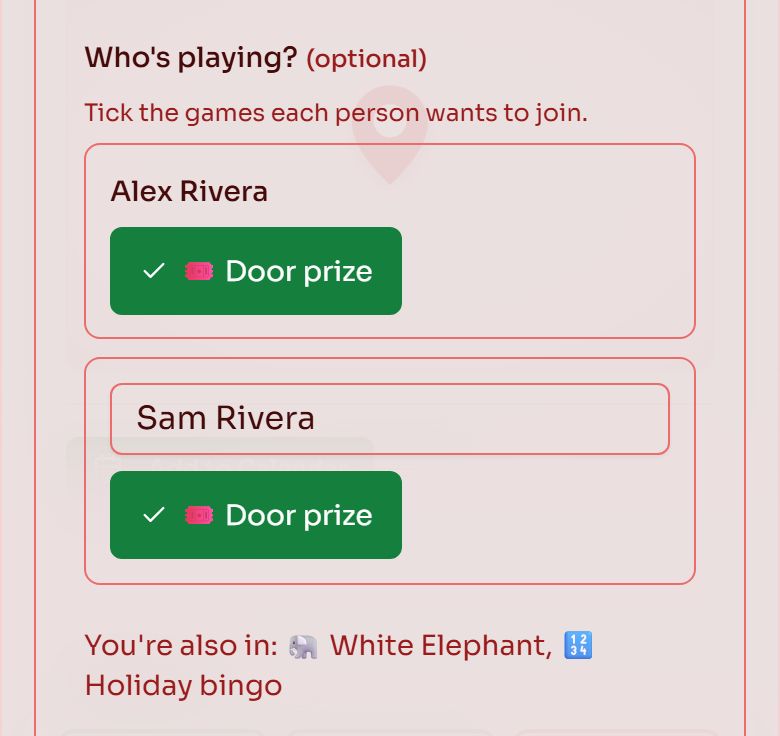
A party of two replying. Each person ticks the games they join; games for everyone attending are named underneath.
- 1Each extra guest gets a row with their name, once the form asks how many are coming
- 2Games for everyone attending have nothing to tick, so the form says the guest is in
A game holds up to 10 players for each RSVP your plan allows, at most 500.
With your RSVP, or on its own
Each game can be part of your RSVP, stand on its own, or both:
- On the RSVP form. Turn on Ask on the RSVP form for predictions and option votes like Pink or Blue. Guests answer under Play along as they reply. It's always optional for them.
- On your event page or website. With Show on my event page on, guests open and play the game right on the page. A website can place it as its Party games section.
- On its own. Turn both off and share the game's link. It works without an RSVP where the game allows it.
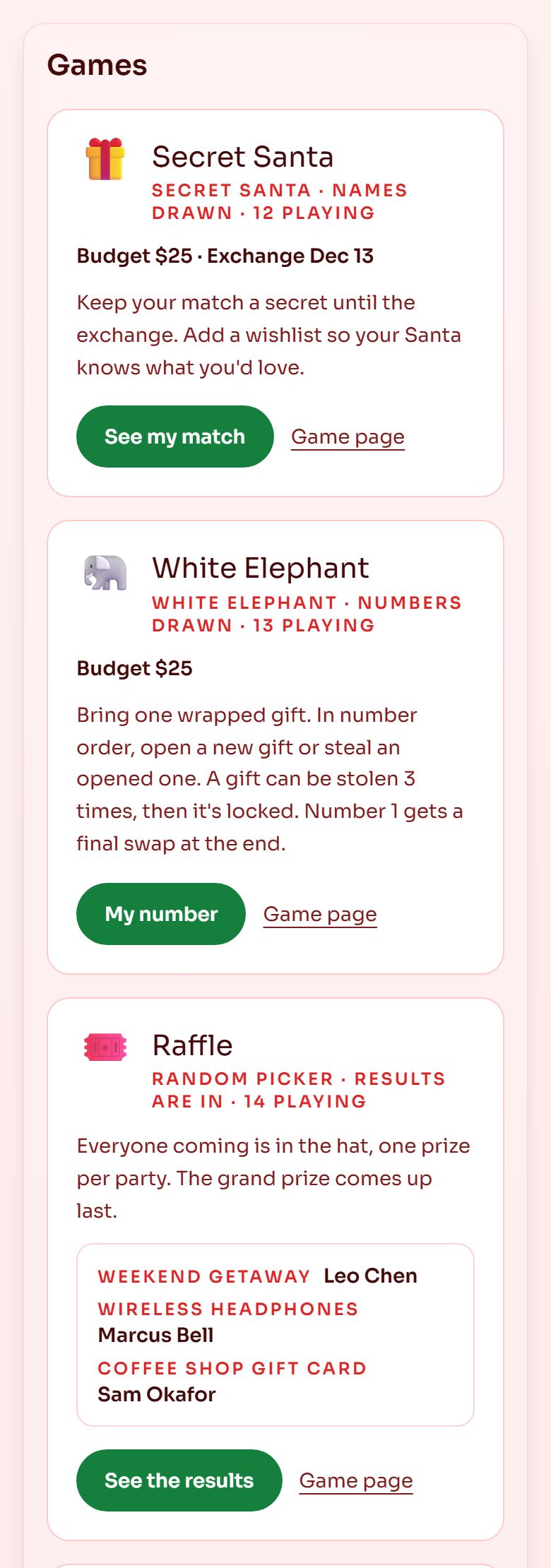
Games on the event page. Each card opens in place; a guest's own match, number or card shows only to them.
- 1Opens this guest's own part of the game, here their Secret Santa match
- 2The game's own page, also behind its QR code
- 3Results appear as you reveal them on the live screen
Generate QR code on a game, or the QR button beside it in your list, gives you the code to scan. Download PNG to put it on your own printed page, or Print a sign for a ready one. Print QR signs for the room prints one for each published game except Secret Santa.
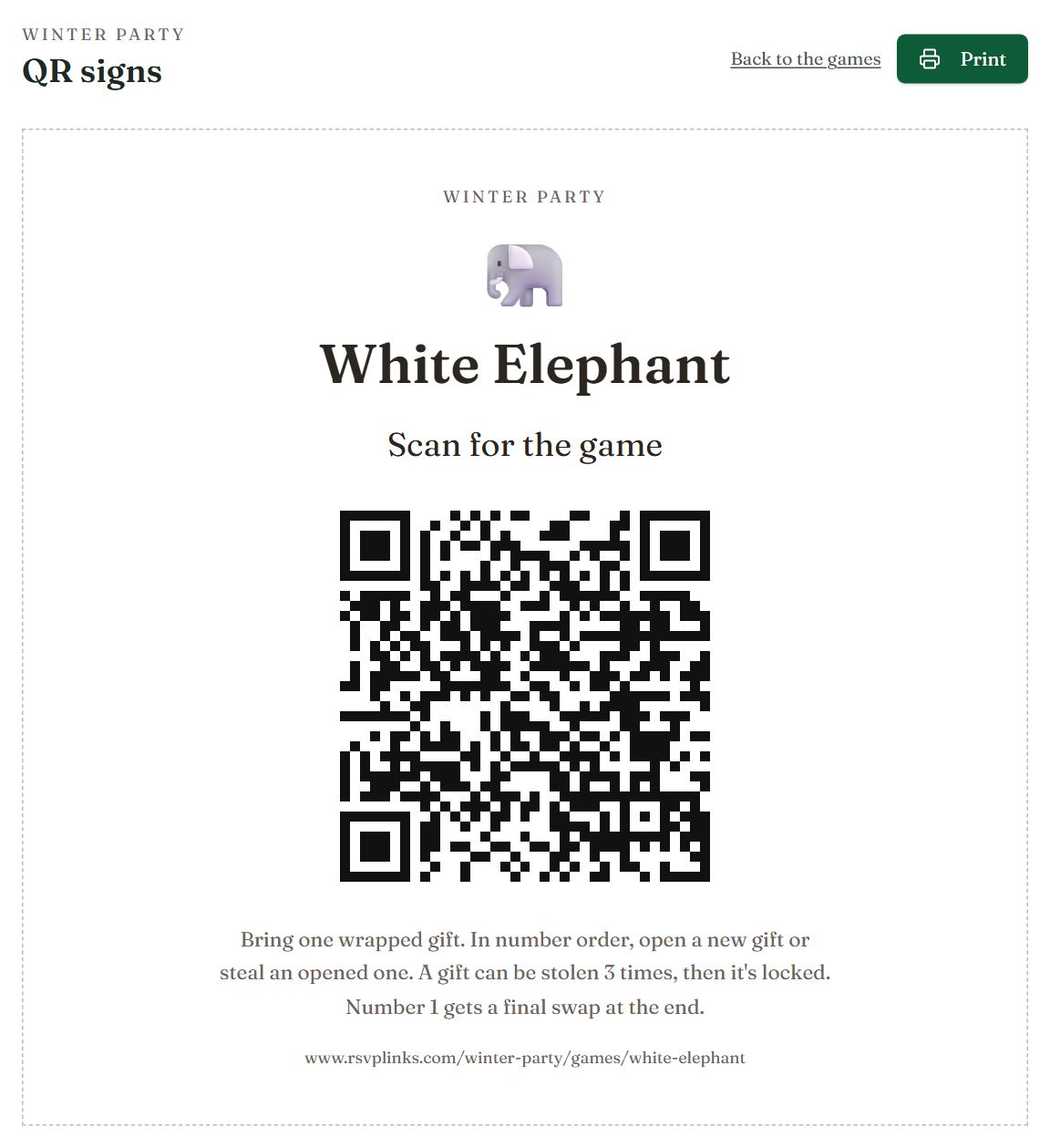
One letter-size sign per game, with the event name, the game's rules and its link written out.
- 1Prints every sign, one per page
- 2Opens the game's page on a guest's phone
A guess can come from the form, the page or a scan. You choose the winner later: enter the answer and the closest guess wins, or open Every guess and press Choose as winner. Then press Show the winner on the page. A shared code never opens someone's Secret Santa match, number or bingo card: those stay behind each player's emailed link. A guest who sends a guess with their reply and scans on another device counts as two entries, and you'll see both in Every guess.
Secret Santa, White Elephant, teams and bingo email each player their part, so when players come from replies, opening the game turns email on and makes it required on your RSVP form. The game says so, and while it is active the email switches name the game that needs it. To turn email off, set the game back to Draft, or choose I add the players. Other games don't need email.
Run a game
- 1
Add the games
On the event dashboard, open Party Games and pick a game, such as Secret Santa, White Elephant or Ugly Sweater contest. Each starts with sensible settings you can change.
- 2
Choose who plays
Pick how people join, then fill in the rules, budget, categories or bingo squares the game needs.
- 3
Draw
Draw when your players are in. Secret Santa matches, White Elephant numbers, teams and bingo cards are emailed to each player, and open on their own game page. Redraw makes the draw fresh at any time: send everyone theirs again after, since earlier emails are out of date.
- 4
Play it live
Open the live screen at the party. Each step plays as a show: a prize wheel for winners, a name reel for White Elephant numbers, a lottery ball machine for bingo calls, an envelope for contest winners. Skip jumps to the result, Replay plays it again, and neither changes it. For bingo cards of things that happen, choose As they happen under How squares are called, and the live screen's main button picks the square that just did. Raffles show the last prize first and the grand prize last; a contest with places shows 3rd, then 2nd, then 1st, with the votes. The game buttons along the top switch games without leaving full screen, and QR code shows a code guests scan to vote, get a bingo card or follow along.
- 5
Check Before the party
Your Games tab lists anything to sort out before the day, each with a one-click fix: a draw that counts only checked-in guests, an RSVP form that counts each reply as one player (ask how many are coming if more people will play), contest rules that don't match its settings, and bingo squares that are things people do.
- 6
Rehearse first
Preview the draw on a game opens the live screen as a rehearsal: it draws with your players (topped up with sample names) and saves nothing. See every kind of draw with sample names.
- 7
Print if you like
The print page makes folded Secret Santa slips, bingo cards and the squares grid.
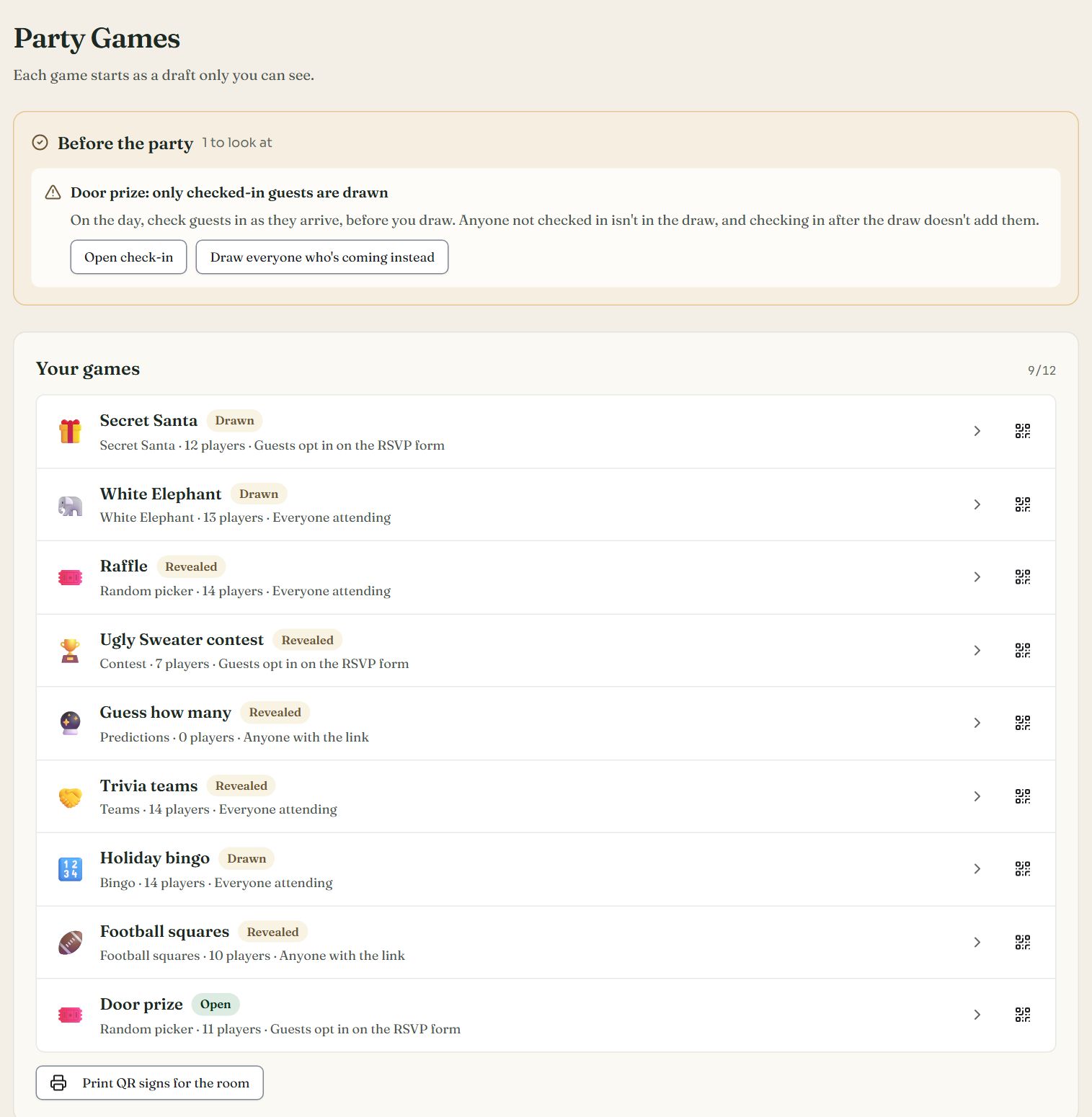
Swipe sideways to see the whole screen, or tap it to enlarge.
The Games tab. Before the party flags a door prize that only checked-in guests can win.
- 1Before the party: what to sort out before the day
- 2A one-click fix, saved straight away
- 3Every game with its status, players and how they join; the QR button shares one
- 4One sign per published game, ready to print
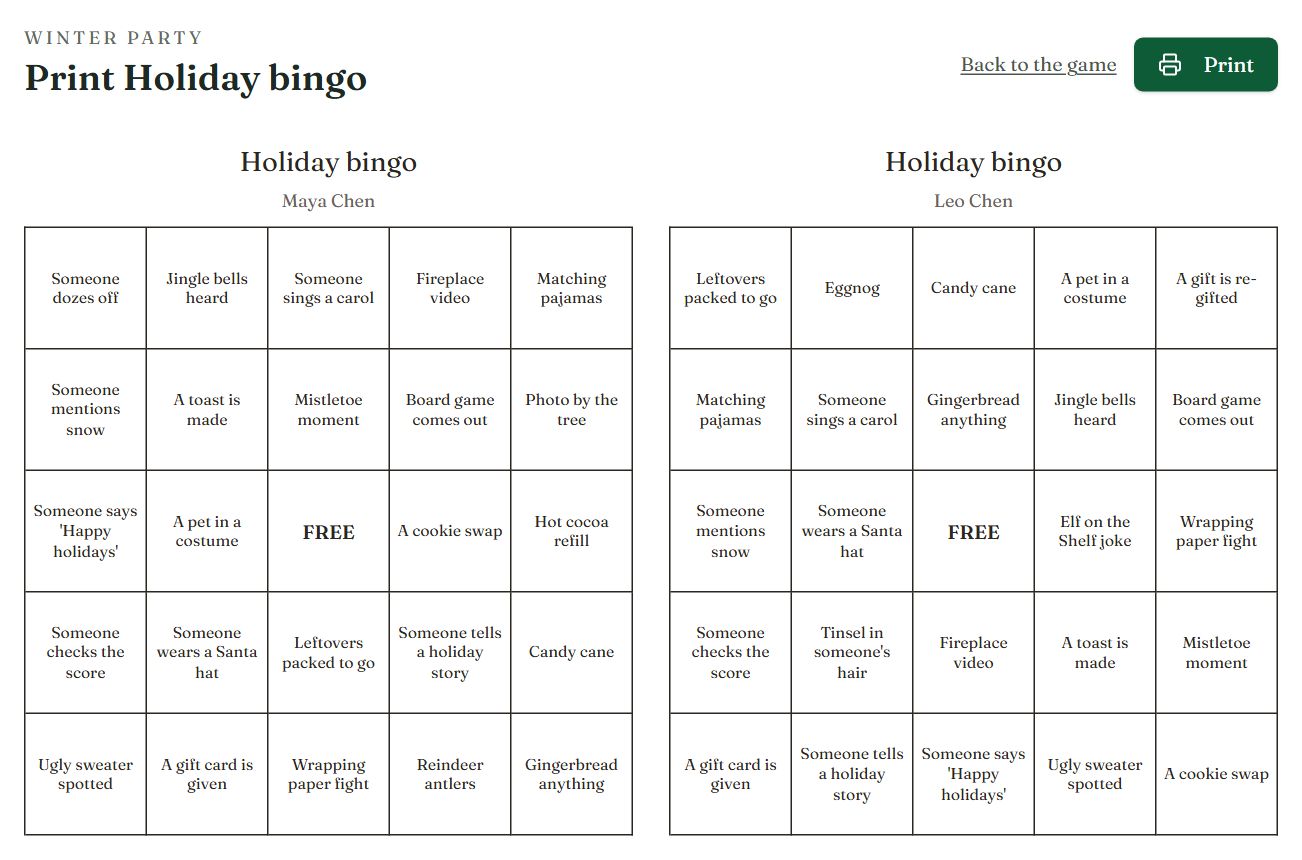
Bingo cards to print, one per player, each with their name.
- 1Prints the page, or saves it as a PDF
- 2Each card is different, with a free centre
- If you play in a Secret Santa yourself, you do not see the matches. Its draw plays as names going into a hat and sealed envelopes coming out.
- With Checked-in guests only on, check guests in from the guest list on the day before you draw: the game page counts how many are checked in, and only they (and players you added) are drawn.
- Each game's emails can be sent up to 4 times in all.
- Guests open their own link from the email. It is remembered on their device, so they can come back to it.
Secret Santa
You set the budget and the exchange date, keep a party's members from drawing each other, keep two people apart (partners, roommates), and choose one big loop so nobody just swaps with someone. Late joins are matched in for you. When nobody hosting plays, the game page lists every match.
Guests get their match by email and on their game page, with their match's wishlist and links, and add a wishlist of their own for their Santa.
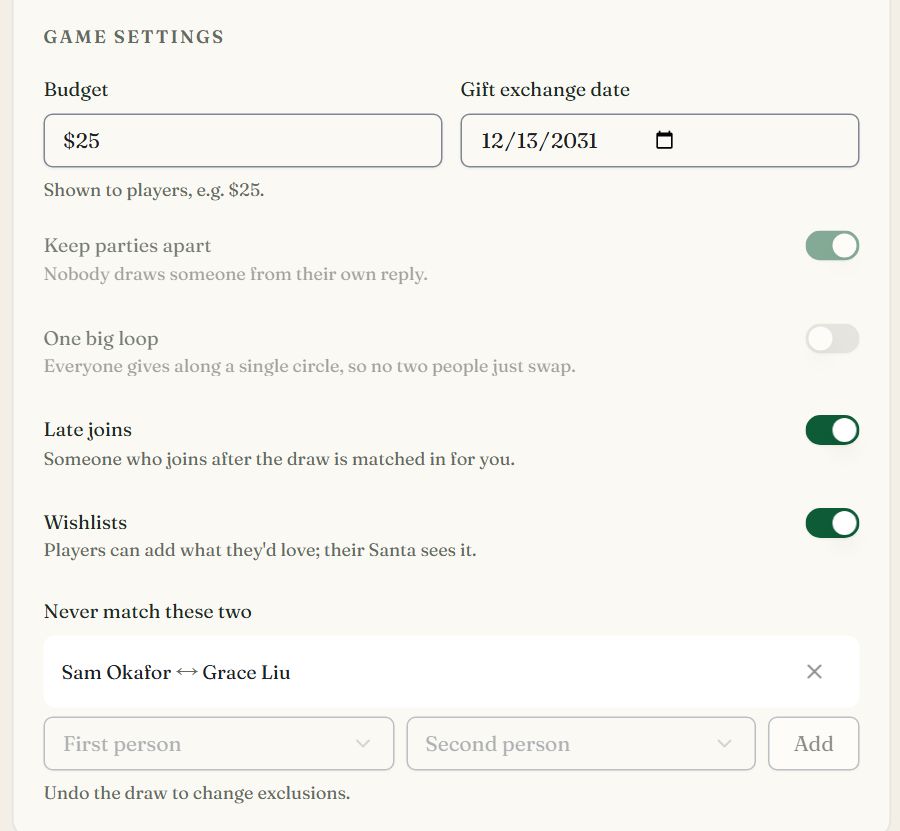
The host's settings.
- 1Shown to players
- 2The day gifts are swapped
- 3Nobody draws someone from their own reply
- 4Players add what they'd love; their Santa sees it
- 5Two people who never draw each other
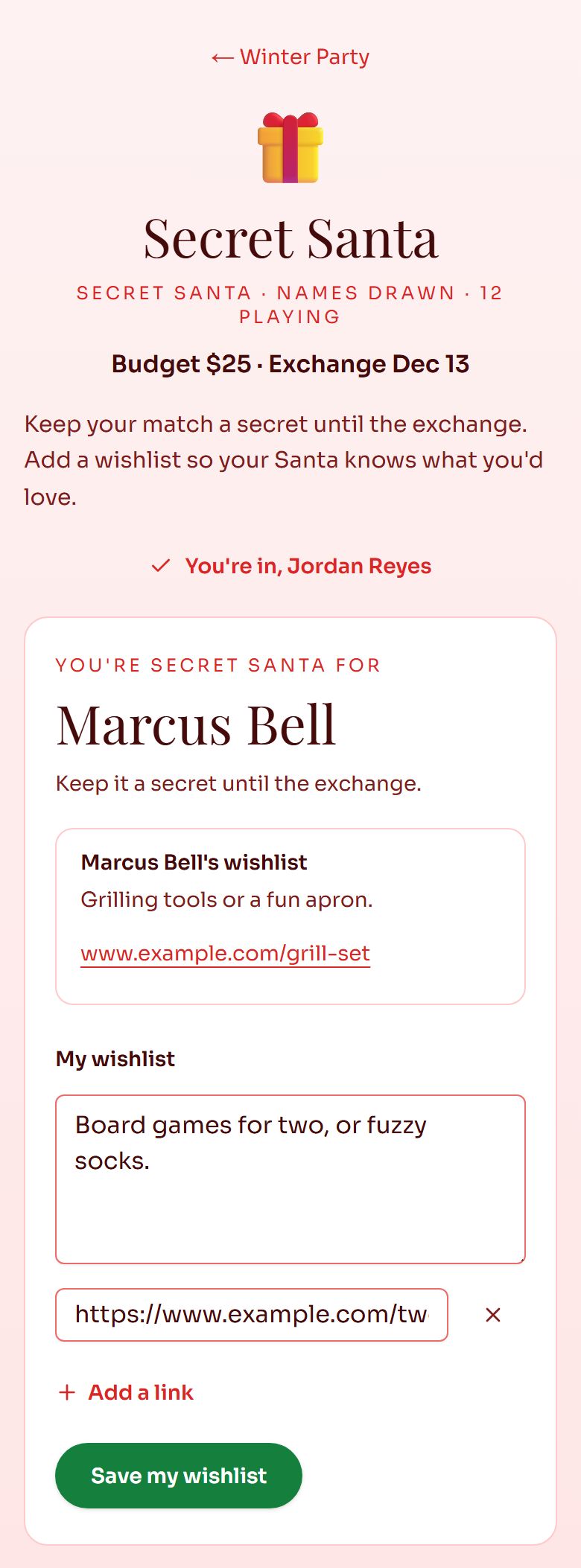
A guest's own page.
- 1Their match, with that person's wishlist
- 2Their own wishlist and links
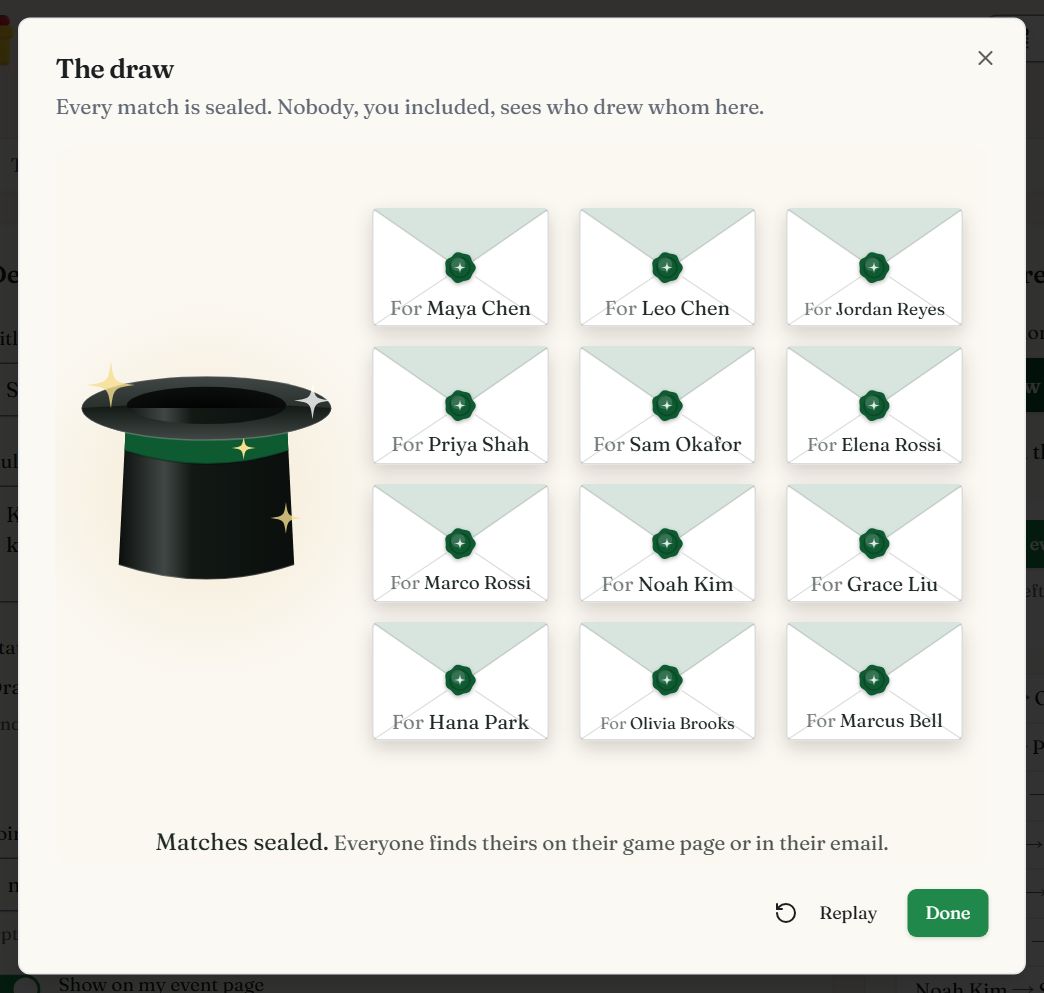
Secret Santa has no live screen, since matches are private. After a draw, **Watch the draw** on the game page plays names into a hat and sealed envelopes out, and never shows who drew whom.
White Elephant
You set the budget and how many times a gift can be stolen (shown in the rules), a number per gift for guests who bring more than one, and whether only checked-in guests get a number.
Guests get their number by email and on their game page. The live screen spins a name reel for each number in turn and hangs it on a gift tag; the turns so far line up underneath.
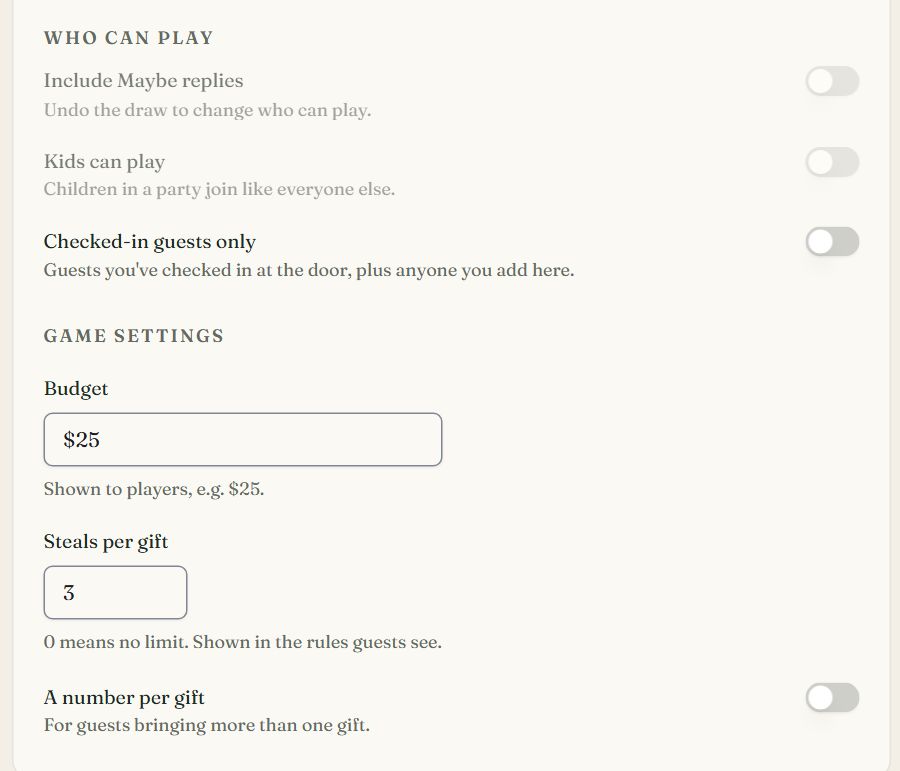
The host's settings.
- 1Only guests checked in at the door get a number
- 2Shown to players
- 30 means no limit
- 4For guests bringing more than one gift
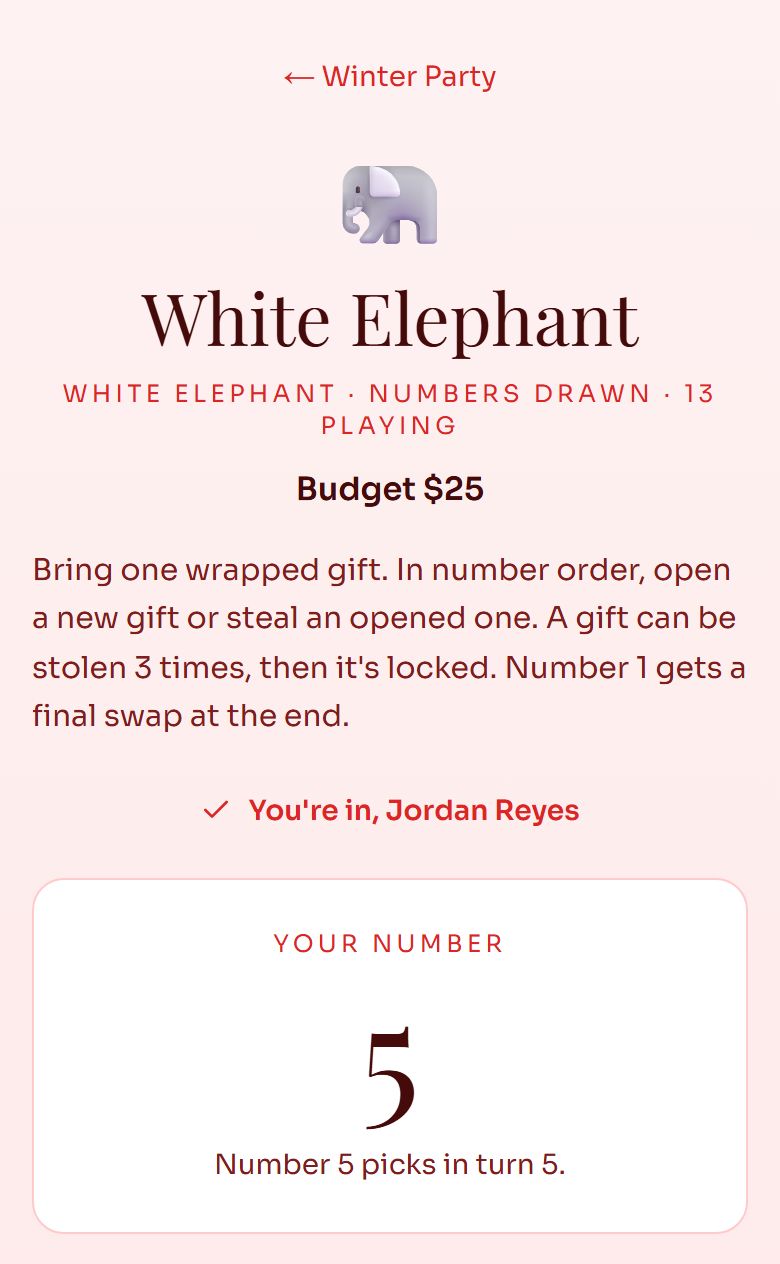
A guest's number.
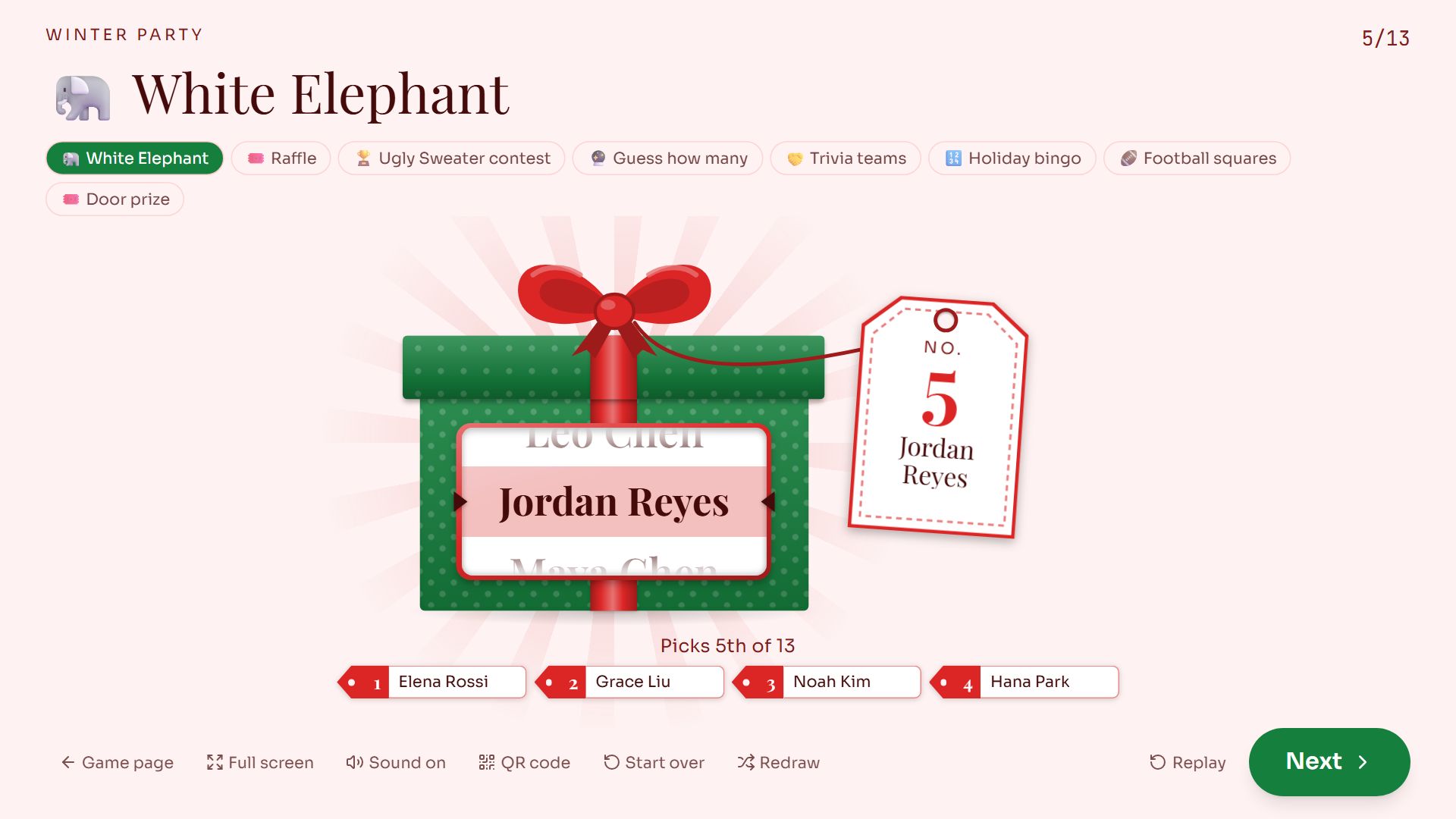
Swipe sideways to see the whole screen, or tap it to enlarge.
Five numbers in. The buttons along the top switch to the event's other games; QR code, Start over and Redraw sit along the bottom.
Raffles, door prizes and random picks
You set how many to pick and the prizes in order, one win per party, and whether hosts, past winners or guests who aren't checked in sit it out.
Guests see the winners on the event page as you reveal them. The live screen spins a prize wheel of every name. Winners come up from the last prize to the first, so the grand prize is drawn last. Reroll this pick draws someone else for one prize, and the first pick stays in the log.
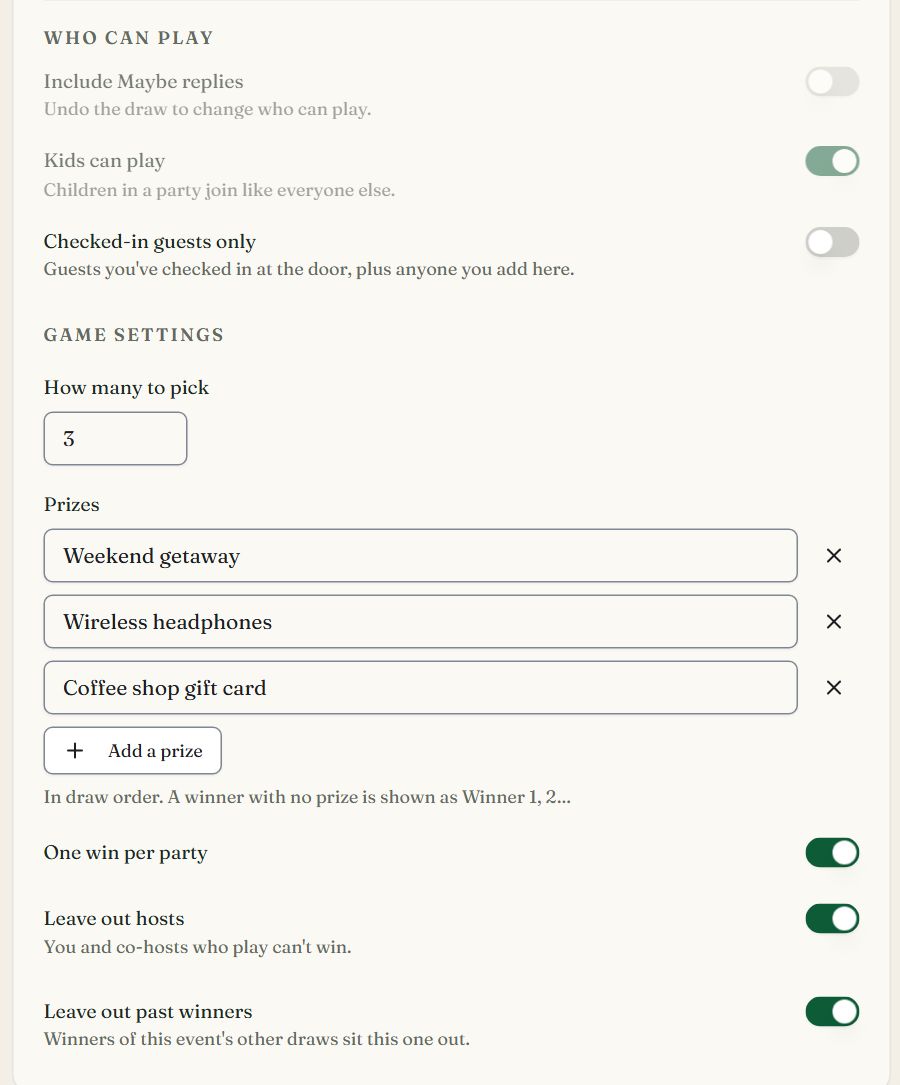
The host's settings.
- 1Only guests checked in at the door are in the hat
- 2One winner per prize
- 3In draw order: the first is the grand prize
- 4A party wins once
- 5You and co-hosts who play can't win
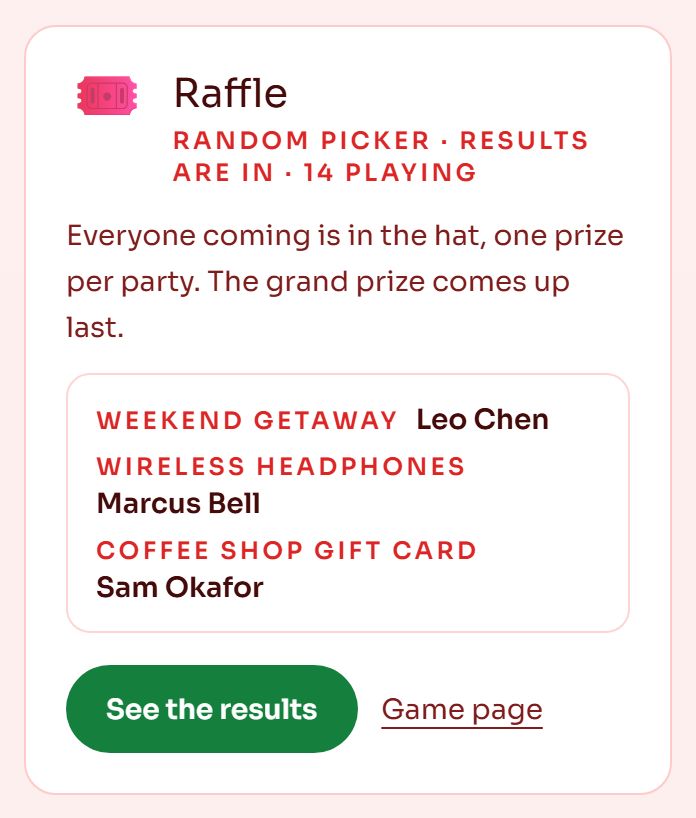
Winners on the event page.
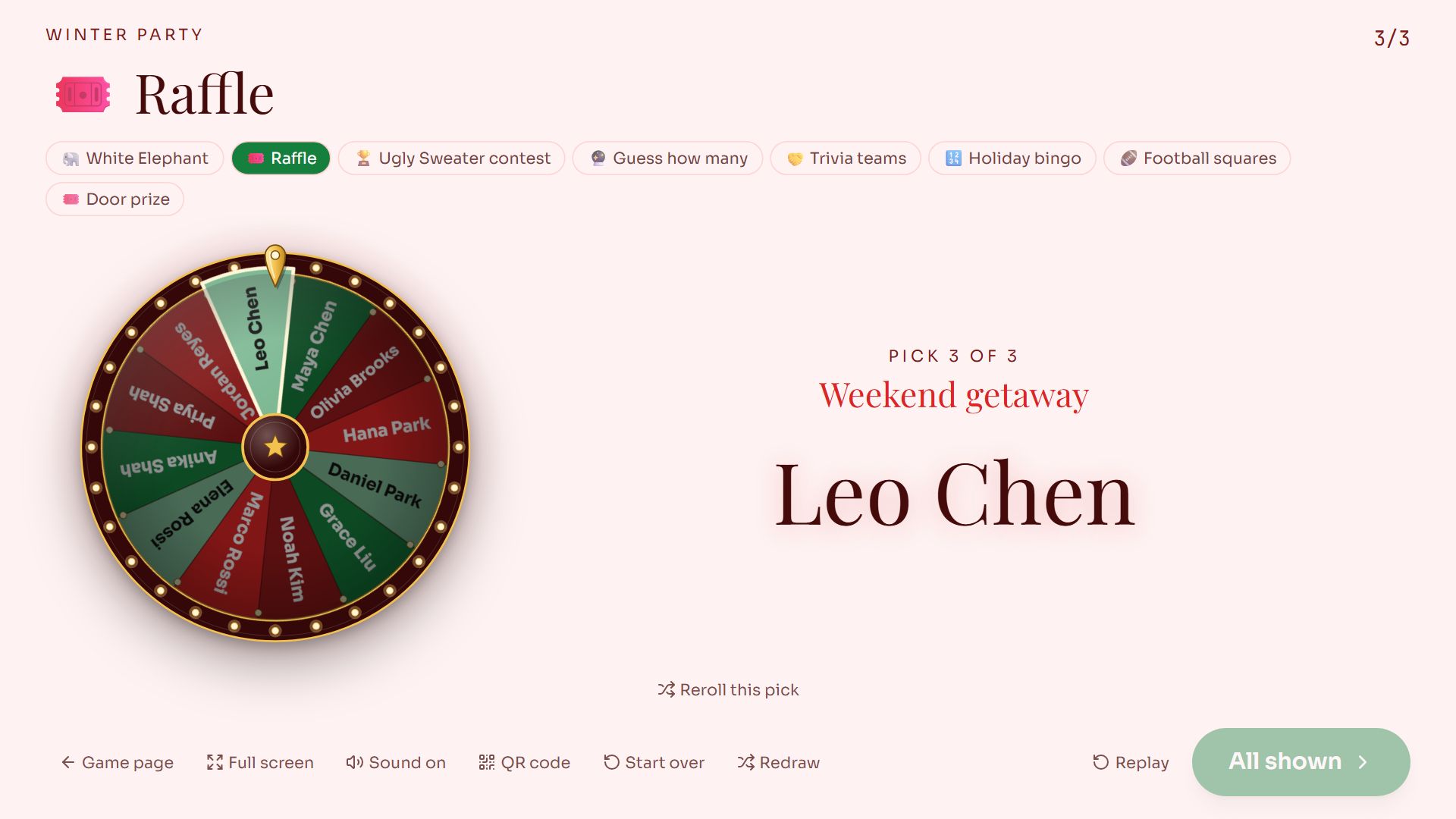
Swipe sideways to see the whole screen, or tap it to enlarge.
The grand prize, drawn last.
Contests
You set the categories, who can win (the players, fixed options like Pink or Blue, or the dishes on your Sign-Up List), whether anyone may vote for themselves, photo entries, and two numbers: Votes per guest (their favourite, or their top 2 or 3; each pick is one vote) and Places (1 for a single winner, 3 for 1st, 2nd and 3rd).
Guests vote on the event page or the game's link. Anyone with the link can vote, up to 25 people per network, unless you turn on Only guests who RSVP'd can vote. The live screen opens an envelope for each place, 3rd, then 2nd, then 1st, with the votes beside it. The bars hold only the places shown so far, so 3rd never gives away 1st.
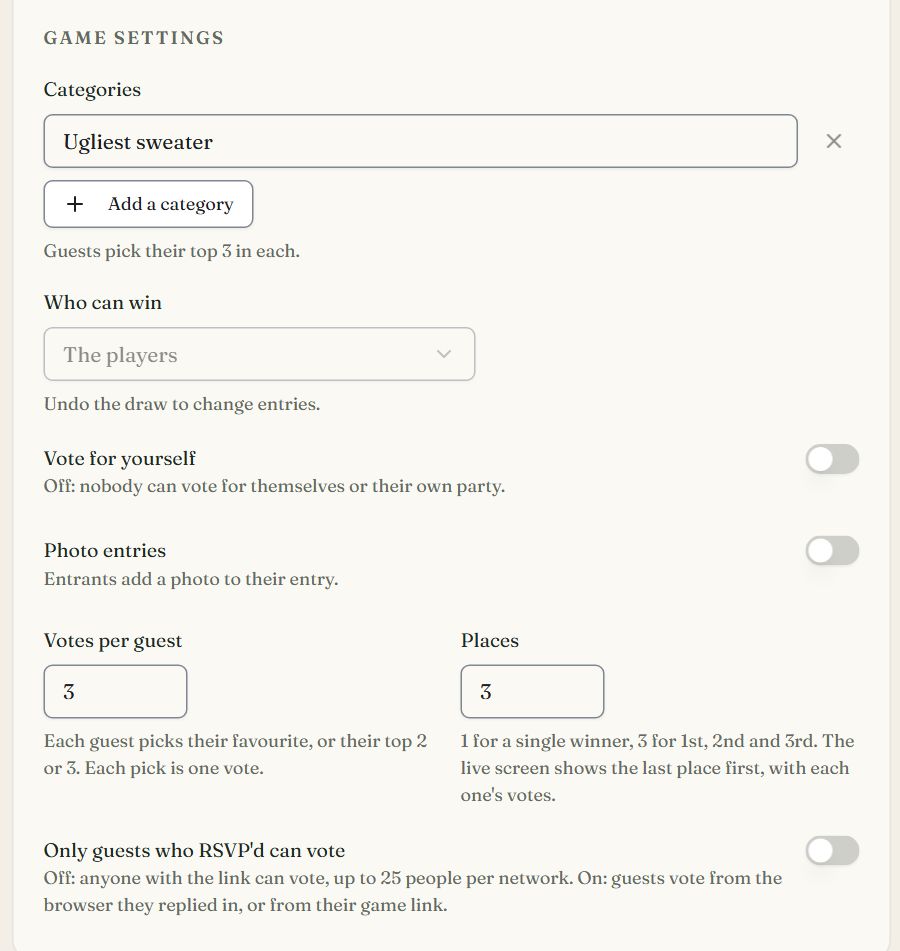
The host's settings.
- 1One envelope per category and place
- 2Off: nobody votes for themselves or their own party
- 3Each guest picks their top 3
- 4Revealed 3rd, 2nd, then 1st
- 5Keeps the vote to guests who replied
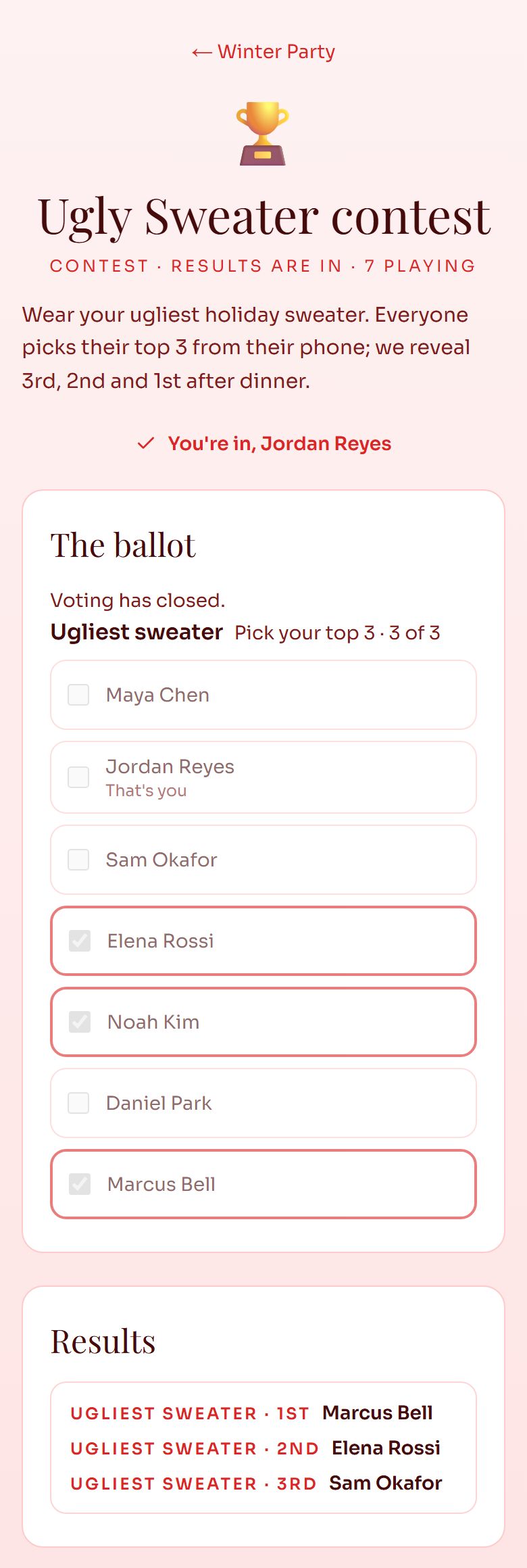
A guest's ballot after the reveal.
- 1Picks so far, out of 3
- 2A guest can't vote for themselves
- 3Places appear as you reveal them
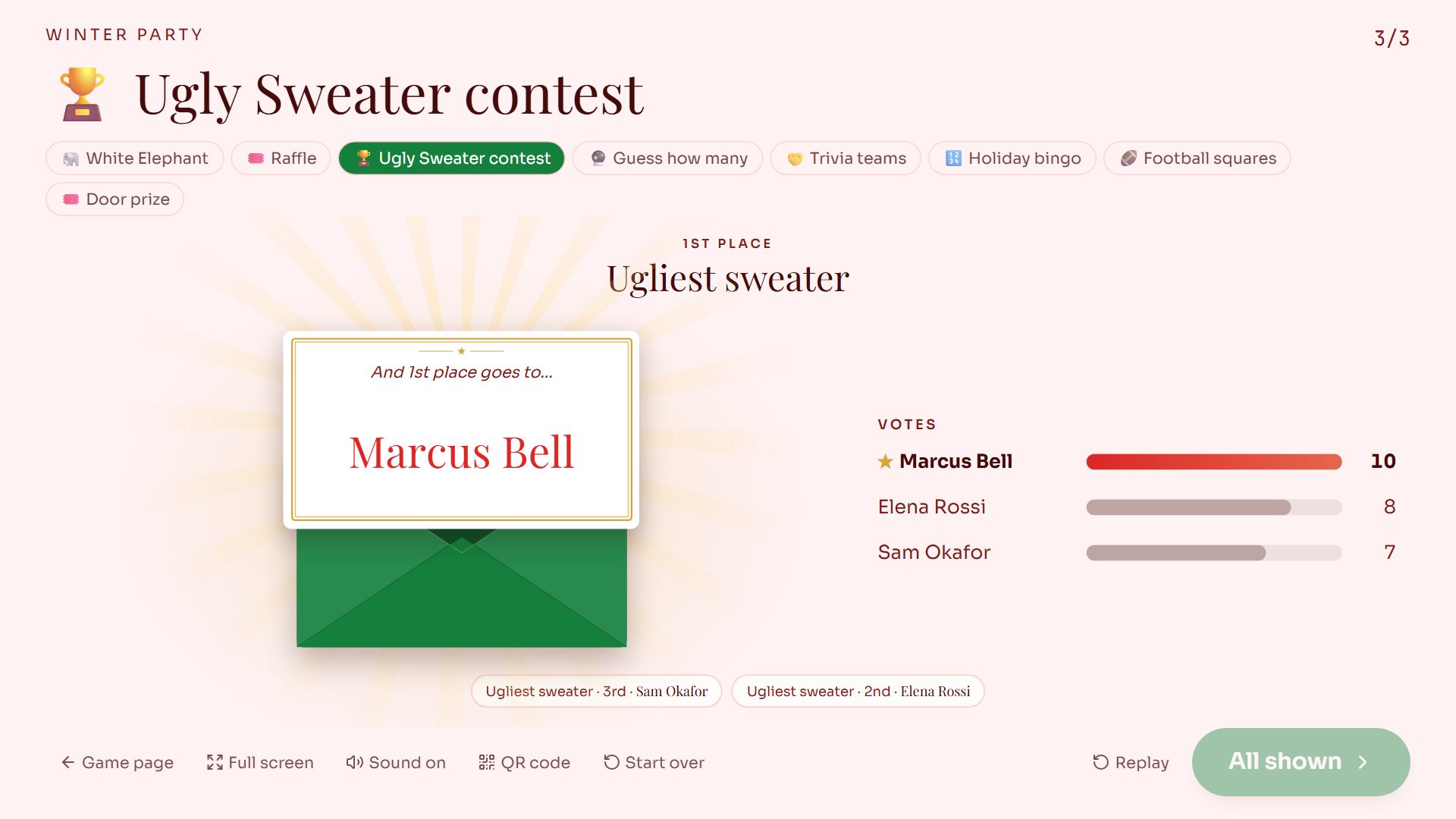
Swipe sideways to see the whole screen, or tap it to enlarge.
1st place, with the votes. 3rd and 2nd sit below the envelope.
Predictions and guessing games
You set the questions: a number, a date, a choice or a word, with a unit if you like. Turn on Ask on the RSVP form and guests answer under Play along as they reply; they can also guess from the event page or a QR code. After the party, enter the answers, or pick the winner yourself from Every guess.
Guests see their own guesses and, once you reveal, the top score. The live screen builds the leaderboard from the bottom up and crowns the winner.
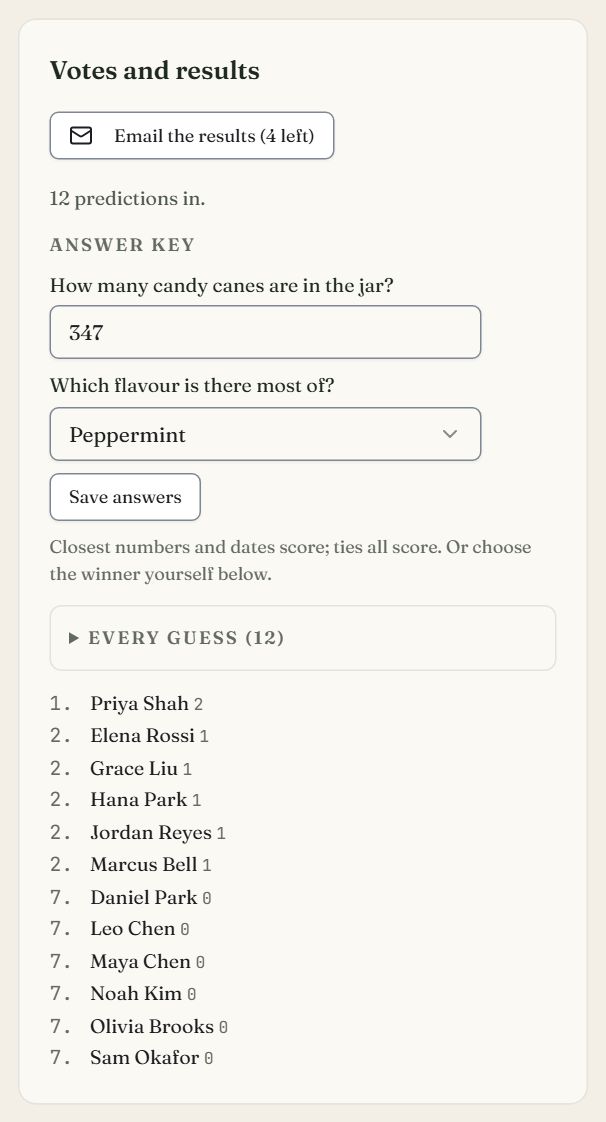
The host's answer key and leaderboard.
- 1Emails players the results, after the reveal
- 2The real answers; the closest number scores
- 3Every guess, each with Choose as winner
- 4The leaderboard, ties sharing a place
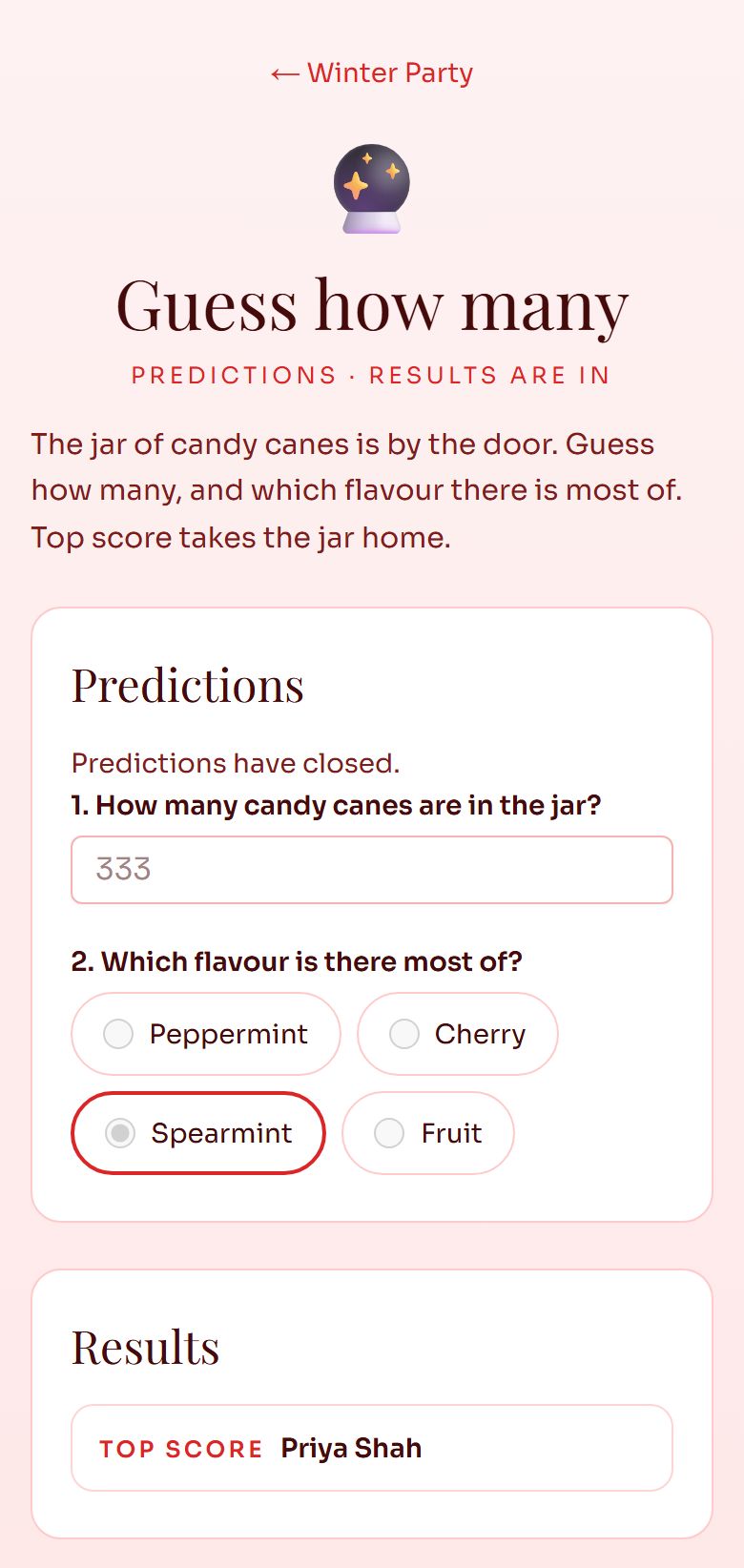
A guest's guesses after the reveal.
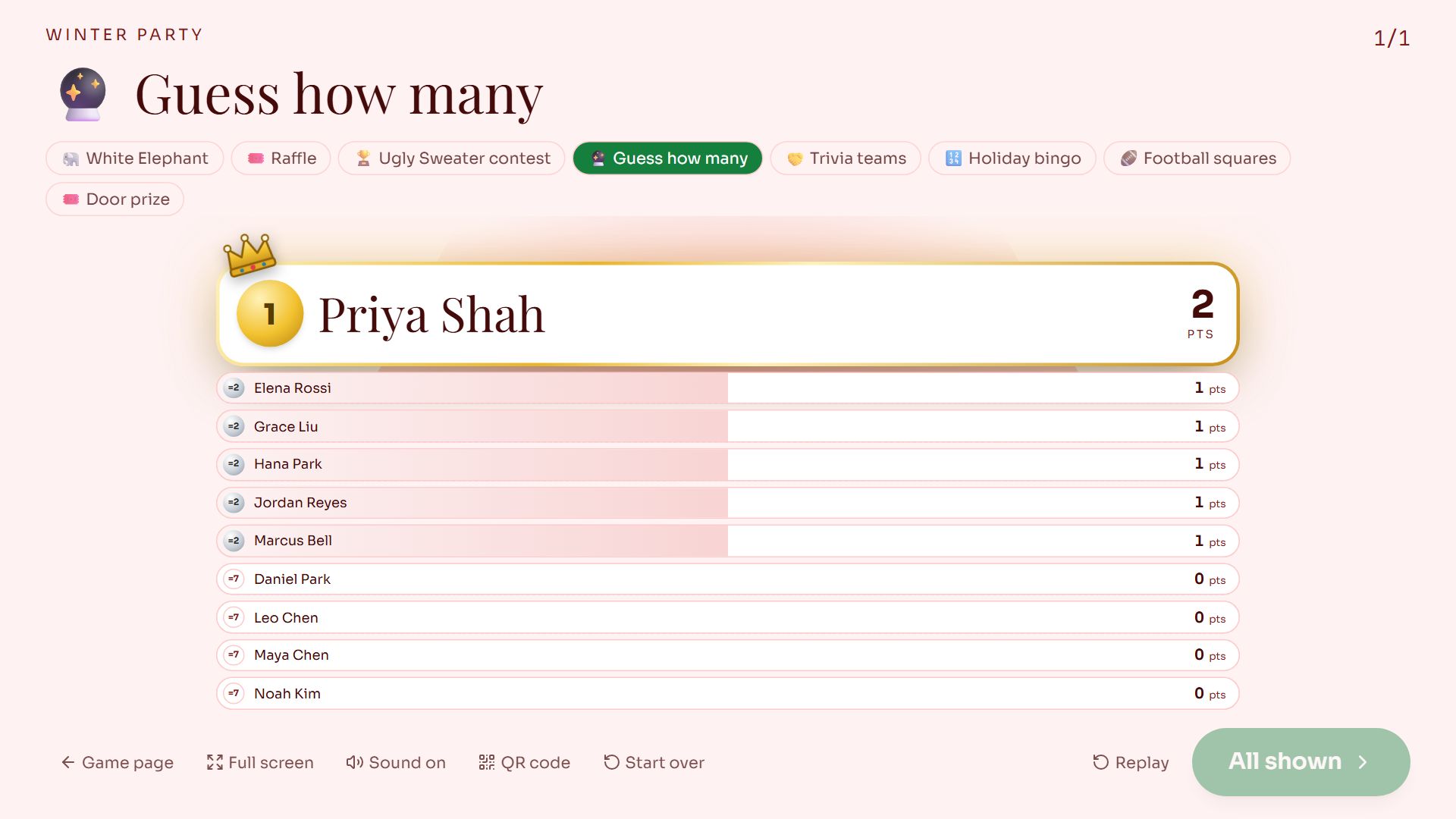
Swipe sideways to see the whole screen, or tap it to enlarge.
The leaderboard on the big screen.
Teams
You set how many teams and their names, whether a party stays on one team, and whether children are shared out evenly.
Guests get their team and teammates by email and on their game page. The live screen deals the names into a column per team, one team at a time.
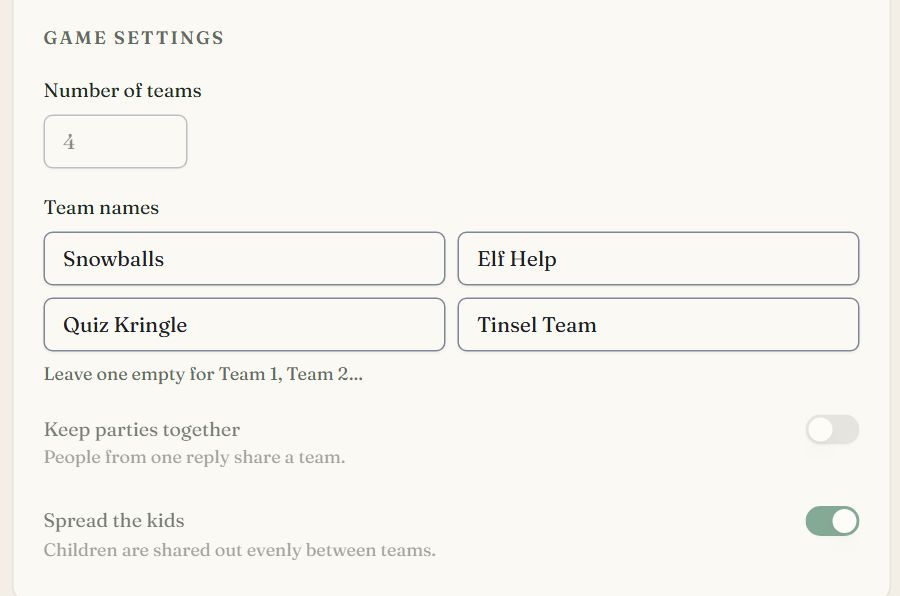
The host's settings.
- 1Up to 12 teams
- 2Leave one empty for Team 1, Team 2…
- 3People from one reply share a team
- 4Children are shared out evenly
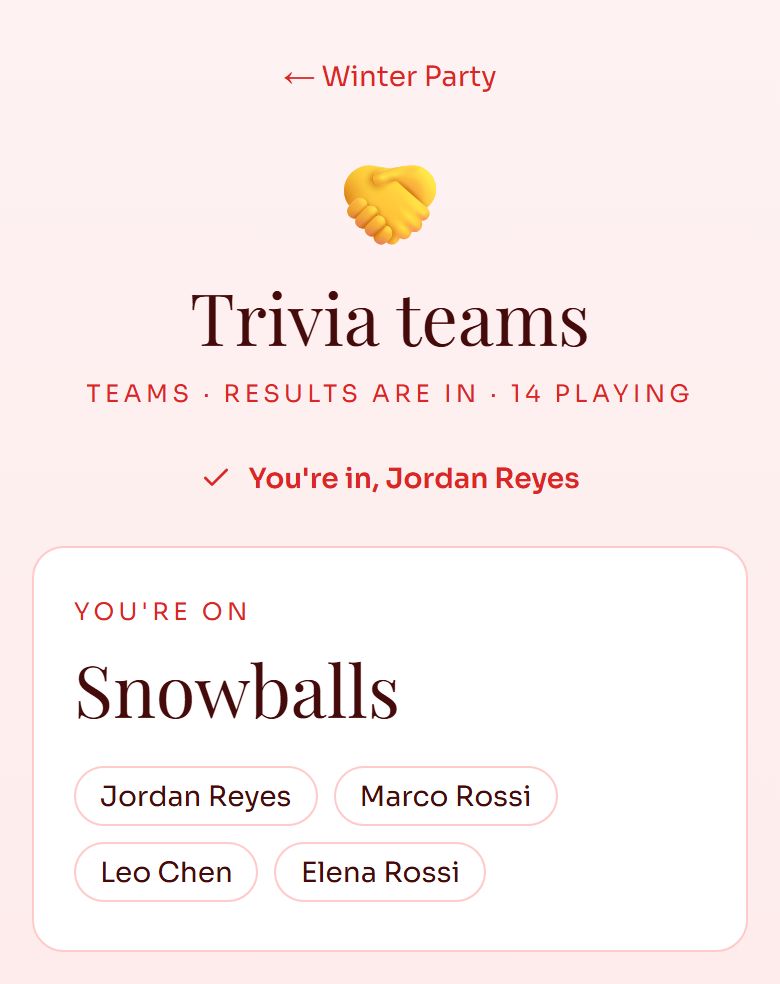
A guest's team.
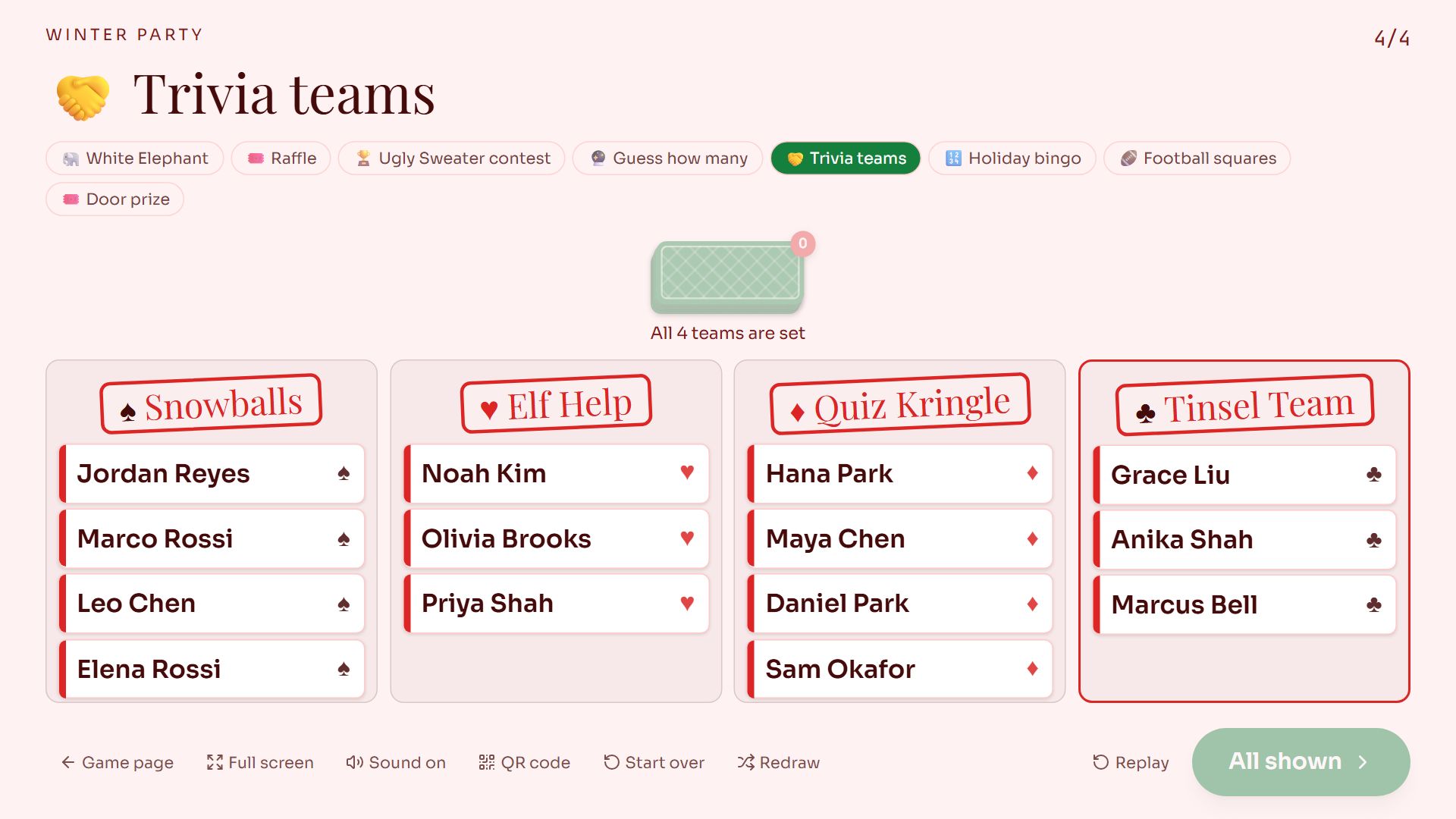
Swipe sideways to see the whole screen, or tap it to enlarge.
All four teams dealt.
Bingo
You set the squares (at least 24 with a free centre, up to 75) and how they are called: In random order, like a lottery, or As they happen for squares people do or say, where you pick the square that just happened. Every player gets a different card.
Guests get their card by email and on their game page. Called squares are shaded, a tap marks one, and Bingo! sends a claim, which is checked against the calls. The live screen drops a ball from the machine for each call and shows who has bingo.
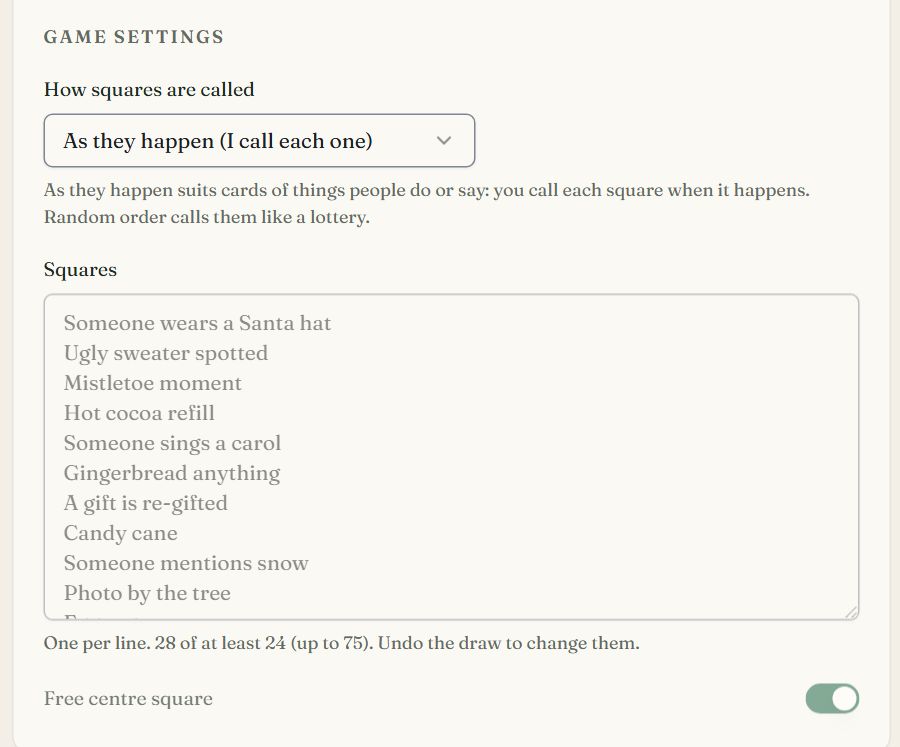
The host's settings.
- 1In random order, or as they happen
- 2One square per line
- 3Off: a card needs 25 squares
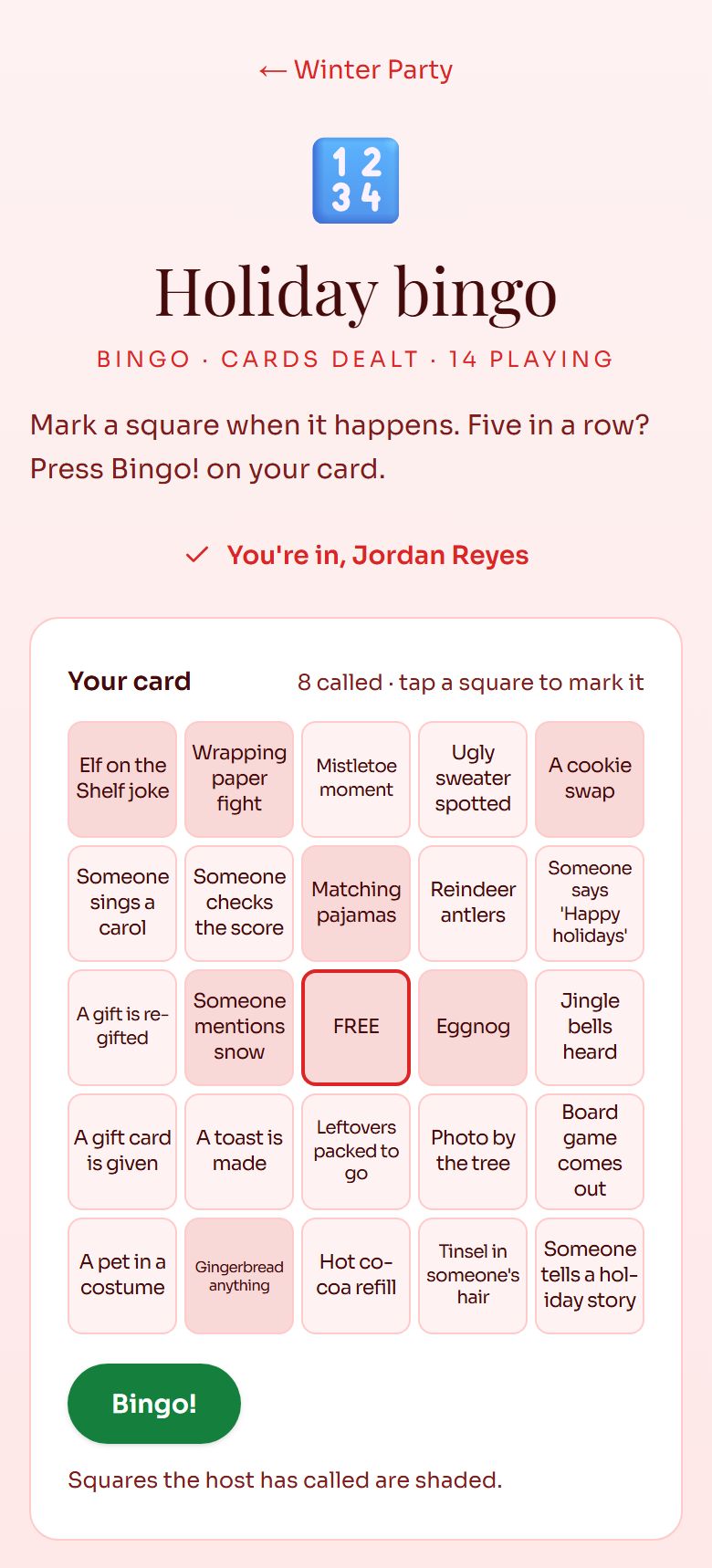
A guest's card.
- 1A claim the game checks against the calls
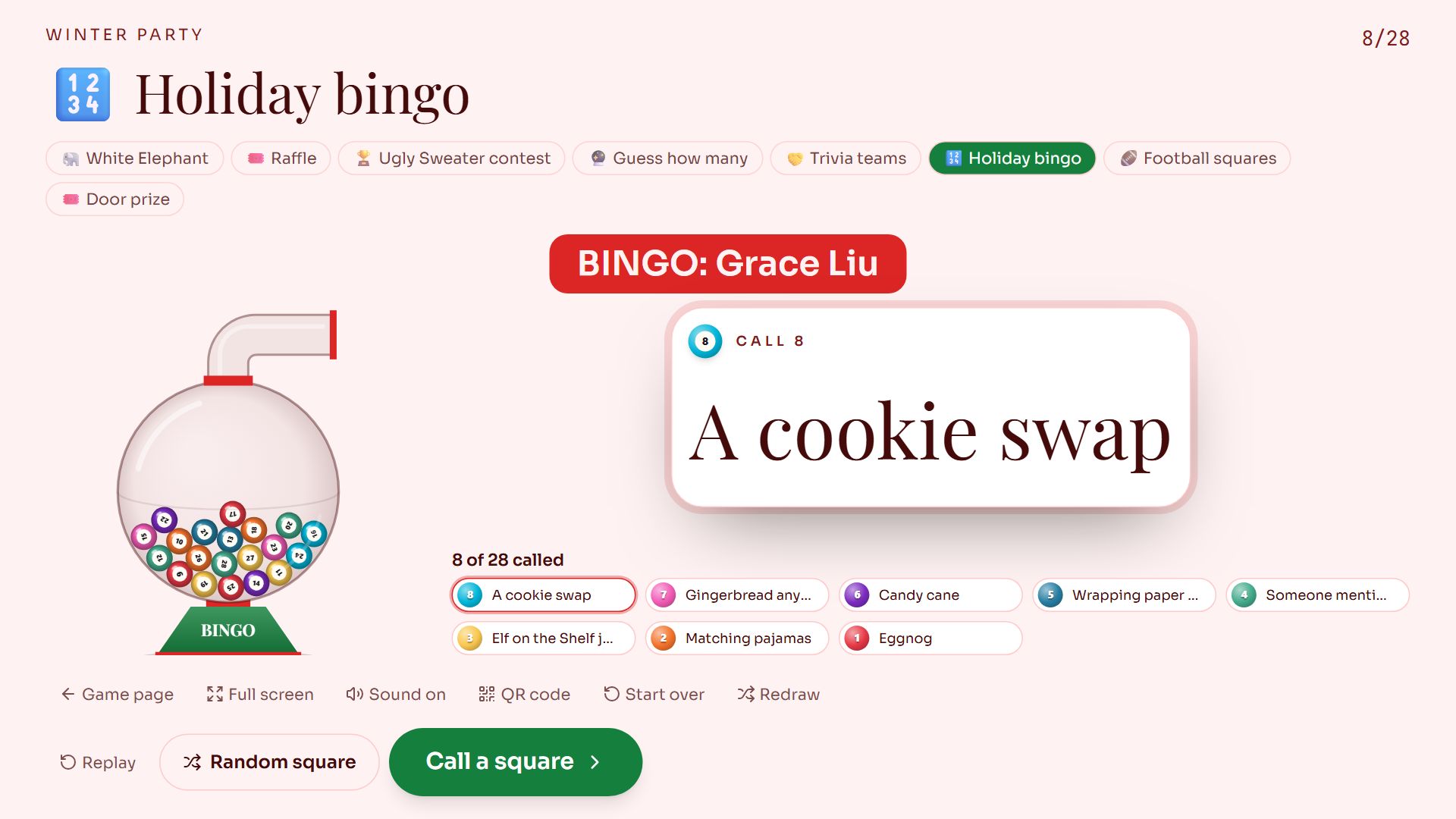
Swipe sideways to see the whole screen, or tap it to enlarge.
Called as things happen: **Call a square** picks the one that just did, and **Random square** still draws one.
Football squares
You set the two teams, the most squares one person can claim and the scoring periods. Draw when the grid is full enough: that locks it and draws a digit for every row and column. Enter each period's score, and the square at the last digits of the two scores wins it.
Guests claim squares on the event page or the game's link, giving a name, and see the numbers and each period's winner once you draw. The live screen rolls the digits onto the grid and marks every winning square. RSVPlinks handles no money.
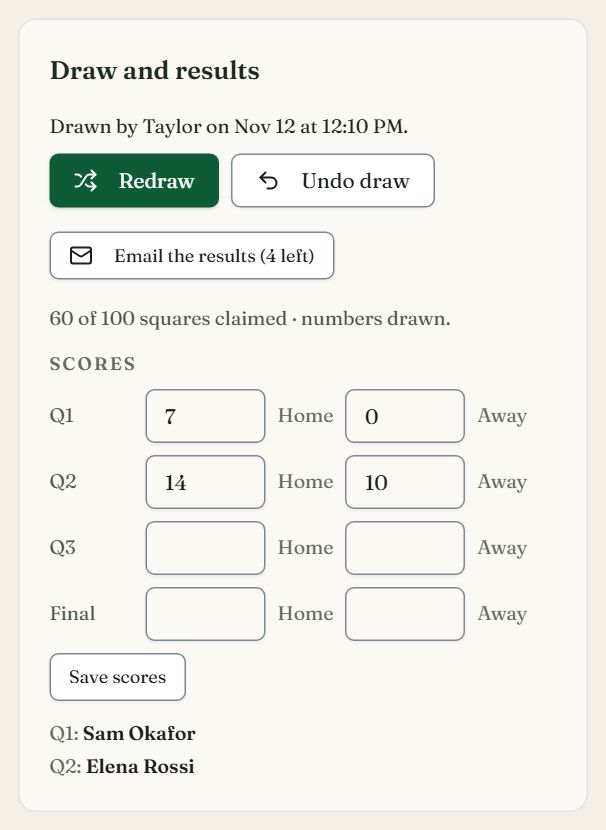
The host's scores.
- 1A fresh set of numbers; claims stay
- 2Each period's score, as the game goes
- 3Picks the winning squares
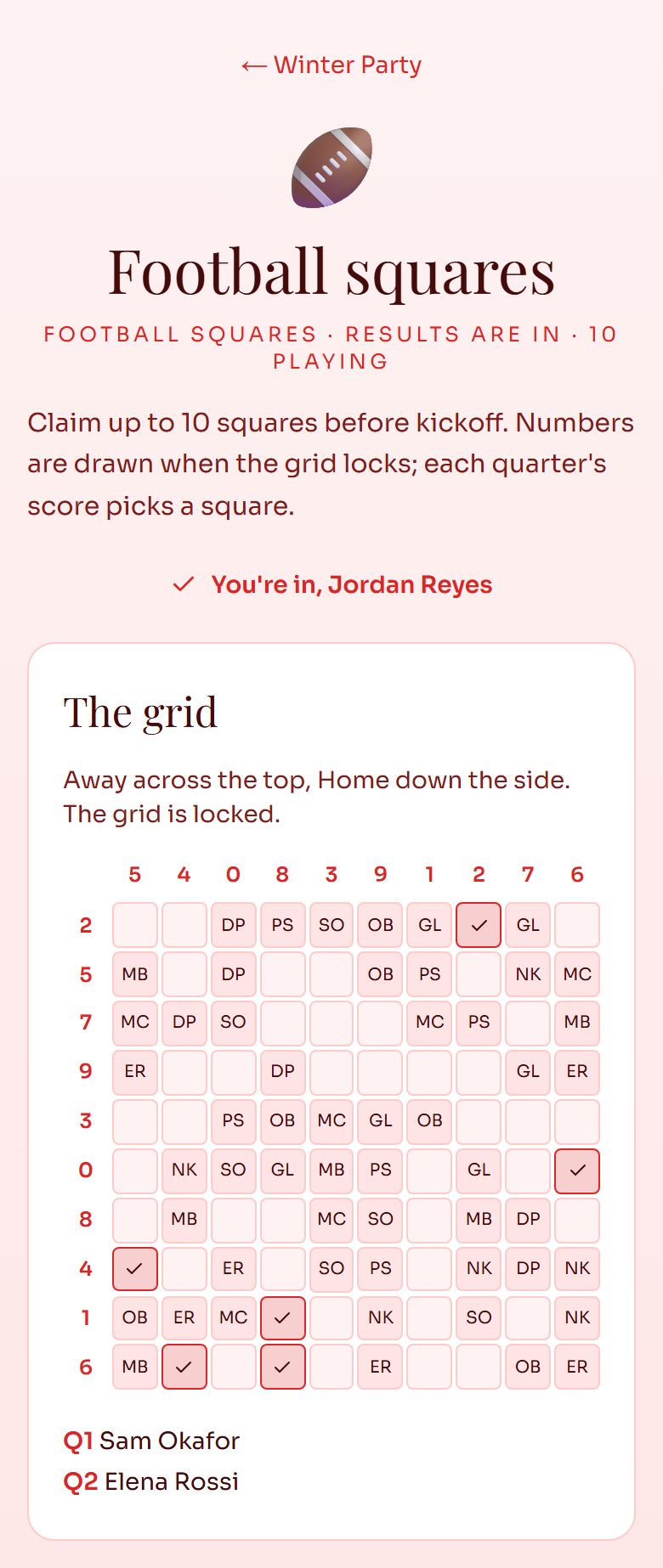
A guest's grid.
- 1Each period's winner
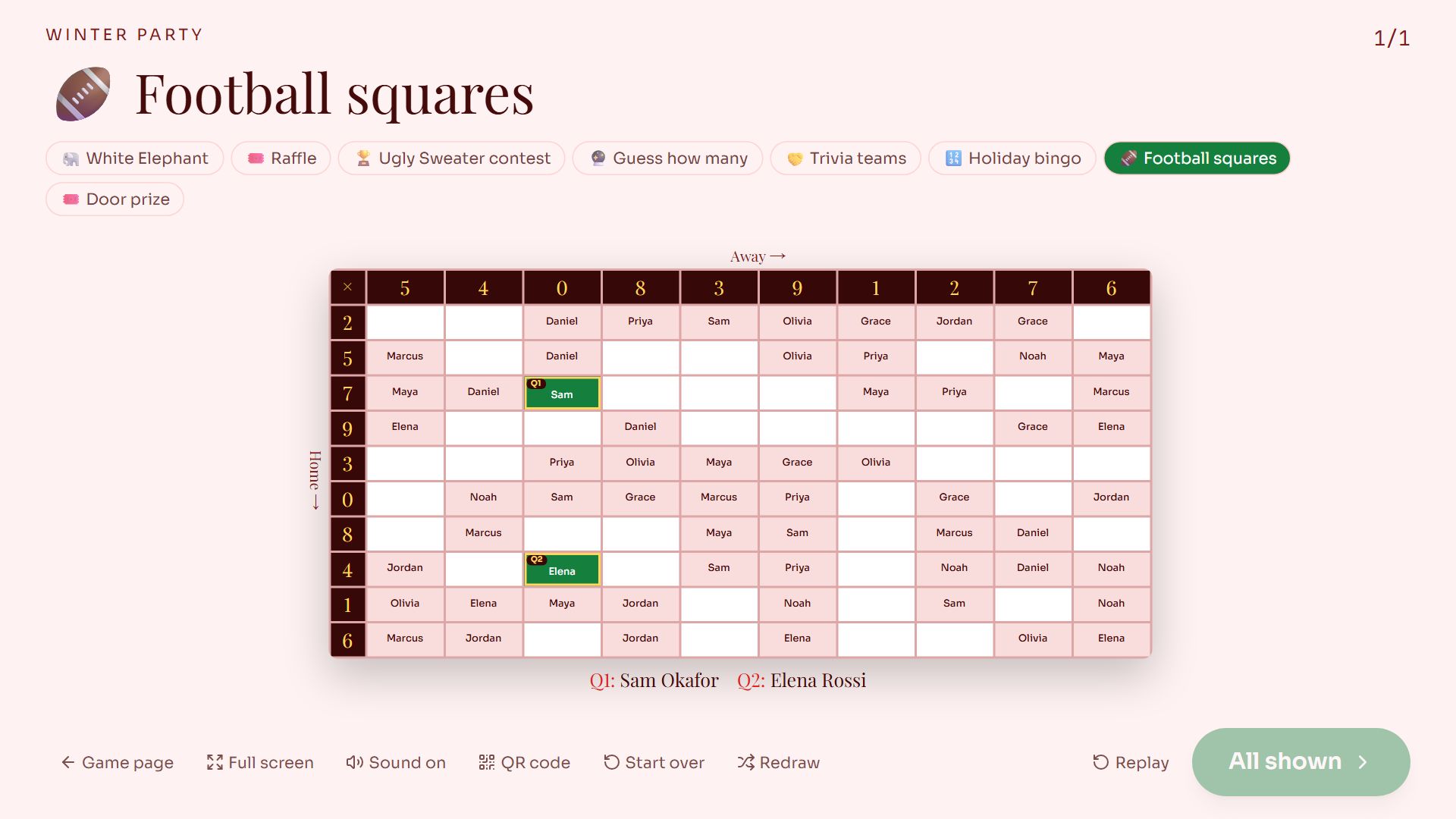
Swipe sideways to see the whole screen, or tap it to enlarge.
Two quarters in.
When someone drops out
If a guest declines, shrinks their party or joins late after a draw, the game is fixed for you. Only the people whose assignment changed are emailed again; everyone else keeps theirs.
Free tools
Try a draw without an account: the Secret Santa generator, White Elephant numbers and the random name picker. The Party Games page has the rest.
What is stored
Games keep player names, wishlists and the choices people make. Votes and joins also store a hashed IP address, cleared after 90 days. Two cookies are used: one keeps a player's own game link on their device, and one stops a browser from casting more than one ballot. See the cookie policy and privacy policy.
Common questions
- How much is Party Games?
- $6 or 1 credit, once, for one event. It unlocks every game on that event and works on a free event too.
- Do guests need an app or an account?
- No. Guests join on the RSVP form or the event page, and open their own link from their email.
- What if someone drops out after the draw?
- The game is fixed automatically, and only the people whose assignment changed are emailed again.
- Can I play in my own Secret Santa?
- Yes. If you play, you do not see the matches.
- Can guests vote for their top 3 in a contest?
- Yes. Set Votes per guest to 2 or 3, and each pick counts as one vote. With Places set to 3, the live screen reveals 3rd, then 2nd, then 1st, each with its votes.
- What does Redraw do?
- It replaces the draw with a new one in one step, and the live screen starts over. Emails already sent are out of date, so send everyone theirs again. Squares claims stay.
- Can I try the live screen before the party?
- Yes. Preview the draw on a game plays the draw with your players, topped up with sample names, and saves nothing.
- How do I call bingo squares that are things people do?
- Under How squares are called, choose As they happen. On the live screen, Call a square lets you pick the one that just happened, and claims are checked against what you called.
- Is there any gambling?
- No. Games are for fun only. Football squares and raffles handle no money.
Still stuck?
Check the FAQ for quick answers, or send us a message and a person will reply.