Bingo cards for every guest, called live
Add Holiday bingo, Baby shower gift bingo or Wedding bingo to your RSVPlinks event, or write your own 24 to 75 squares, and press Draw. Every player gets a unique card by email or on paper. At the party the live screen calls squares from a lottery ball machine, or you call each square as it happens, and when a guest taps Bingo their line is checked against the calls.
- Per event
- $6 or 1 credit
- Players
- Up to 500
- Guests need
- A phone, no app
The lottery ball machine
Numbered balls tumble in a glass globe; one is caught, flies down the tube and pops open into a card with the square on it, then drops into the tray of calls so far.
Sample names, drawn in your browser with the same rules as a real game. Nothing is saved.
How to run bingo online
- 1
Add bingo
Holiday bingo, Baby shower gift bingo or Wedding bingo come with squares; edit them or write your own.
- 2
Choose who plays
Everyone attending by default, guests opt in on the rsvp form, players you add, or anyone with the link: a guest who scans gets a card, even after the draw.
- 3
Choose how squares are called
In random order calls like a lottery. As they happen suits squares of things people do or say: you call each one when it happens.
- 4
Draw
Every player gets a unique card by email. Print the cards for anyone without a phone.
- 5
Call it live
Each Call next draws a ball; a guest's Bingo flashes on the big screen with a fanfare.
What you set up
- Squares
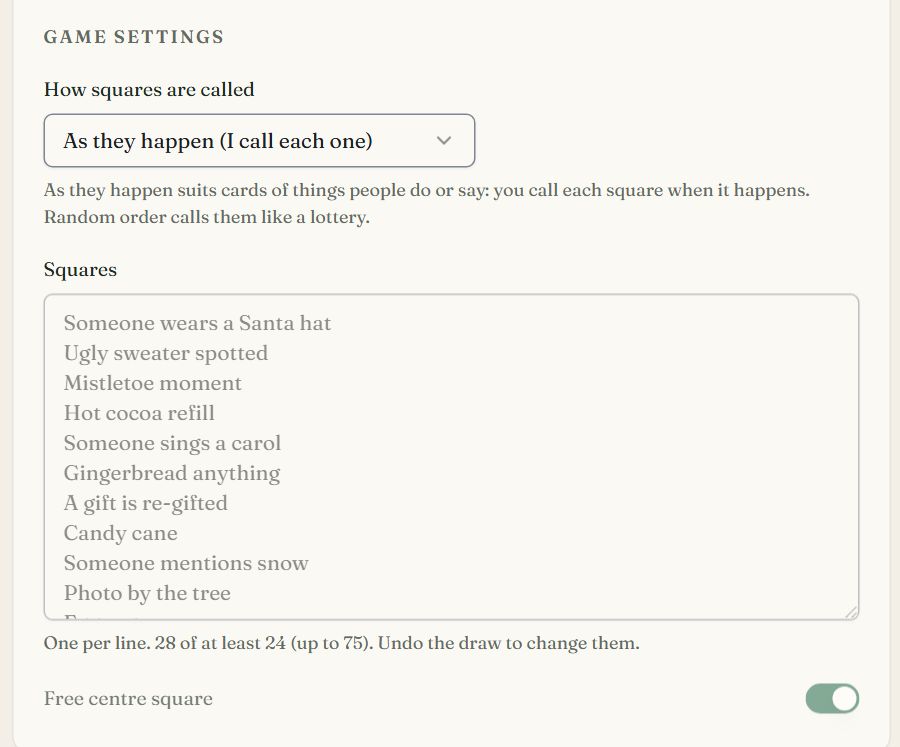
- 24 to 75 squares; each card shows 24 or 25 of them, never the same card twice.
- Free centre square
- On by default. Without it a card needs 25 squares.
- How squares are called
- In random order, or As they happen for moments to spot (the live screen's main button becomes Call a square).
What guests see
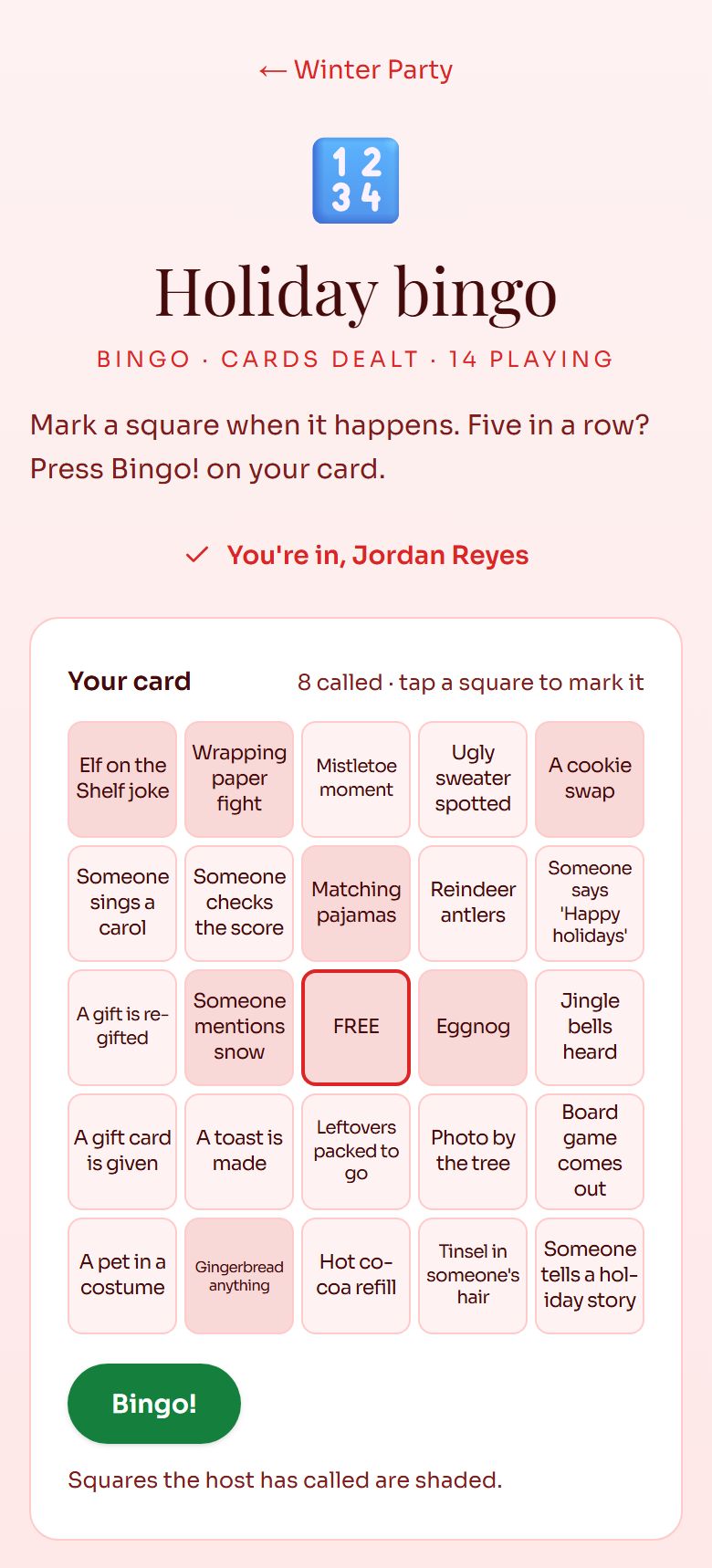
- Their own card on their phone, from their email or a QR scan; called squares are shaded.
- "You have a line: call it!" when they have one, and a Bingo button that sends the claim.
- "Bingo called. The host has your claim." The claim is checked against the squares already called.
On the big screen
- A lottery ball machine draws each square, with the calls so far beside it.
- A guest's bingo flashes across the top of the screen with a fanfare and confetti.
- Calling as it happens: Call a square opens a searchable list of the squares left.
- Skip jumps to the result and Replay plays it again. Neither changes who won: every result is stored before it plays, so a refresh or a second screen shows the same thing.
- Full screen, synthesised sound you can mute, and buttons along the top that switch between your event's games without leaving full screen (keys 1 to 9).
- QR code puts the game's page on the big screen for the room to scan.
- Preview the draw rehearses with your players, topped up with sample names, and saves nothing.
Good for
Questions
Does every guest get a different bingo card?
Yes. Each card is dealt from your squares so no two players share the same card, and a guest who joins later gets a new one.
Can I print the bingo cards?
Yes. The print page makes every player's card, ready to cut, for guests who'd rather play on paper.
How does baby shower gift bingo work?
Each card lists gifts the parents-to-be might open (onesies, a swaddle, a board book). Choose As they happen, and call each square as that gift is opened; the first guest with a line wins.
How are bingo claims checked?
When a guest taps Bingo, their card is checked against the squares you've called, and the claim shows on your live screen with their name.
How much does it cost to run bingo with RSVPlinks?
$6 or 1 credit per event, paid once, for the Party Games add-on. It unlocks every game on that event (up to 12), and a free event can buy it: no paid plan needed. A free event's games hold up to 200 players; paid plans hold up to 500.
Do guests need an app or an account?
No. Guests play from your event page, a QR code or the private link in their email, on any phone or computer.
Setting one up? Read the Party Games guide.
Every game, one add-on
One purchase unlocks all of them on your event.
- Secret SantaPrivate emailed matches, wishlists and exclusions.
- White ElephantFair pick numbers, steal rules and a live name reel.
- Random pickerDoor prizes and raffles on a spinning prize wheel.
- ContestPhone voting, top-3 ballots and an envelope reveal.
- PredictionsBaby pools, guess-the-jar and ballots on a leaderboard.
- TeamsBalanced teams, families together, kids spread out.
- Football squaresA 10x10 grid, numbers rolled live, winners per quarter.
Run bingo at your next event
Make the event free, then add Party Games from the event dashboard for $6 or 1 credit.
Create Free Event