Contest voting from guests' phones, revealed live
Add a contest to your RSVPlinks event, such as Ugly Sweater, Costume or Chili cook-off, and guests vote from the event page, the RSVP form or a QR code at the party. They can pick a favourite or their top 2 or 3. When voting closes, the live screen opens an envelope for each place, 3rd, then 2nd, then 1st, with the vote bars.
- Per event
- $6 or 1 credit
- Players
- Up to 500
- Guests need
- A phone, no app
The envelope reveal
A spotlight finds the envelope, a drumroll builds and it pops open: the winner's name rises under the lights, then bars fill in with the votes for the places already out, so 3rd never gives away 1st.
Sample names, drawn in your browser with the same rules as a real game. Nothing is saved.
How to run a contest vote online
- 1
Add a contest
Ugly Sweater, Costume, Chili cook-off, Pink or Blue? or Superlatives, or name your own categories.
- 2
Choose who can win
Your players, fixed options (Pink and Blue), or the dishes on your Sign-Up List.
- 3
Open voting
Guests vote on the event page or by scanning the game's QR code; option votes can also go on the RSVP form.
- 4
Close and reveal
On the live screen each Next opens the next envelope, last place first.
- 5
Email the results
Once the last place is out, send the results to your players if you like.
What you set up
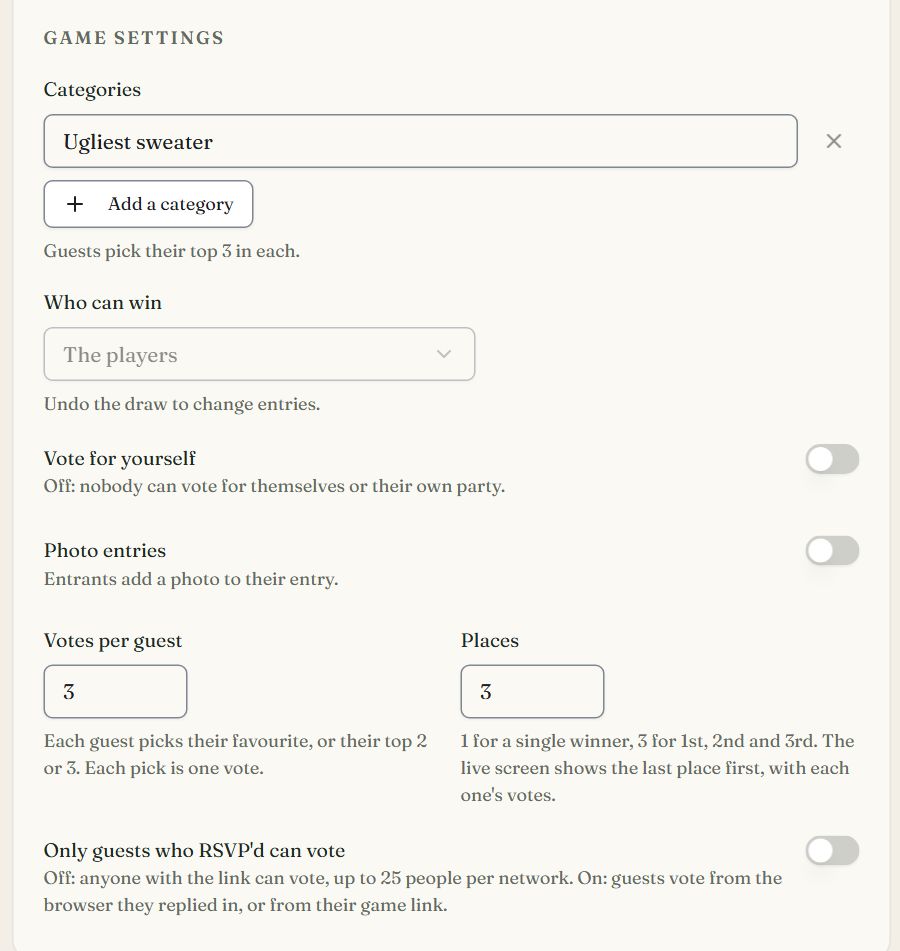
- Categories
- Up to 15: Best costume, Funniest, Scariest, Ugliest sweater.
- Who can win
- Players, fixed options, or the potluck dishes from your Sign-Up List.
- Votes per guest
- Each guest picks their favourite, or their top 2 or 3 (up to 5). Each pick is one vote.
- Places
- 1 for a single winner, up to 5. The live screen shows the last place first, with each one's votes.
- Vote for yourself
- Off by default: nobody votes for themselves or their own party.
- Photo entries
- Entrants add a photo that shows beside their name on the ballot.
- Only guests who RSVP'd can vote
- Off: anyone with the link votes, up to 25 people per network. On: only guests who replied.
- Ask on the RSVP form
- For option votes like Pink or Blue: guests vote while they reply, under Play along.
What guests see
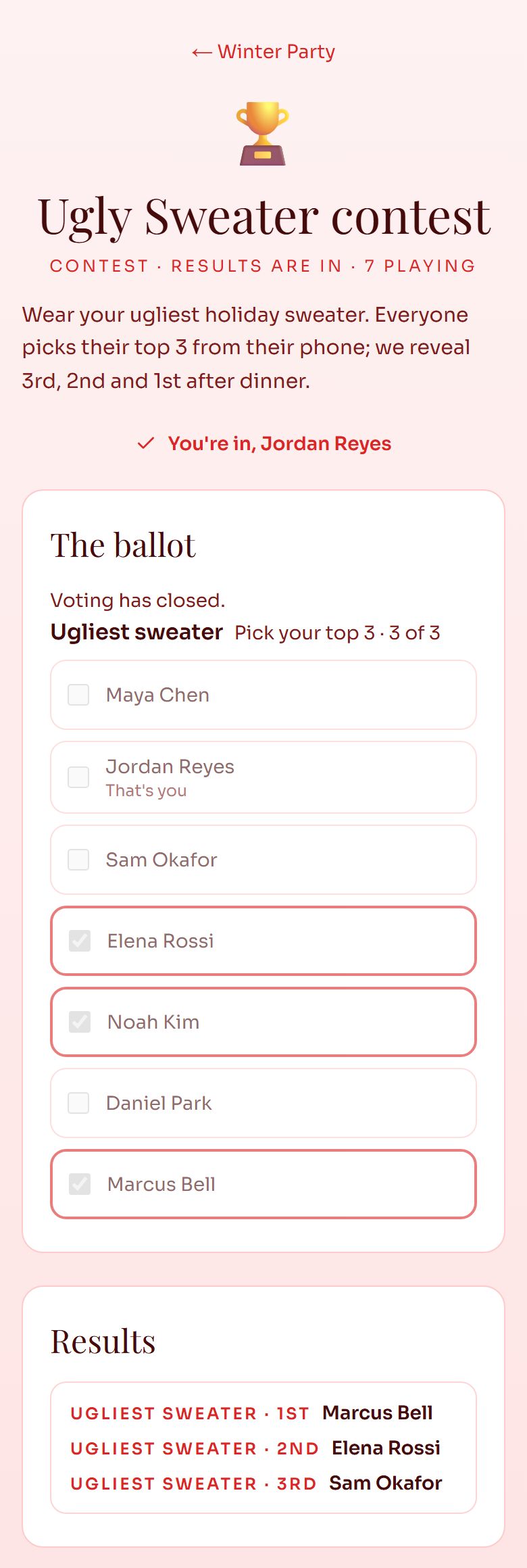
- A ballot on the event page or the game's own page, with entry photos if you turned them on.
- Their top picks per category; they can change their vote until voting closes.
- An entrant can add or change their photo.
- The winners on the event page as each place is revealed.
On the big screen
- One envelope per category and place, last place first, with the vote bars for the places already out.
- A tie for a place shows every name on it.
- Skip jumps to the result and Replay plays it again. Neither changes who won: every result is stored before it plays, so a refresh or a second screen shows the same thing.
- Full screen, synthesised sound you can mute, and buttons along the top that switch between your event's games without leaving full screen (keys 1 to 9).
- QR code puts the game's page on the big screen for the room to scan.
- Preview the draw rehearses with your players, topped up with sample names, and saves nothing.
Good for
Questions
Can guests vote for their top 3 instead of one favourite?
Yes. Set Votes per guest to 2 or 3 (up to 5); each pick counts as one vote. Set Places to 3 and the live screen reveals 3rd, 2nd and then 1st.
Can people vote for themselves?
Not unless you allow it. With Vote for yourself off, nobody can vote for themselves or anyone in their own RSVP.
Can people who didn't RSVP vote?
By default anyone with the link or the QR code can vote, up to 25 new ballots per network so one person can't stuff the box. Turn on Only guests who RSVP'd can vote to keep it to your guests.
Can a chili cook-off use my sign-up list?
Yes. Choose the potluck dishes under Who can win, and every dish on your Sign-Up List is an entry.
How much does it cost to run a contest vote with RSVPlinks?
$6 or 1 credit per event, paid once, for the Party Games add-on. It unlocks every game on that event (up to 12), and a free event can buy it: no paid plan needed. A free event's games hold up to 200 players; paid plans hold up to 500.
Do guests need an app or an account?
No. Guests play from your event page, a QR code or the private link in their email, on any phone or computer.
Setting one up? Read the Party Games guide.
Every game, one add-on
One purchase unlocks all of them on your event.
- Secret SantaPrivate emailed matches, wishlists and exclusions.
- White ElephantFair pick numbers, steal rules and a live name reel.
- Random pickerDoor prizes and raffles on a spinning prize wheel.
- PredictionsBaby pools, guess-the-jar and ballots on a leaderboard.
- TeamsBalanced teams, families together, kids spread out.
- BingoA unique card each, a ball machine caller, claims checked.
- Football squaresA 10x10 grid, numbers rolled live, winners per quarter.
Run a contest vote at your next event
Make the event free, then add Party Games from the event dashboard for $6 or 1 credit.
Create Free Event