Table Management · free to try, $6 add-on for a paid event
A seating chart maker that starts from your RSVPs
Guests who say yes land in a list beside your room. Drag them onto round or long tables, or let Auto-seat place them, then print the chart and share a page where each guest looks up their table.
The real editor, in your browser. No account.
What the seating chart looks like
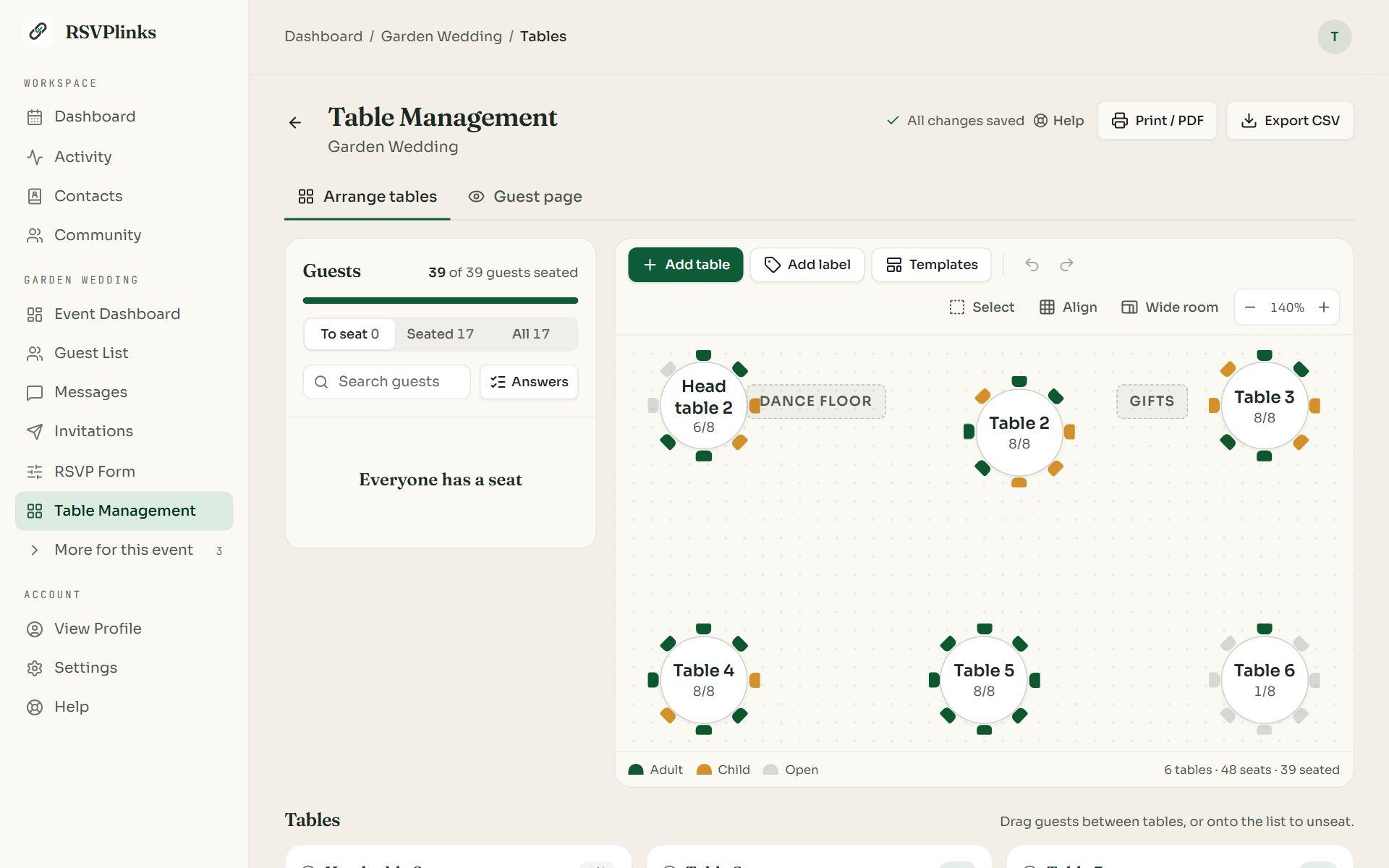
The room, with the guests still to seat beside it 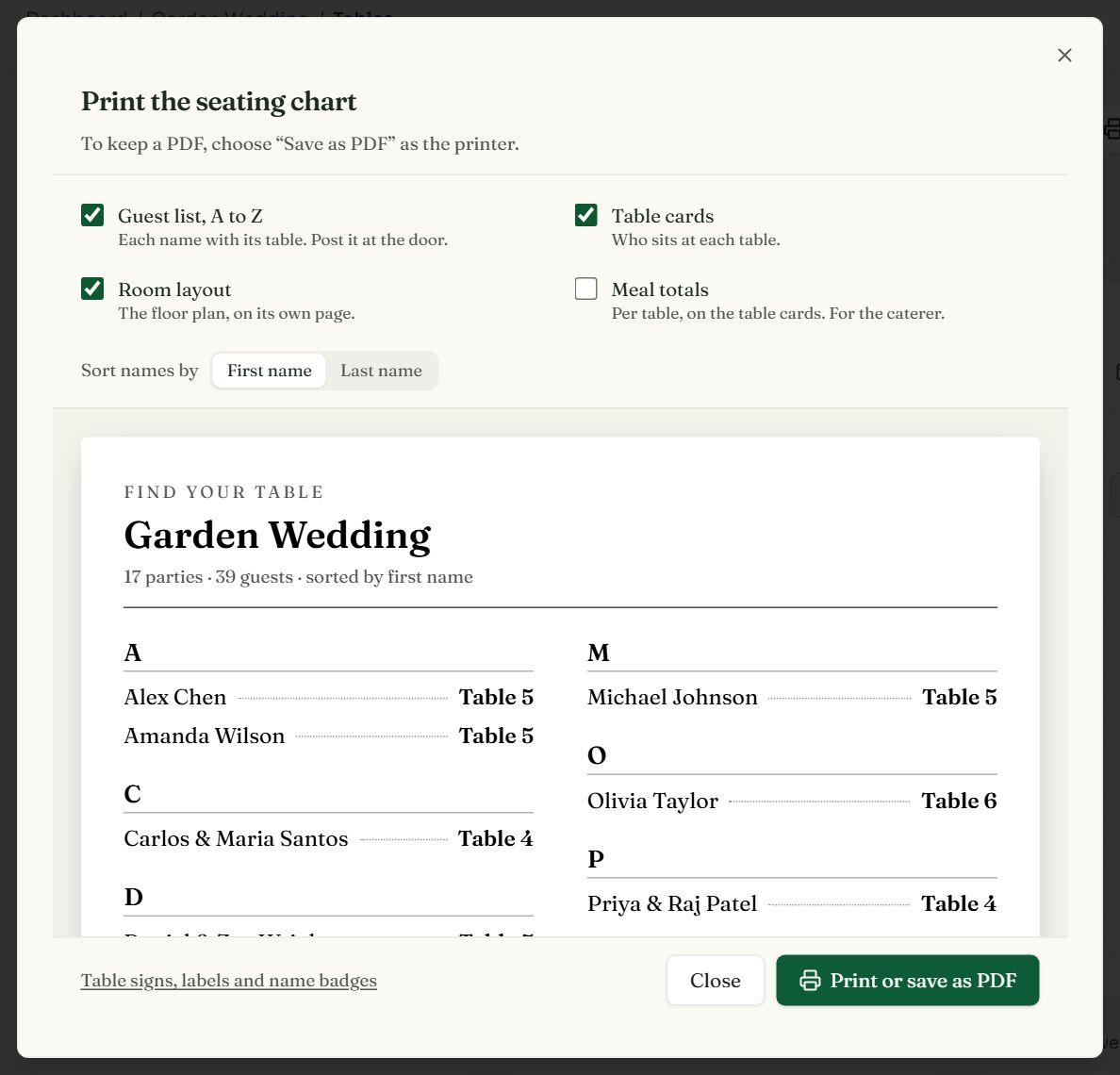
Print the guest list, table cards, room layout and meal totals 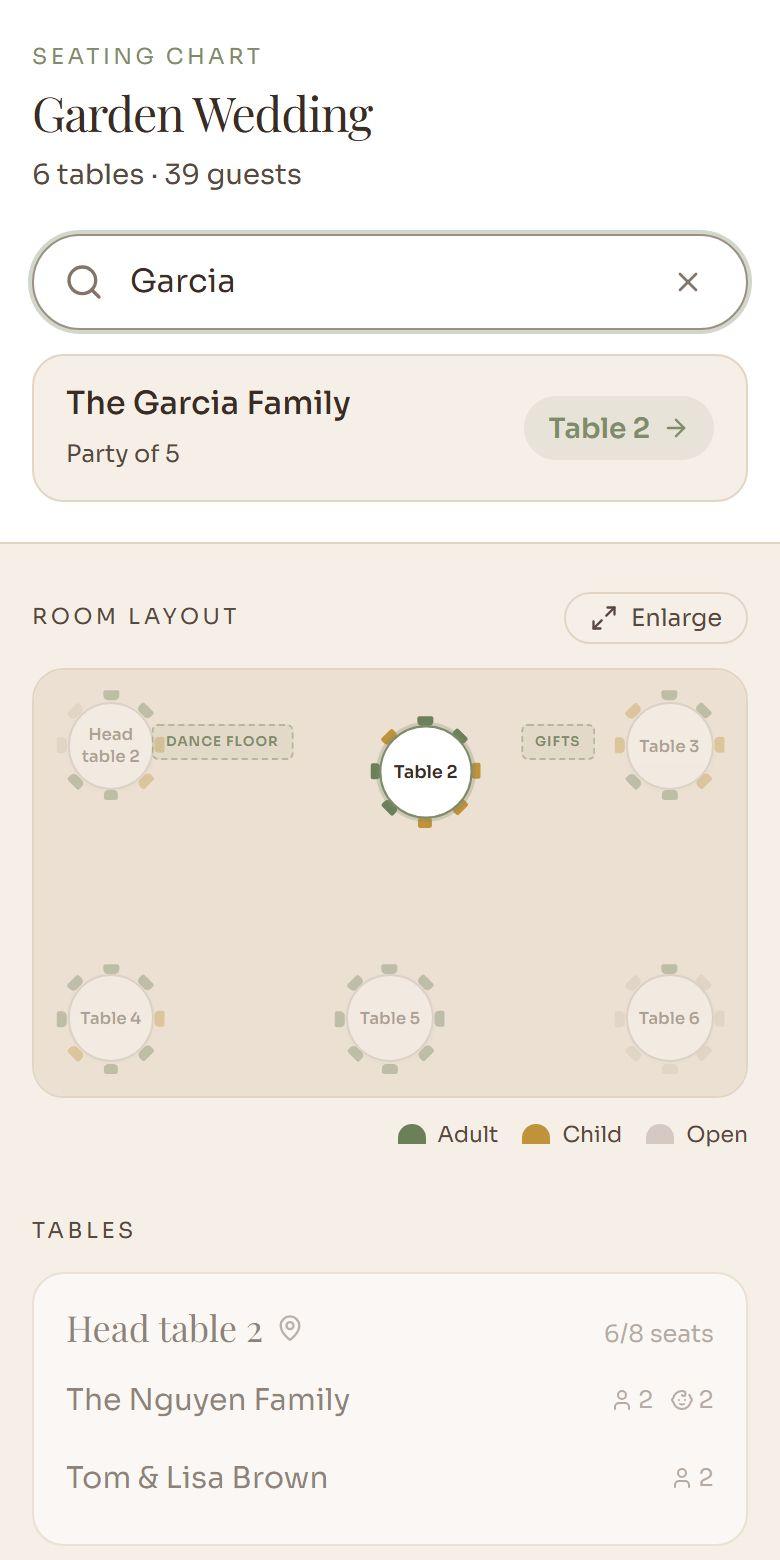
A guest types their name and sees their table
Drag guests to tables
Drag a party from the list onto a table, or use Seat to pick a table from a menu on a phone. Undo steps back through anything.
Auto-seat the rest
One button fills the open seats and keeps each party together. Guests you placed stay put.
Room templates
Lay the whole room out in one step, then drag tables where the venue has them. Labels mark the dance floor or the bar.
Split a party
Seat the adults at one table and the kids at another. Kids' seats are tinted so a table's mix shows at a glance.
Meal choices on the chart
Show an RSVP answer, such as the meal choice, beside each guest, and print per-table meal totals for the caterer.
Find-your-table page
A link and a QR code for the welcome sign. Guests type their name and see their table on the room layout.
What you can print
- Guest list, A to Z: each name with its table, for the door.
- Table cards: who sits at each table.
- Room layout: the floor plan on its own page.
- Meal totals: per-table counts for the caterer.
How it works
- 01Create your event on RSVPlinks and collect replies with its link.
- 02Open Table Management from the event. It starts in preview with sample guests, so you can lay out the room before you pay. The demo on this page is the same editor.
- 03Add round or long tables, or pick a room template, and drag them where the venue has them.
- 04Unlock it for your guests ($6 or 1 credit), then drag each party to a table or press Auto-seat.
- 05Print the guest list, table cards and room layout, and put the find-your-table QR code on the welcome sign.
Lay out your room before you pay
The preview runs on any event with sample guests, and your tables carry over when you unlock it for $6 or 1 credit.
Selling whole tables? See selling tickets and tables. Checking guests in at the door? See the event check-in app.
Questions
Is the seating chart maker free?
It's free to try: Table Management opens on any event, a free one included, with sample guests, and the room you build is kept. Seating your own guests is an add-on at $6 or 1 credit per event, on an event with a paid plan (a one-time $8–$39).
Can I try it without an account?
Yes. The demo on this page is the real editor with sample guests: drag them onto tables, auto-seat, pick a room template and print. It stays in your browser and nothing is sent to us.
Where do the guest names come from?
From your event's replies. Everyone who says they're coming appears in the To seat list with their party size, and new replies arrive there as they come in. A guest who replied by phone or in person can be added to the guest list by hand.
How many tables and seats can a chart have?
Up to 200 tables and labels in a room, round or long, with up to 50 seats at a table. You can add several identical tables in one step.
Can it seat everyone for me?
Yes. Auto-seat fills the open seats and keeps each party together. Guests you already placed stay where they are, so you can seat the head table by hand and let it do the rest.
Can I split a family across two tables?
Yes. Split party divides one reply into parts, for example the adults at one table and the children at another, and each part is seated on its own.
How do guests find their table?
Share the find-your-table link or print its QR code on a welcome sign. Guests type their name and see their table, highlighted on the room layout. The page follows the chart as you change it.
Can I print the seating chart?
Yes. Print an A to Z guest list with each name's table, table cards, the room layout and per-table meal totals, or save them as a PDF from your browser's print dialog. Export CSV downloads the seating as a spreadsheet for the venue.
What happens when someone cancels?
A seated guest who changes their reply to not coming is flagged on the chart and no longer counted, so you can free the seat.
What can't it do?
It seats guests at tables, not in numbered chairs, and guests can't choose their own seats. It works from an RSVPlinks event's guest list, so it isn't a standalone chart for names pasted from a spreadsheet.