Free on every event
An RSVP form with meal choices
Add a meal choice to your RSVP form. Each guest in a party picks a plate (chicken, fish, vegetarian, a kids' meal) and the dashboard adds up the totals for your caterer. Guests answer on their phone with no app or account.
The question, and the totals it adds up
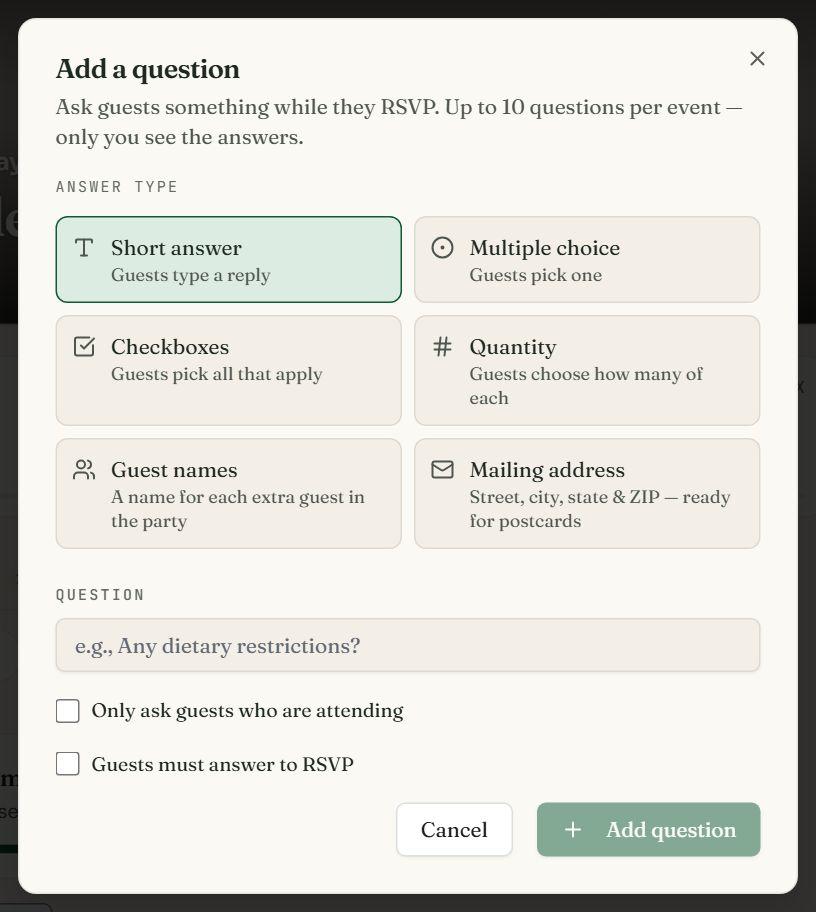
Add a Quantity question and list the meals 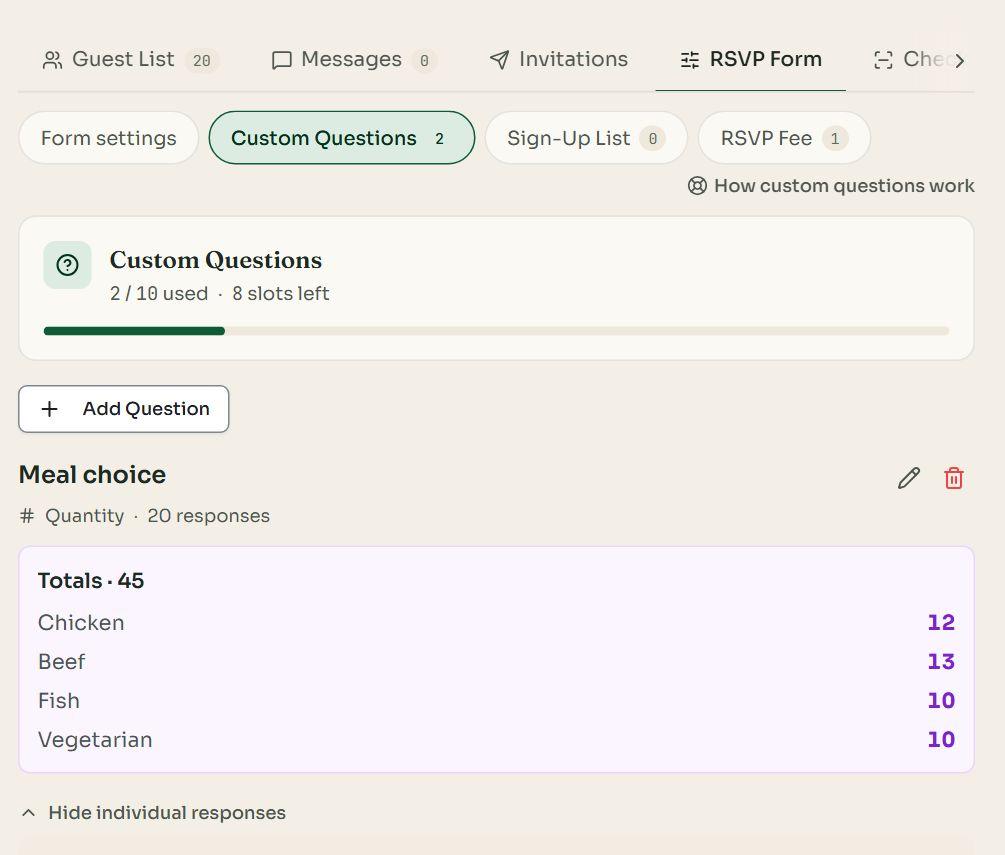
Totals for each meal on your dashboard
Designs for a seated dinner
Rosewater Wedding Website
Websites
A wedding website with a photo collage, pressed petals and the RSVP built in.
Bordeaux Wedding Website
Websites
A wedding website with an embossed oval invitation, calla lilies and the RSVP built in.
One meal per person
A Quantity question capped at the party size: each guest in a party gets exactly one plate, and nobody orders five.
Only for guests who are coming
Ask it only of guests who reply Attending, and make it required so every plate is counted.
Totals for the caterer
The dashboard adds up every meal as replies arrive: 12 chicken, 13 beef, 10 fish, 10 vegetarian.
In the export
Download the guest list as a CSV with a column for the meal question, ready for the caterer or the seating plan.
How it works
- 01Create your event, open the RSVP form's Custom Questions and press Add question.
- 02Choose Quantity, type the question ("Choose your meal") and add each meal as an item.
- 03Tick Cap the total at the guest's party size, Only ask guests who are attending, and Guests must answer to RSVP.
- 04Share the link. The totals for each meal grow on your dashboard as replies come in; download the CSV for the caterer.
For weddings, rehearsal dinners, banquets and plated parties
One question free on every event; up to 10 with a paid plan.
Charging for dinner? See selling tickets with paid extras.
Questions
Is the meal choice free?
Yes. A free event asks one question, and a meal choice can be it. A paid event (from $8, once) asks up to 10, so you can add dietary needs, a song request or a second course.
How does each person in a party get a meal?
Make the question a Quantity question and tick Cap the total at the guest's party size. A guest replying for three picks how many of each meal, up to three in all: two chicken, one vegetarian.
Do guests who can't come have to answer?
No. Tick Only ask guests who are attending and the question appears only after a guest chooses Attending. Mark it required so nobody coming skips it.
Where do I see the totals?
On the event dashboard's Custom Questions tab: the total for each meal, and each guest's answer under it. The guest list's CSV export has a column for the question too.
Can I add a kids' meal?
Yes. Add it as one of the choices (up to 20), and turn on the Adults + Kids counters if you also want the number of children in each party.
Can guests pay for their meal?
For a meal with a price, use Tickets instead: paid extras such as a dinner sit beside the ticket, and each guest pays when they reply.
What can't it do?
A Quantity answer is counted per party, not tied to a name: a party of three says two chicken and one fish, not who eats which. If the caterer needs a name on each plate, add a short-answer question asking who has what (a paid event asks up to 10 questions).