Rosewater Wedding Website
Websites
A wedding website with a photo collage, pressed petals and the RSVP built in.
Free on every event
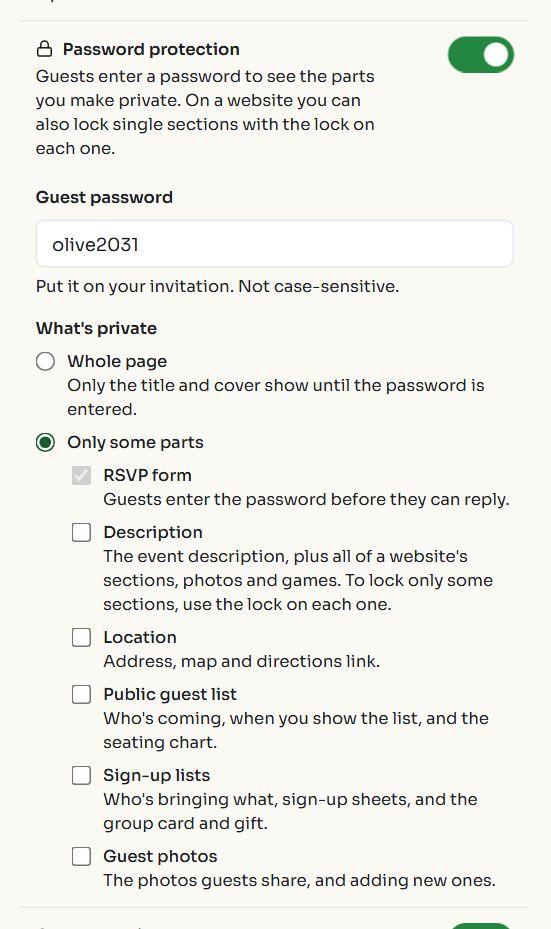
Lock your invitation with one guest password. Lock the whole page, or only the parts you want private: the address, the RSVP form, the guest list, or a section of your wedding website. Guests type the password from the invitation and need no account.
Websites
A wedding website with a photo collage, pressed petals and the RSVP built in.
Websites
A kids' birthday website with balloon animals, confetti, a bouncy plan and the RSVP built in.
Photo-forward
An editorial cover for an open house: the home, the hours and an RSVP.
Choose a word, print it on the card or send it with the link. Guests type it once; it isn't case-sensitive.
Lock everything but the title and cover, or only the RSVP form, the description, the location, the guest list, sign-ups or photos.
A link shared in a group chat travels. Lock the location and only people with the password see the address and the map.
What's behind the password isn't sent to the browser at all until it's entered, so it can't be read from the page source.
For weddings, kids' parties, private dinners and anything you'd rather not post publicly
Free on every event, with every design.
Yes, on every event, free or paid, for the whole page or any part of it.
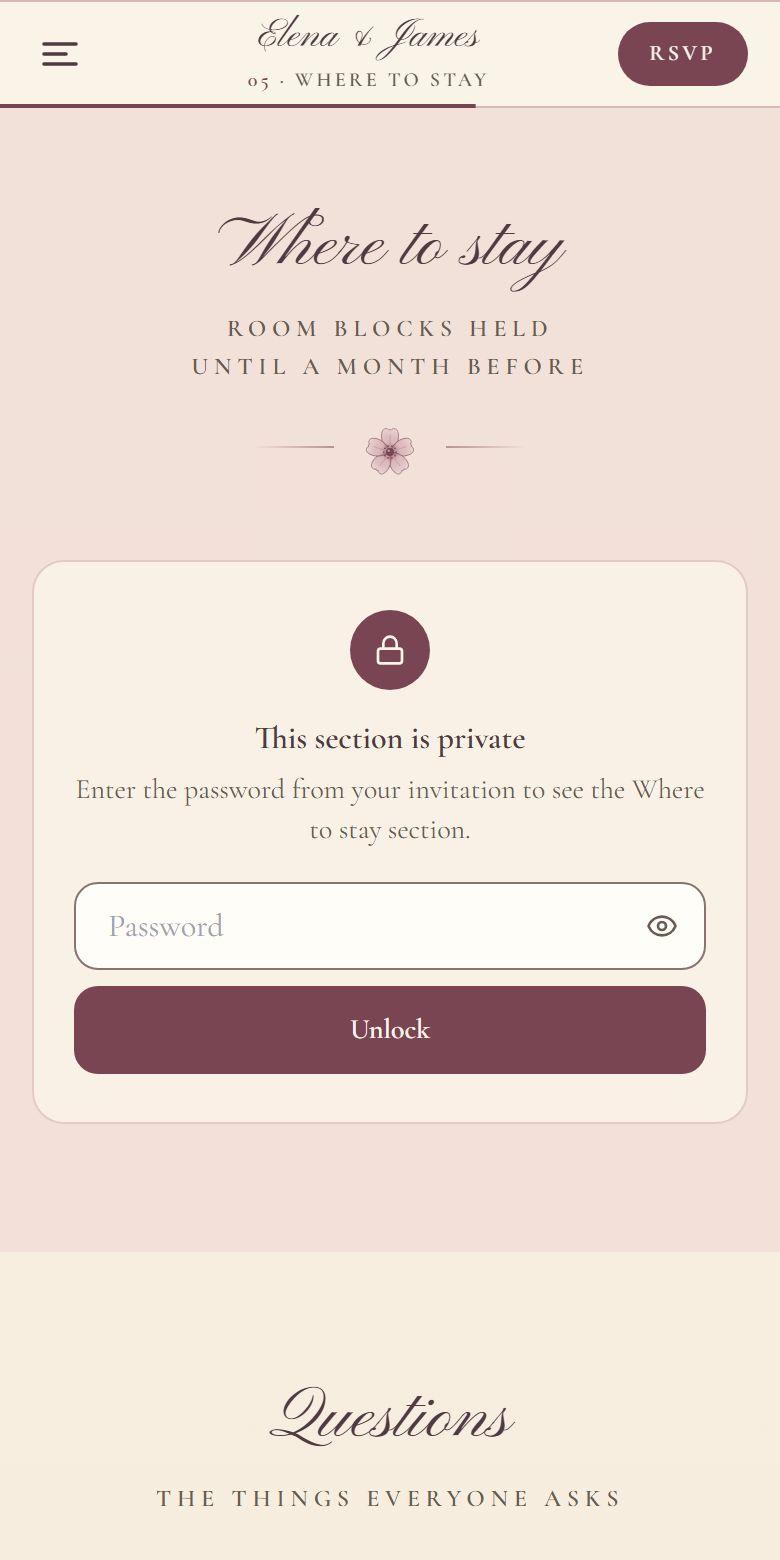
The whole page (only the title and cover show until the password is entered), or only some parts: the RSVP form, the description, the location with its map, the public guest list, sign-up lists, and guest photos. On a website you can also lock single sections, such as Where to stay.
No. They open your link, type the password from the invitation, and the page opens. The password isn't case-sensitive.
No. Once they enter it, the page stays open on that device. If you change the password, everyone is asked again.
Wrong guesses are limited, from each connection and for the event as a whole, so a password can't be tried over and over. The locked parts are left out of the page itself, not just hidden on screen.
Yes, two ways. Put the location behind the password (free), or on a paid event choose "Share the address only after RSVP" so only guests who reply Going get it.
It's one password for everyone, not a separate login per guest, so anyone you give it to can pass it on. For a page only people you approve can see the details of, ask guests to request a spot and approve each one.